
Auto-populate Tax Summary (All tax software)
The
Tax Summary
panel in TaxCaddy gives you and your clients a high-level overview of a client's tax return without having to go through individual tax returns in a client's profile. There are 3 ways of adding a tax summary to your client's profile:- Type the Tax Summary manually
- Fetch Tax Summary (CCH Axcess Tax & GoSystem Tax RS only)
- Auto-populate Tax Summary by uploading a client's tax return(All tax software).
In this article, we'll show you how to auto-populate the
Tax Summary
information by uploading a client's tax return.Auto-populate Tax Summary
In the Reviewer Dashboard, the Deliverables checklist can scan and auto-populate the tax summary details into your client's TaxCaddy account upon delivery. As a key benefit, you won't need to manually enter the information on the
Tax Summary
panel in TaxCaddy. In contrast to the Fetch Tax Summary feature, this feature is available for all tax software and included as part of delivery.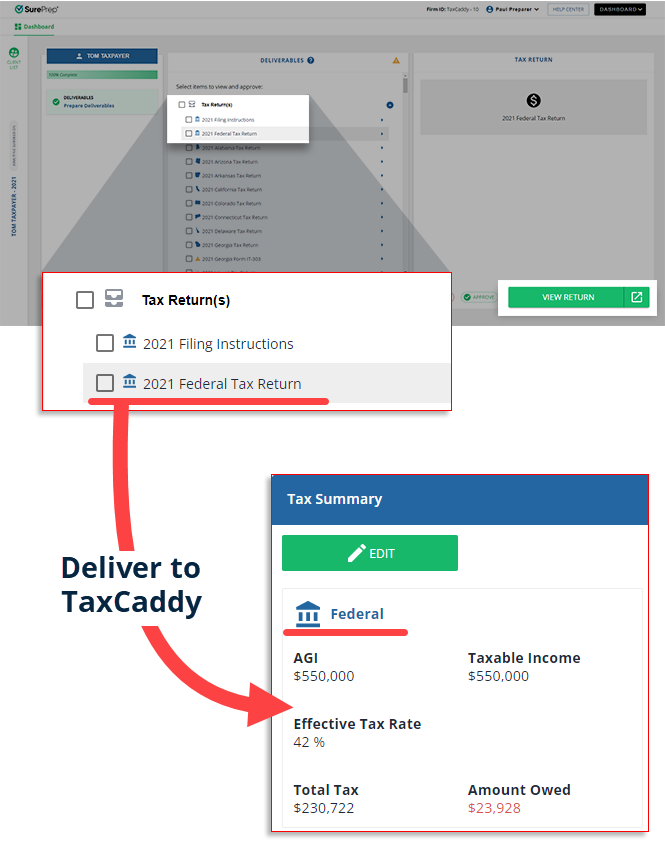
To auto-populate the
Tax Summary
panel in TaxCaddy, upload your client's tax return using the Split Deliverables
feature.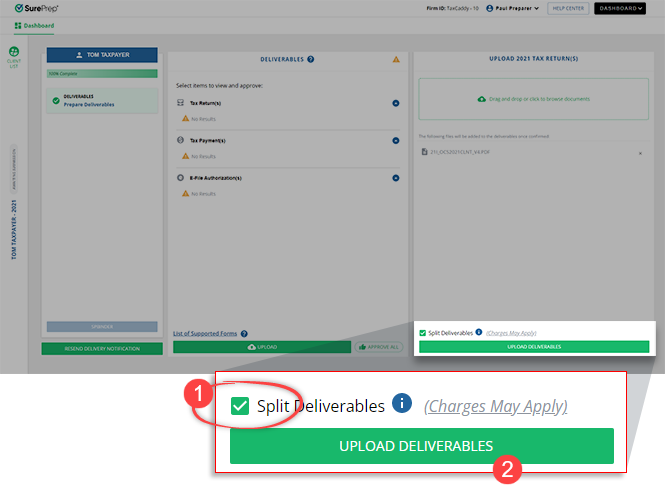
After you send the deliverables (tax returns, tax payments, e-file authorizations) to your client's TaxCaddy account, you and your client will be able to see an overview of your client's tax summary details on the
Tax Summary
panel. 
note
- Tax summary will populate for all tax software supported by SurePrep.
- For OCR to scan the tax return, use theSplit Deliverablesfeature when uploading the tax return in the Reviewer Dashboard.
- Your client's TaxCaddy account must have the Tax Client ID added.
- SurePrep calculates the Effective Tax Rate using the following formula: Effective Tax Rate = (Total Tax ÷ Taxable Income) * 100.
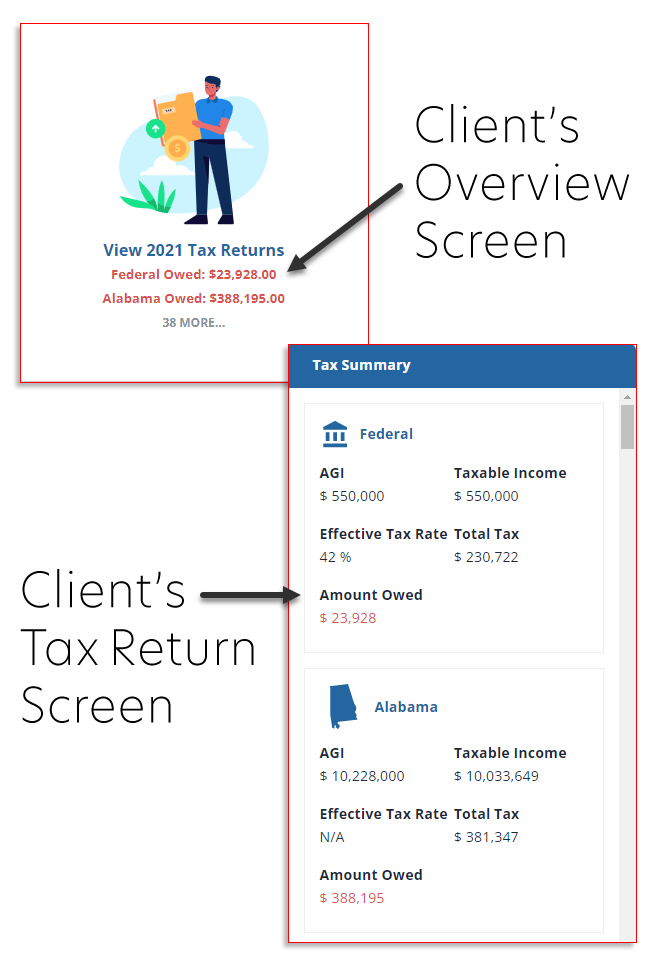
Client's experience
Your clients will also benefit from having a high-level overview of their tax returns.
Requirements
Settings |
|
Binder Type |
|
Tax Software |
|
Tax Year | 2021 onwards |

