
Fetching Tax Summary (CCH Axcess Tax, GoSystem Tax RS)
Follow these steps to fetch a Tax Summary for CCH Axcess Tax or GoSystem Tax RS.
- Log in to TaxCaddy.
- On theOverviewscreen, select a client tile to view the client profile.

- SelectTax Returns.

- On theTax Summarypanel, selectFETCHto begin fetching the Tax Summary.noteTheFETCHbutton is only available for CCH Axcess Tax and GoSystem Tax RS users.
 In order for theFETCHbutton to appear, theClient Managementscreen must have the following details:noteAll required fields are marked with an asterisk (*). If required fields are missing, theFetchprocess will fail.🗸 CCH Axcess Tax
- * Tax Software (CCH Axcess Tax)
- * Tax Client ID
- * Tax Software Account number
- Tax Software Password: This is only required if the Tax Client ID requires a password to access the client's prior year tax return.
- * Tax Software Version
🗸 GoSystem Tax RS- * Tax Software (GoSystem Tax RS)
- * Tax Client ID
- * Tax Software Account number
- Tax Software Password: This is only required if the Tax Client ID requires a password to access the client's prior year tax return.
- For clients assigned to GoSystem Tax RS, if you see theAdd State to Tax Summarywindow, select the states you would like to fetch a Tax Summary for, then selectFETCH.

- On the right panel, you will see an empty Tax Summary if no tax returns are uploaded.
 A Fetch Summary notification appears when one or more tax returns are uploaded.
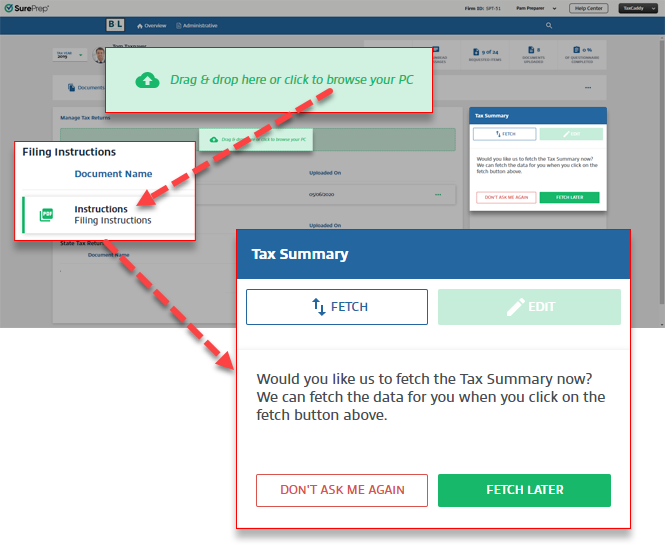 SelectFETCHto begin fetching the Tax Summary.SelectDON'T AS ME AGAINto remove the Fetch notification for the current tax year.SelectFETCH LATERto remove the Fetch notification until you upload another Tax Return or log in again.noteRemoving the Fetch notification doesn’t remove theFetchbutton. You can selectFetchat any time.
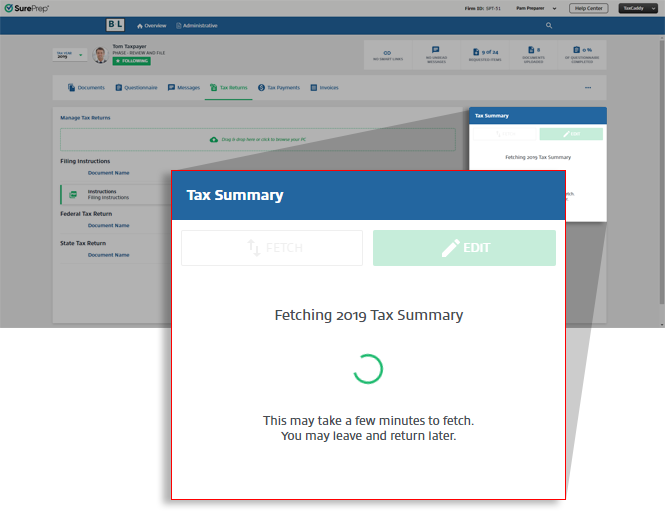
- Once you selectFETCH, TaxCaddy will begin retrieving the tax return summary from the tax software. You don't need to monitor the fetch process, you may leave TaxCaddy and view it later.
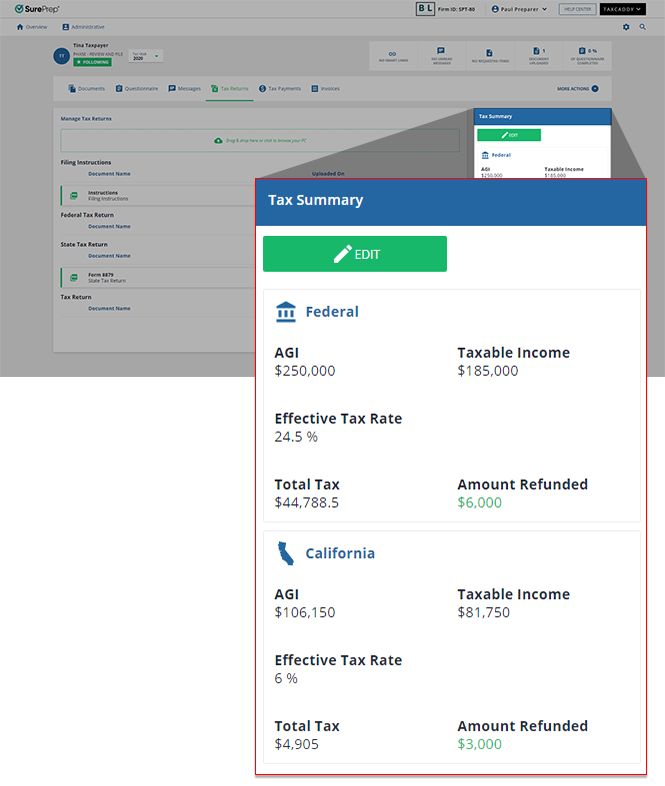
- Once the fetch completes successfully, theTax Summarypanel populates the fetched results.
- If the fetch fails, theTax Summarypanel updates theStatustoIN ERROR
 and adds the error message in Tax Summary. You can resolve the error, and tryFETCHagain.

