
Search for text in a document
The search feature lets you search the document for a keyword or phrase. Documents can only be searched if the document has a text layer. To determine if the document contains a text layer, use the  tool. If the text is selectable, then it contains a text layer.
Select Text
tool. If the text is selectable, then it contains a text layer.Follow these steps to search the document:
- Select theSearch
 icon.
icon.
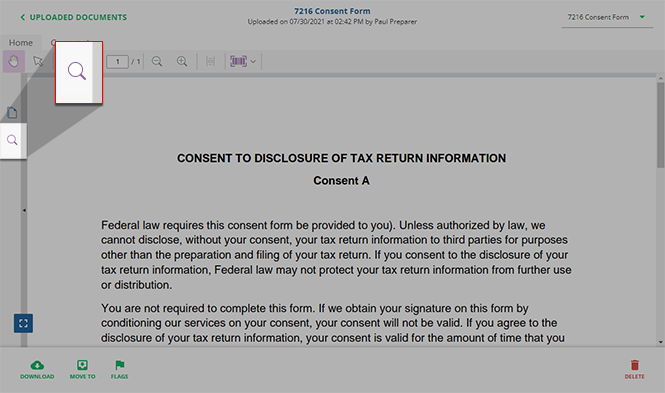
- Enter your search keyword or phrase then pressEnteror select theSearch icon.

- Search results appear following the search field. You can select the individual search tag to view it highlighted on the document.

Related Content
-
Document Viewer (PDF Viewer)
Format: Article

