
Delete users
Follow these steps to delete a user individually or in bulk. You can also turn off a user to clear an account without deleting it.
note
You can't delete users who meet either of these conditions:
- Have theFirm System Administratorrole
- Have aDisabledstatus
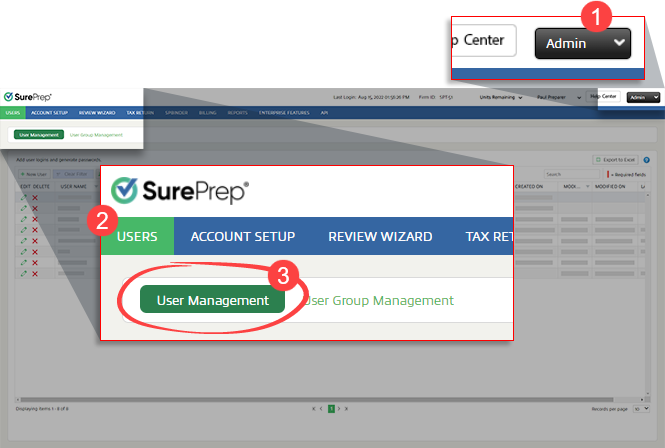
- Go toFileRoom,Admin,Users, thenUser Management.
- Select the
 Deleteicon next to the user you want to delete.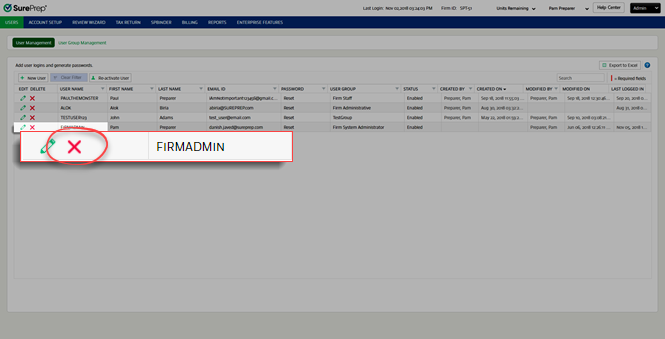
- When the confirmation window appears, selectYesto delete the user.noteIf the deleted user is the owner of any binders, the Owners column inFileRoom will still show the deleted user's name.
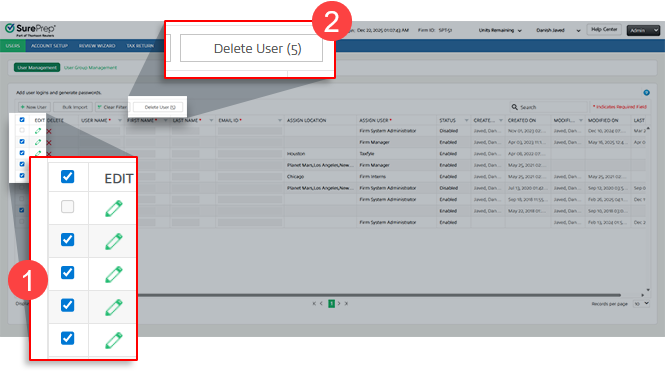
- To bulk delete users, select the checkboxes for those users, then clickDelete User.
Related Content
-
User Management overview
Format: Article

