
Turn off user accounts
You can turn off users accounts without deleting them. Follow these steps to turn off a user.
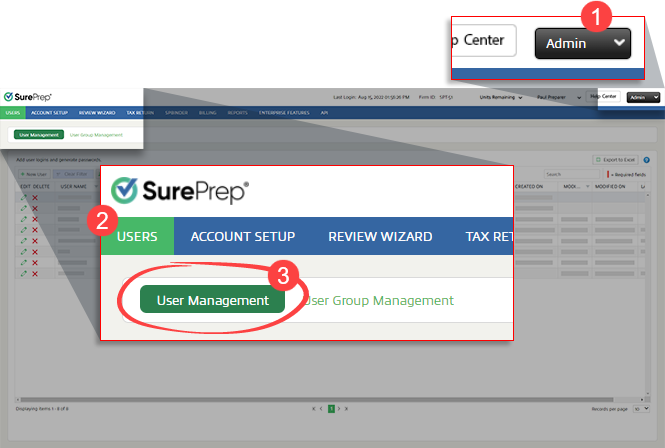
- Go toFileRoom,Admin,Users, thenUser Management.
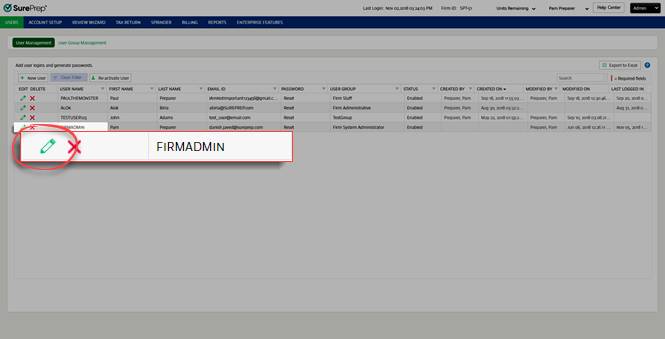
- SelectEdit
 next to the user you want to edit.
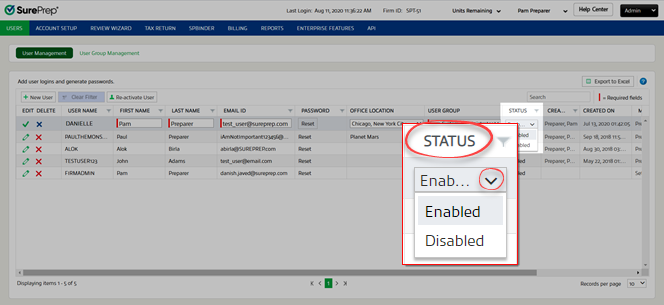
- SelectStatus, thenDisabledfrom the dropdown.
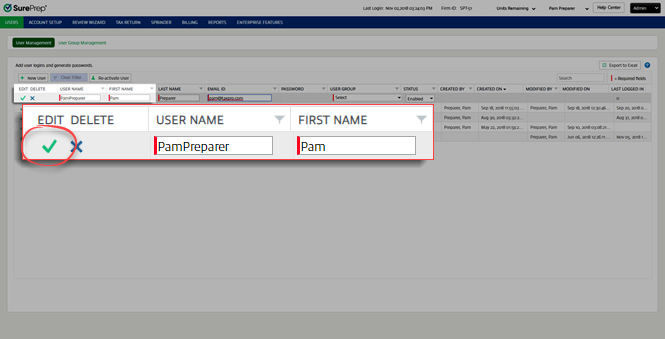
- SelectSave
 . The user's account is turned off.
Related Content
-
User Management overview
Format: Article

