
Edit users
Follow these steps to edit firm's users details:
note
Only users in the Firm Administrator user group can edit user information.
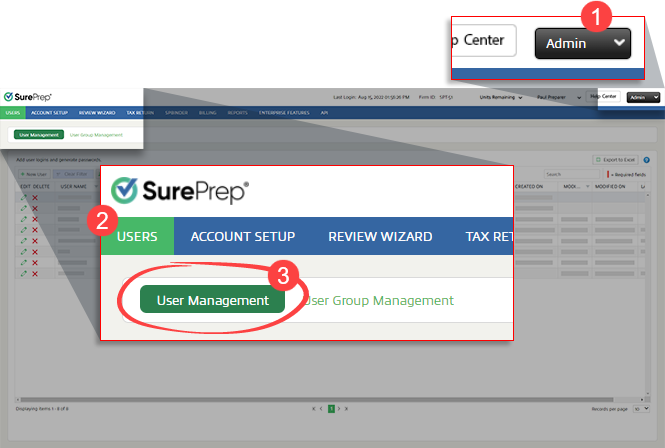
- Go toFileRoom,Admin,Users, thenUser Management.
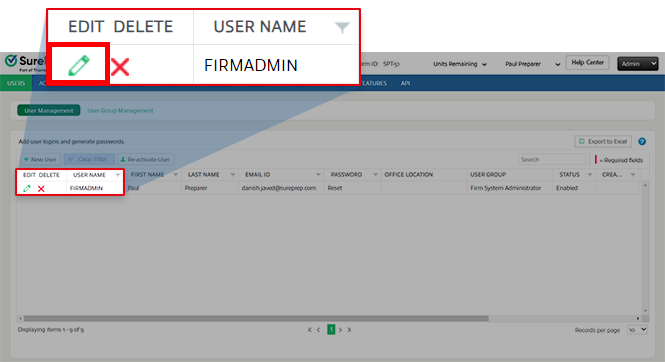
- SelectEditnext to the user you want to edit.
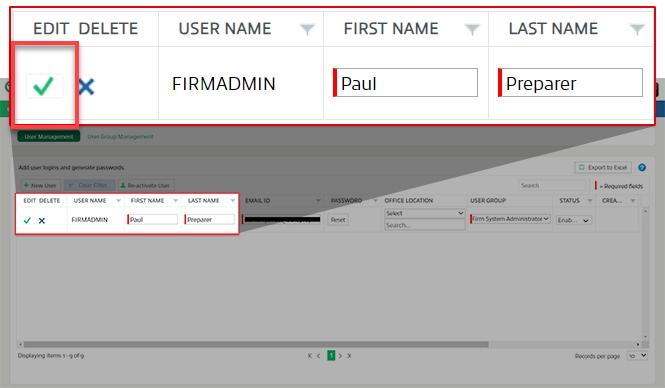
- You can edit:
- First Name
- Last Name
- Email ID
- Assign Location
- Assign User
- Status
noteYou may come across user records where the theEmail IDfield is disabled due to the following reasons:- User has not activate their TR Account. For example, if you created a new user. You will see a pop-up notification "User needs to activate their TR Account or Email verification to enable email address updates".
- User's account status is disabled.
- SelectSave.
 noteIf you'd like to update your own email address or password, sign-in to FileRoom, point to user menu then selectManage TR Account. However, if you forgot your password, you can reset it yourself at the Thomson Reuters account sign-in page.
Confirm verification email
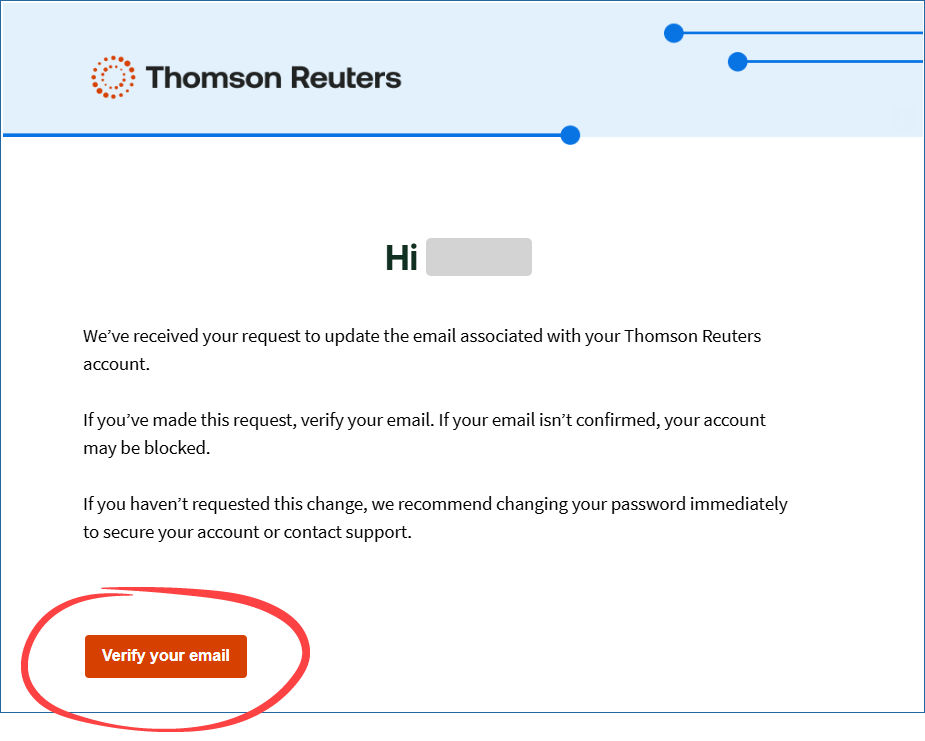
When you update a user's email address, they'll receive a confirmation email. They must confirm the new email address before they can sign in with it.
Related Content
-
User Management overview
Format: Article
-
Reset your password
Format:
Article
-
Change your email
Format:
Article
-
Create new users individually
Format:
Article

