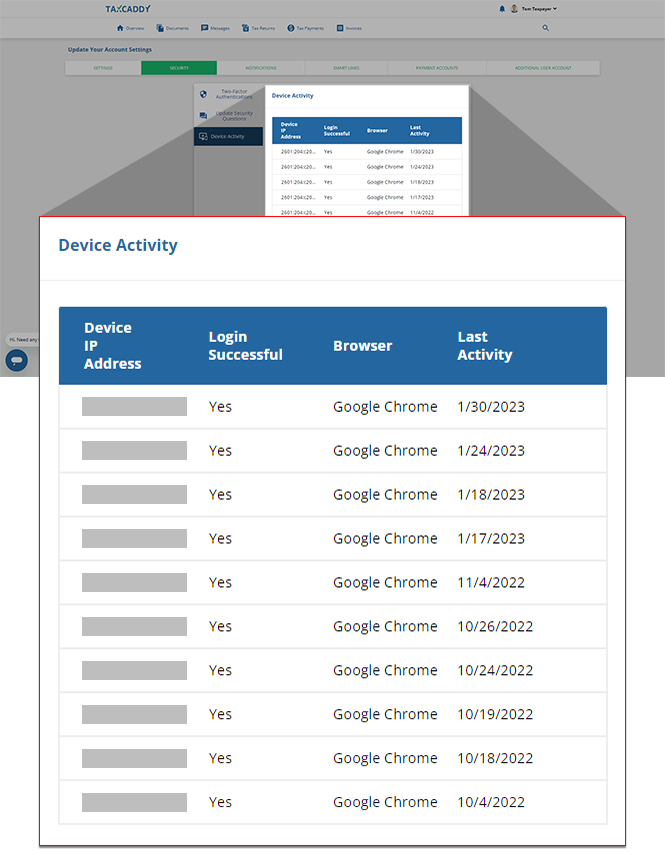
Device activity
Find out who's logging in to your TaxCaddy account on the
Device Activity
tab of your account settings. You can view a list of your 10 most recent account sign-ins, helping you monitor who has access to your tax information.Follow these steps to view your account's sign in activity:
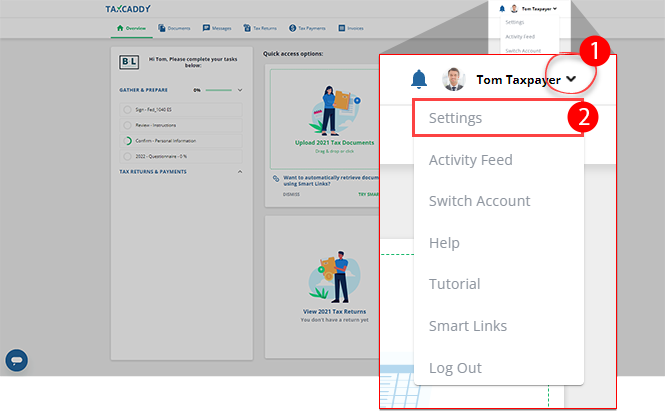
- Sign in to TaxCaddy.
- SelectUser Menu, thenSettings.
- SelectSecurity, thenDevice Activity.
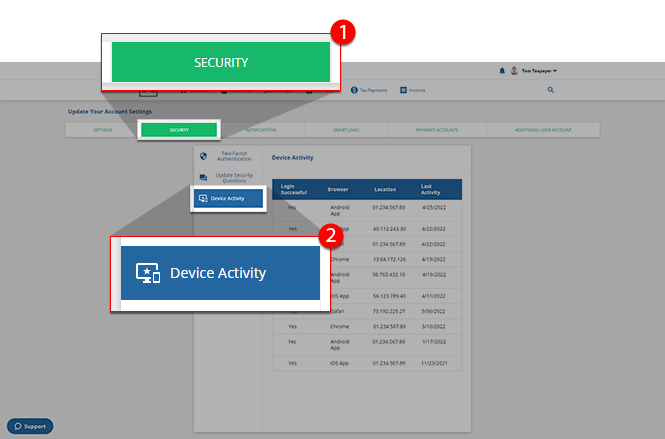
- Your account's 10 most recent sign-ins are listed inDevice Activity, with the most recent sign-in at the beginning of the list. Each entry includes:
- Device IP Address: The IP address of the device used to log into your account.
- Login Successful: Indicates whether or not the user successfully logged in to your account.
- Browser: The web browser/software used to log into your account
- Last Activity: The 10 most recent sign-in attempt dates.