
Delete your account
Show all hidden content
When you delete your TaxCaddy account, all of your documents, tax returns, tax payments, and invoices will be removed permanently. After you delete your account, you will have a 72-hour grace period to sign back in to cancel your account deletion. As a taxpayer user, deleting your account also deletes the spouse user connected to your account. During the grace period, your spouse can still sign in and download any necessary documents. However, your account deletion won’t be canceled when your spouse or an Admin user logs in.
note
Taxpayer's account and documents won’t be deleted if a connected spouse user deletes their own account.
TaxCaddy.com on PC, Mac, or tablet
Follow these steps to delete and restore your account:
- Log in to TaxCaddy.com.
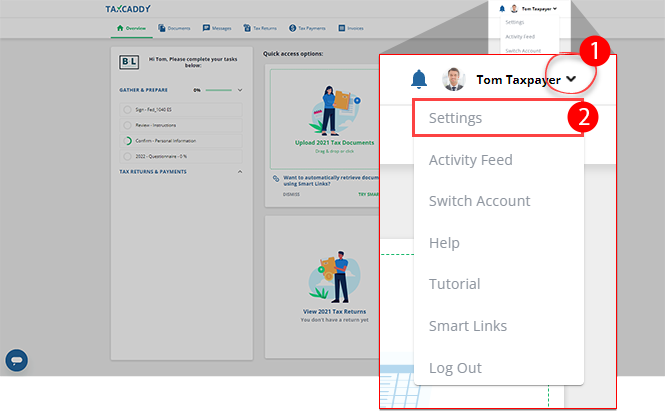
- Select theUser Menu, then selectSettings.
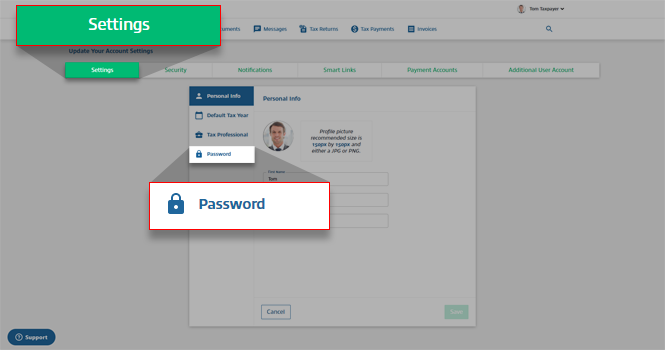
- On theSettingstab, selectPassword.
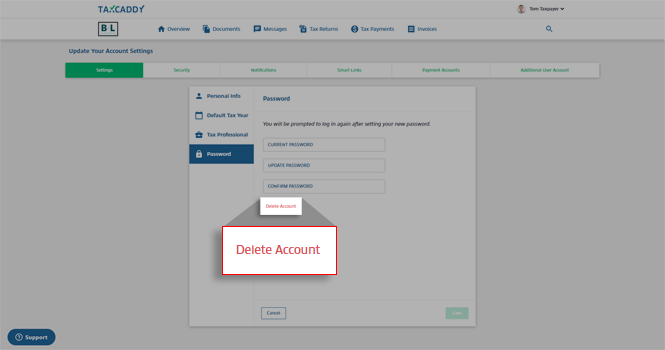
- SelectDelete Account.
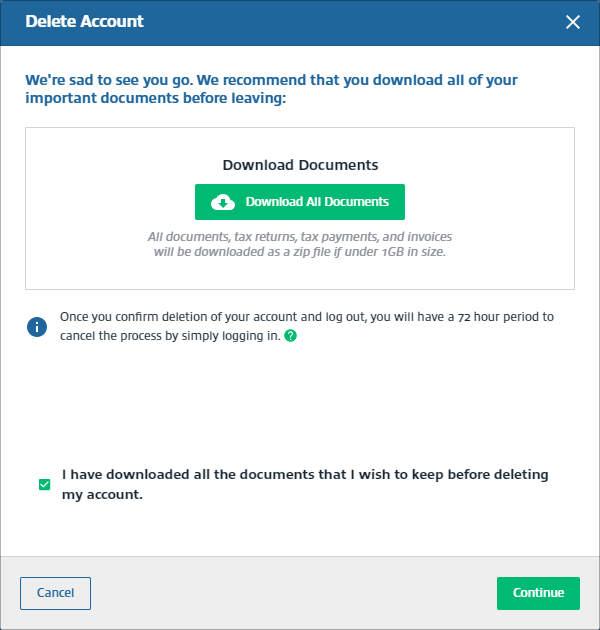
- On theDelete Accountwindow, selectDownload All Documentsto download all of your documents, tax returns, tax payments, and invoices. A ZIP file will begin downloading all of your document.noteIf the size of all of your documents exceed 1GB, you will need to download them individually from the documents, tax returns, tax payments, and invoices screen.
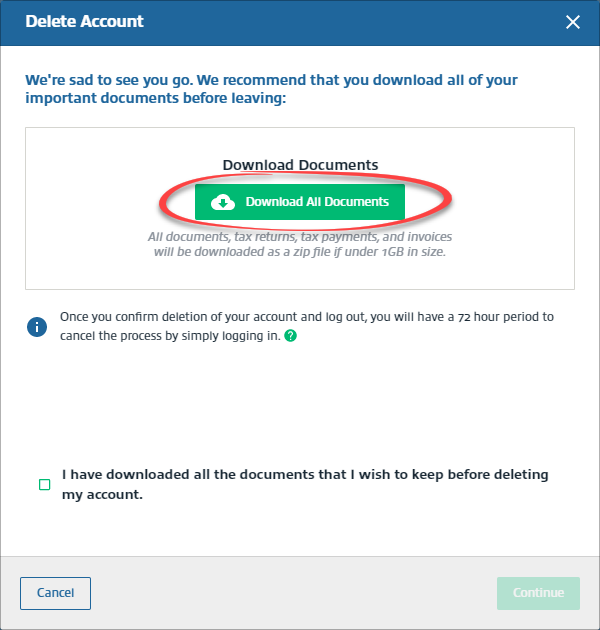
- Select the checkbox forI have downloaded all the documents that I wish to keep before deleting my account.
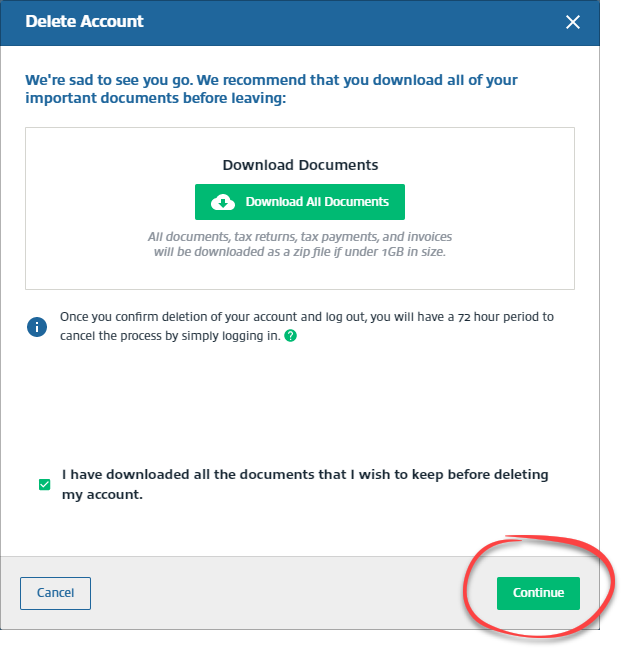
- SelectContinue.
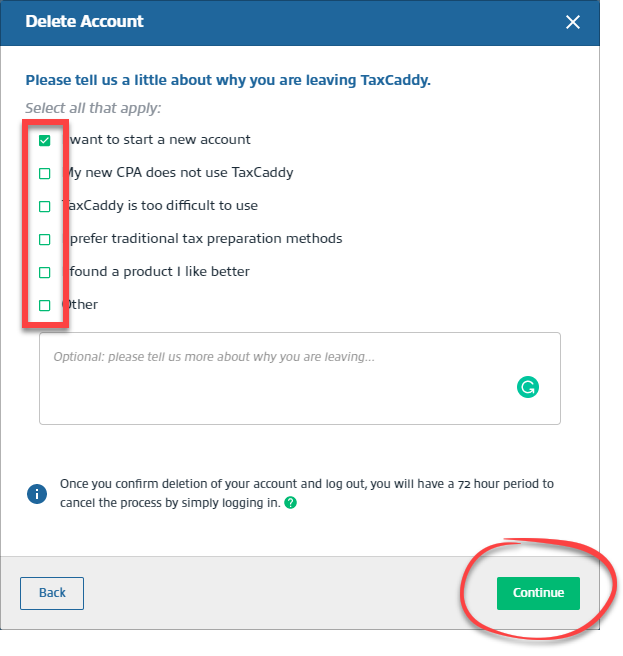
- Select a checkbox for deleting your account, then selectContinue. TheContinuebutton will only turn on after you've selected a reason.
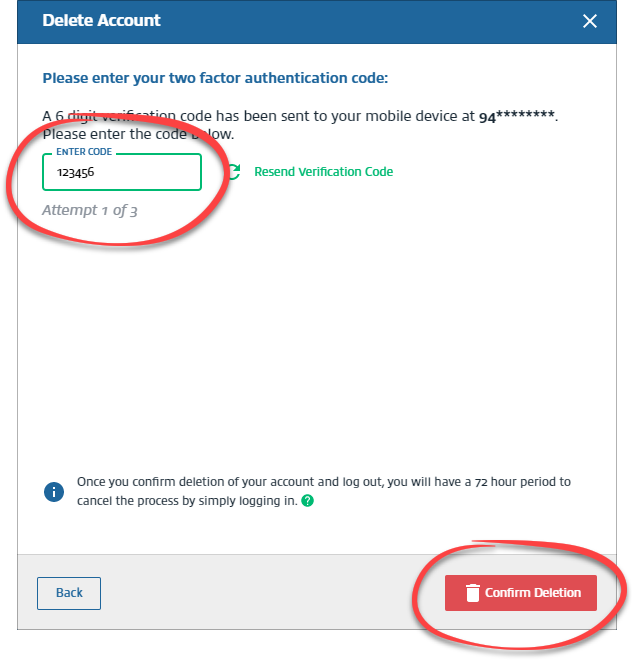
- In theEnter Codefield, enter the Two-Factor Authentication code sent to your phone. Then, selectConfirm Deletion. Enter the correct code within 3 attempts.
- You can cancel your account deletion by signing back into your TaxCaddy account within the 72 hours grace period.
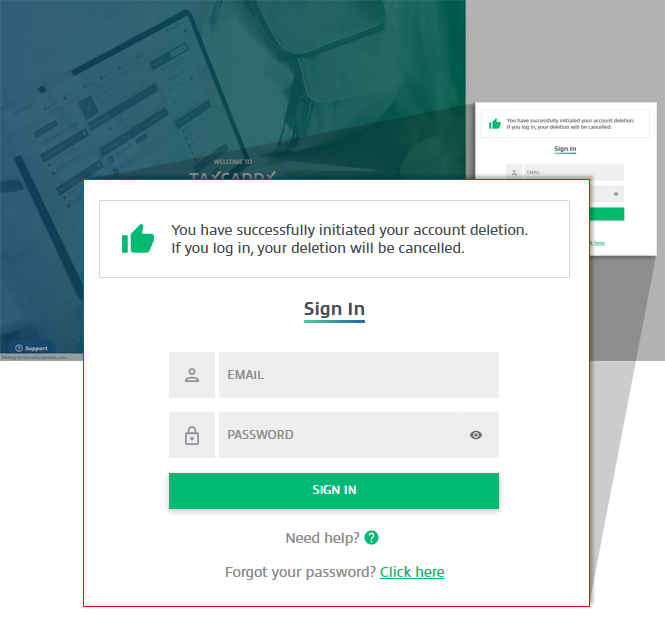 Account deletion won’t be canceled when your spouse or an Admin user log in. However, spouse and Admin user can still sign in and download documents during the grace period.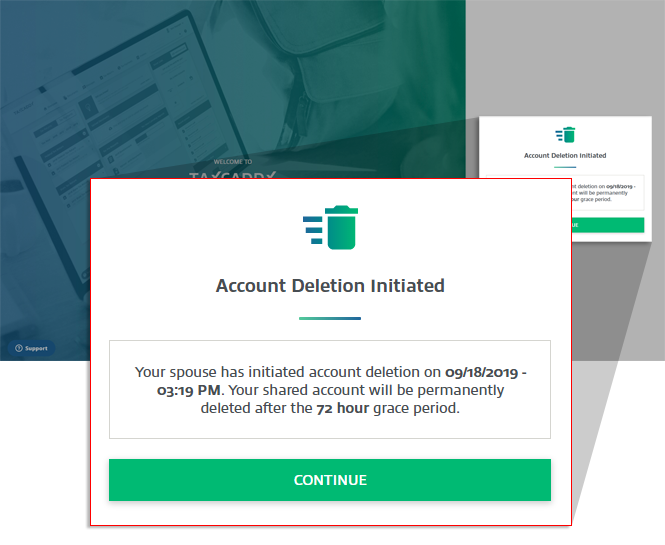
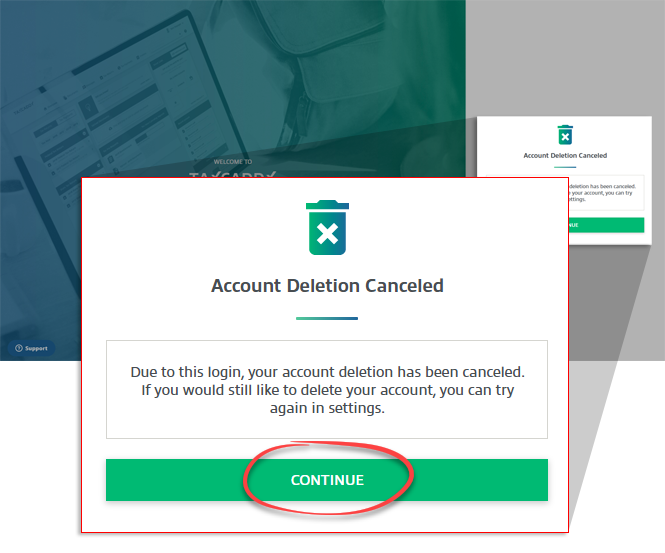
- Your account deletion will be canceled after you log in. SelectCONTINUEto proceed to your account.
 YourActivity Feedwill be updated.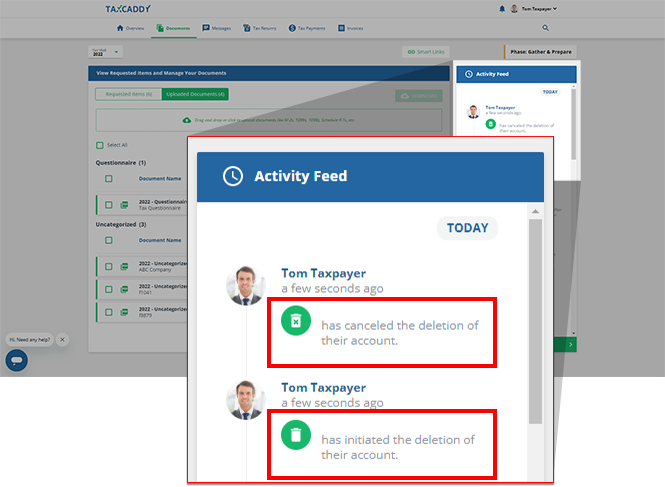
iOS mobile app
TaxCaddy accounts can't be deleted from the TaxCaddy mobile app. You can delete your TaxCaddy account by logging into TaxCaddy through your PC, Mac, or tablet. After deleting your account, you will have a 72-hour grace period to sign back in to cancel your account deletion. Select
CONTINUE
to proceed to your account.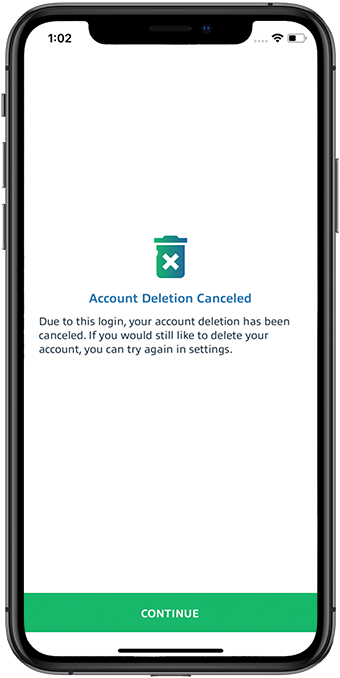
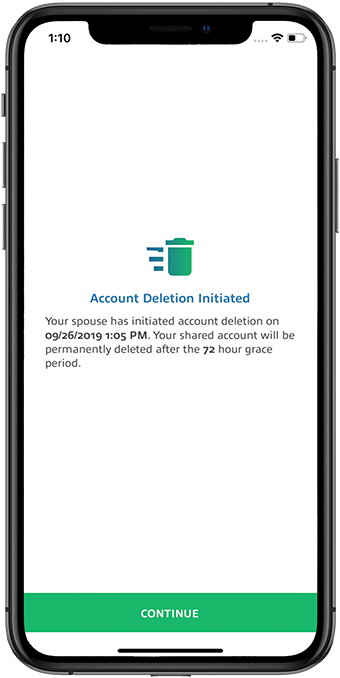
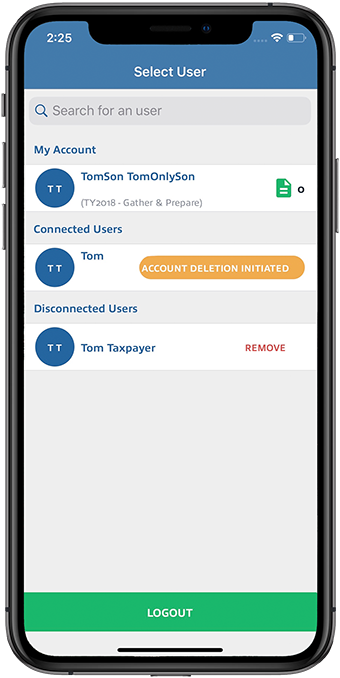
Account deletion won’t be canceled when your spouse or an Admin user log in. However, spouse and Admin user can still sign in and download documents during the grace period.
Spouse User
:
Admin User
:
Android mobile app
TaxCaddy accounts can't be deleted from the TaxCaddy mobile app. You can delete your TaxCaddy account by logging into TaxCaddy through your PC, Mac, or tablet. After deleting your account, you will have a 72-hour grace period to sign back in to cancel your account deletion. Select 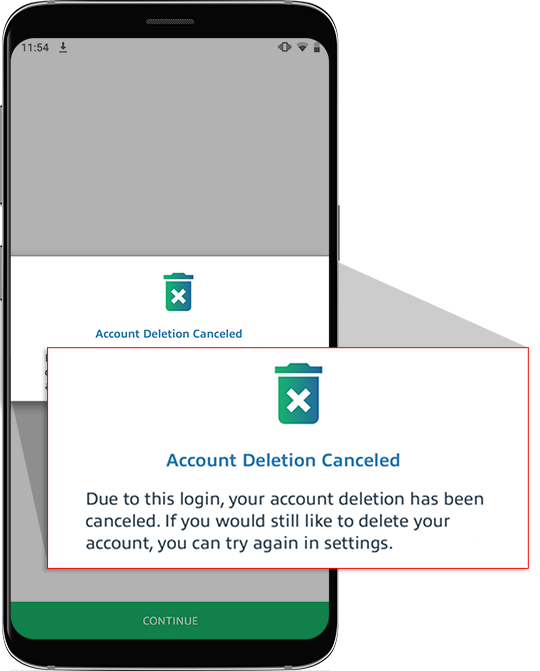
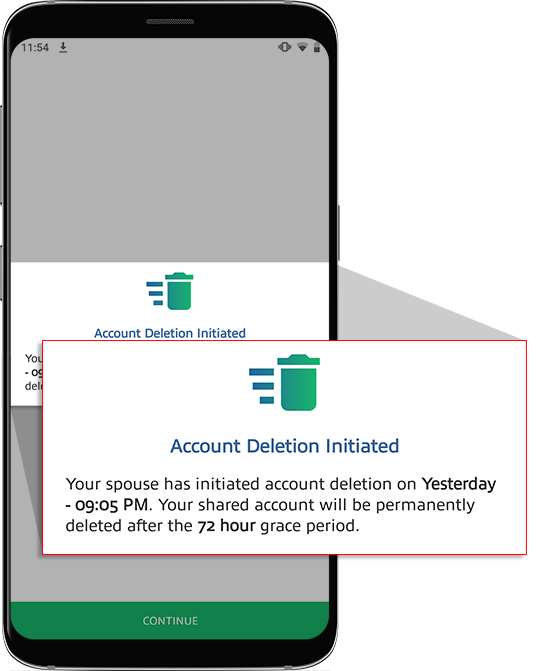
CONTINUE
to proceed to your account.
Account deletion won’t be canceled when your spouse or an Admin user log in. However, spouse and Admin user can still sign in and download documents during the grace period.
Spouse User
:note
After you delete your TaxCaddy account and the grace period is over, you can create a new account with the same email address.

