
Tax payments
Show all hidden content
Your tax professional creates tax payments vouchers to help you track your tax payments. You can mark the tax payment as paid to inform your tax professional that you have made the payment. Additionally, your tax professional may also provide you with the option to pay by check.
TaxCaddy.com on PC, Mac, or tablet
You can select
Pay - Tax Payments
on your Task List
. Open a list of tax payments near your Task List
that your tax professional has uploaded to your account.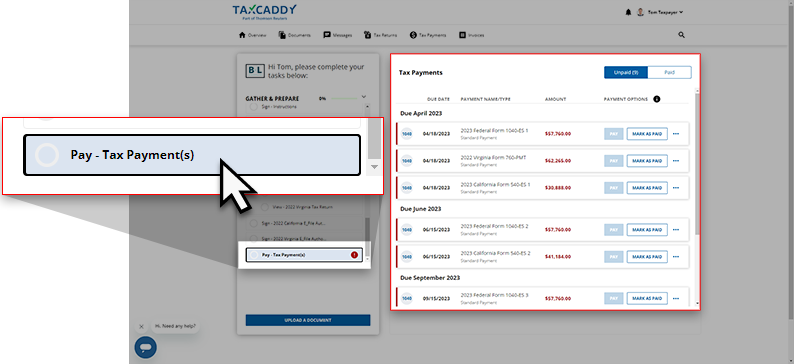
You can select a listed tax payment voucher to view the attached tax payment document.
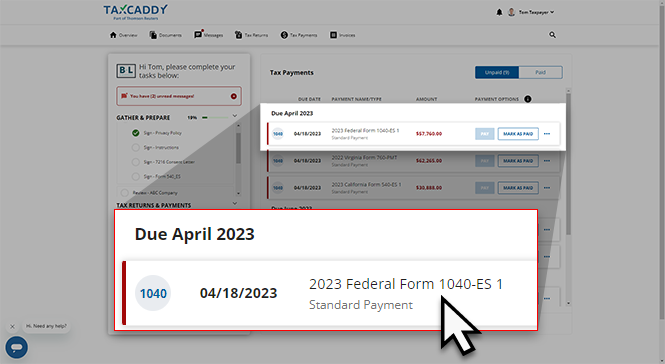
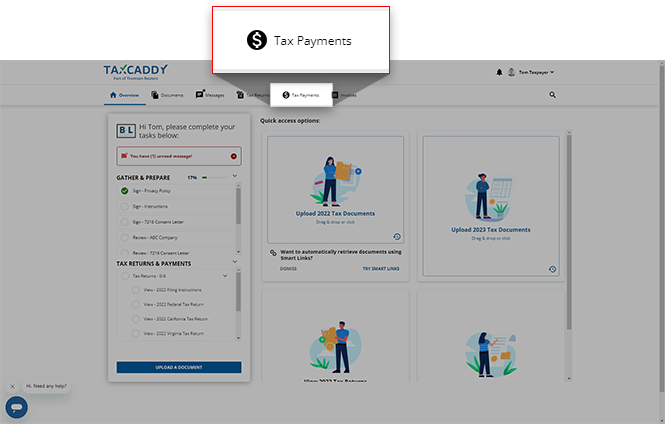
Alternatively, you can select screen.
Tax Payments
to go to a list of your tax payments in the Tax Payments
iOS mobile app
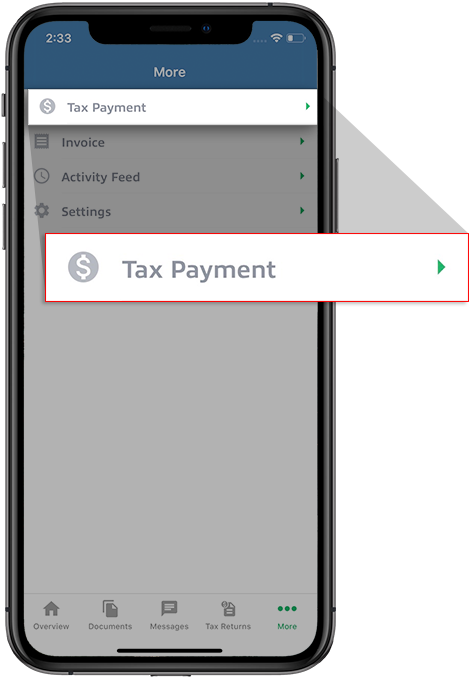
Follow these steps to view
Tax Payments
on your iPhone.Tap
More
on the navigation tab.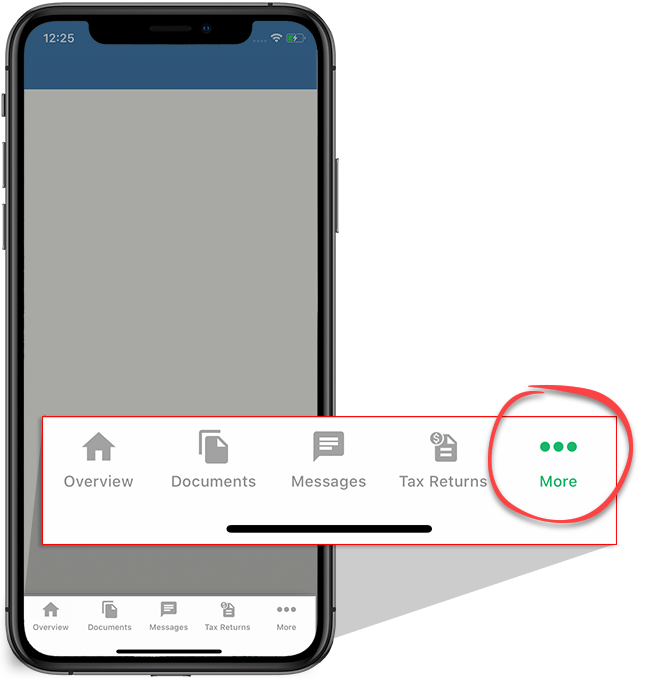
Tap
Tax Payment
.
Android mobile app
Follow these steps to view
Tax Payments
on your Android mobile phone app.Tap the
Menu
icon. 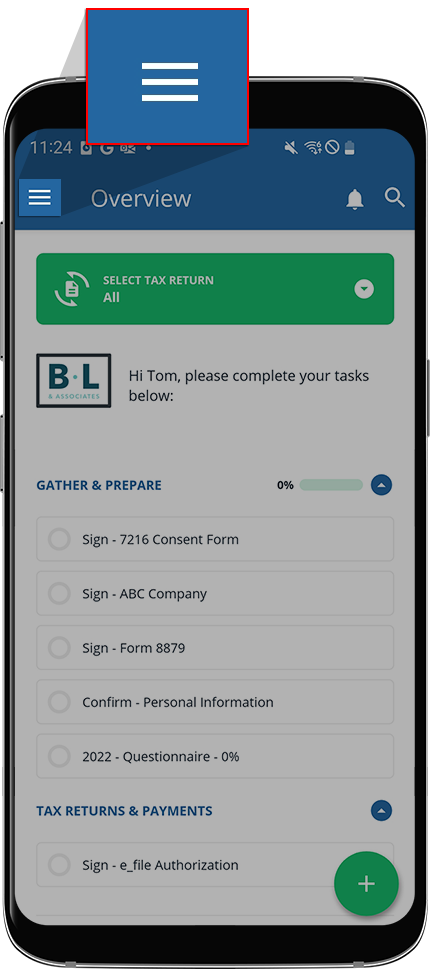
Tap screen.
Tax Payments
to view the Tax Payments
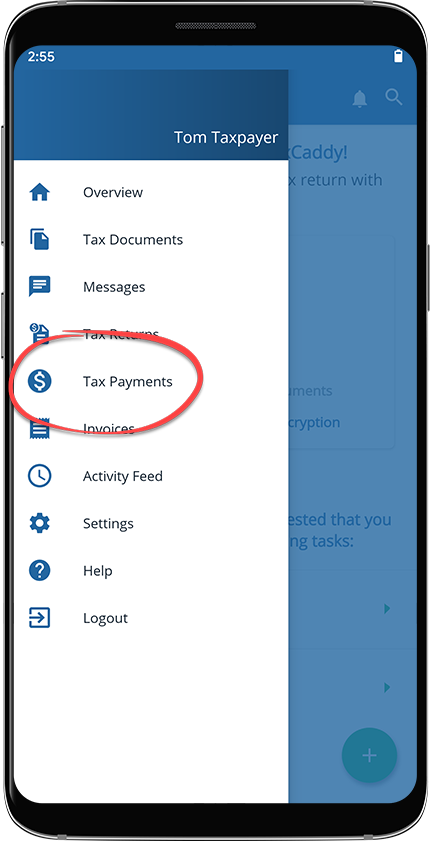
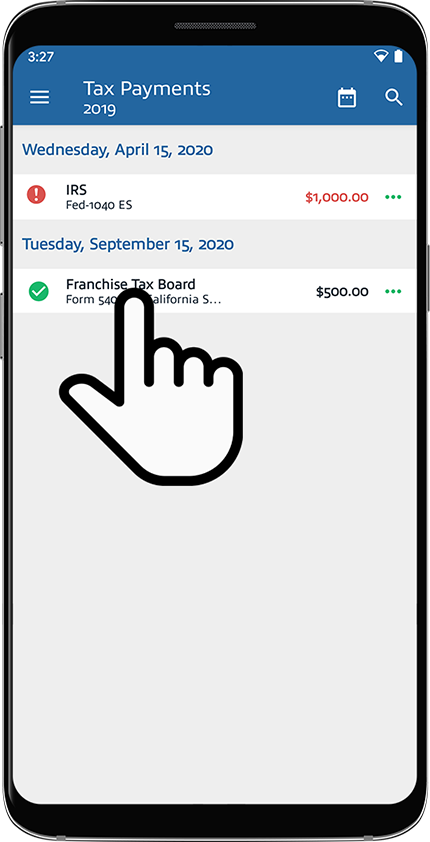
A list of tax payment vouchers created by your tax professional will appear for the selected tax year.
Related Content
-
About TaxCaddy
Format: Article,
4 min read
Article,
4 min read

