
Tax returns
Show all hidden content
The
The Tax Returns
screen is where you'll be able to view your tax returns. You can review and download your filing instructions for your tax return along with their Federal and State Tax Returns.TaxCaddy.com on PC, Mac, or tablet
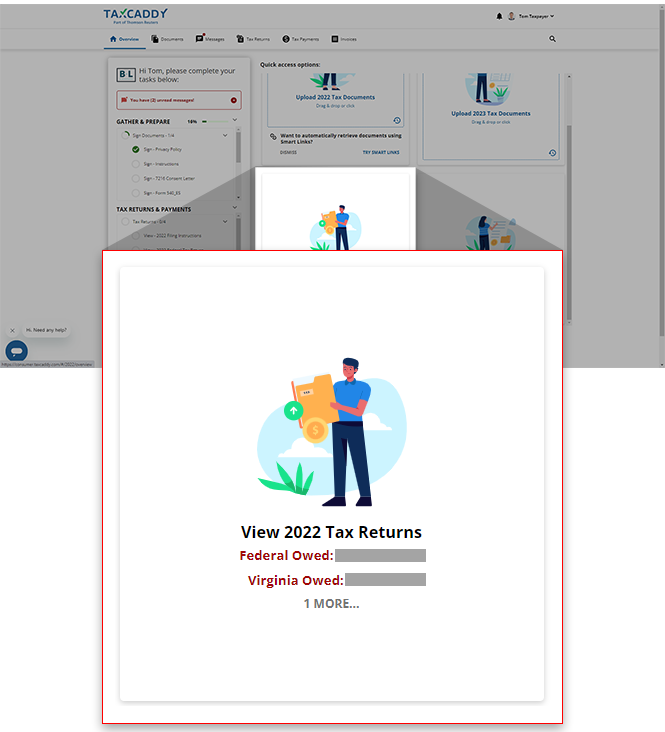
You can view your tax returns summary on the screen. The panel for screen.
Overview
View [Tax Year] Tax Returns
will show your tax summary when your tax professional updates your information. You can select the panel to go to the Tax Returns
You can select the
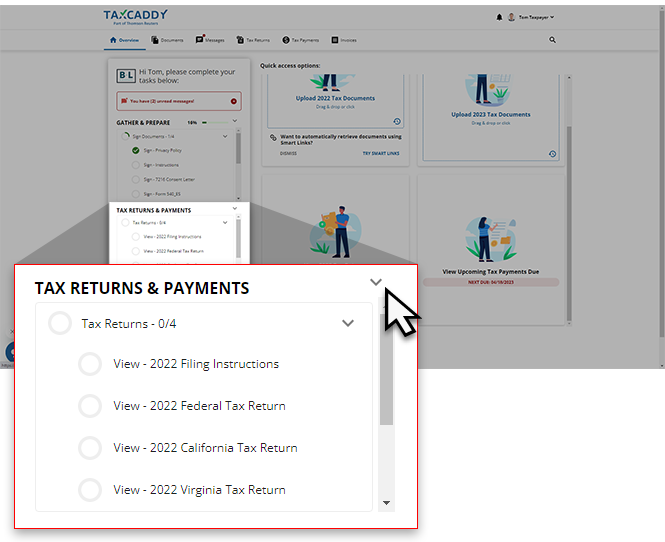
TAX RETURNS & PAYMENTS
dropdown on your Task List
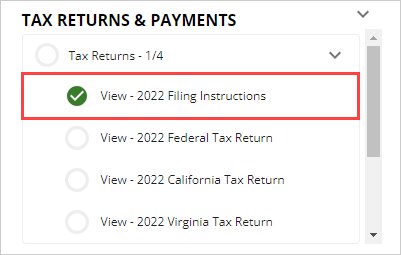
to view a list of tax return documents uploaded to your account. Select a document title to view that document near the Task List
.
A checkmark will appear after you view the document.
You can also select
Tax Returns
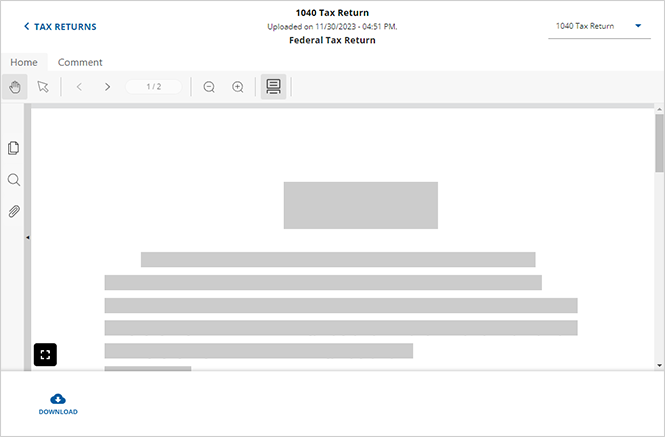
on the navigation menu, then select the tax return to view the document in the Document Viewer panel.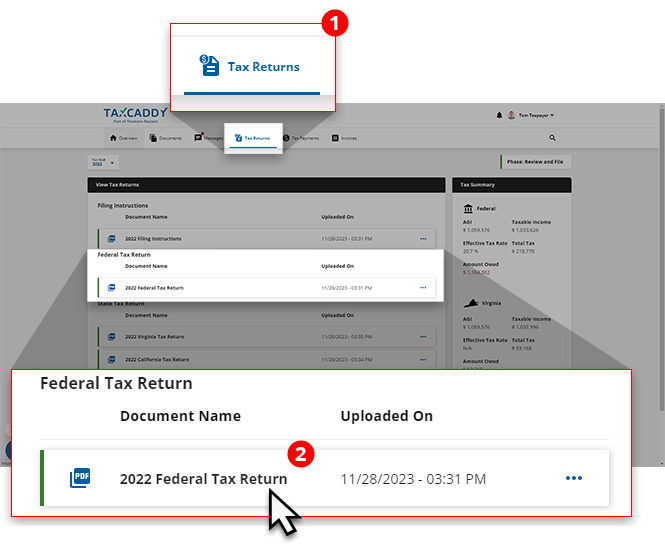
Your tax return documents will appear in the Document Viewer panel.
iOS mobile app
You can view your tax return on the iPhone from
Tax Returns
on the navigation tab at the bottom.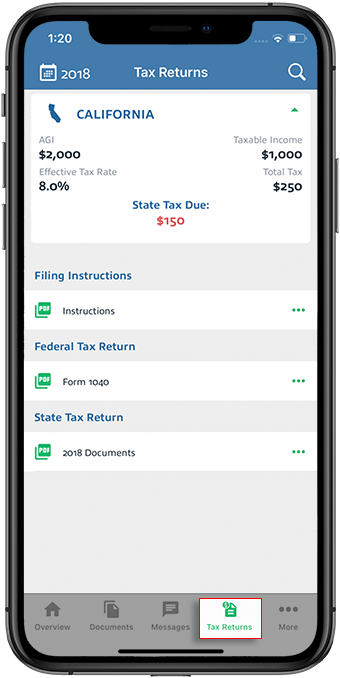
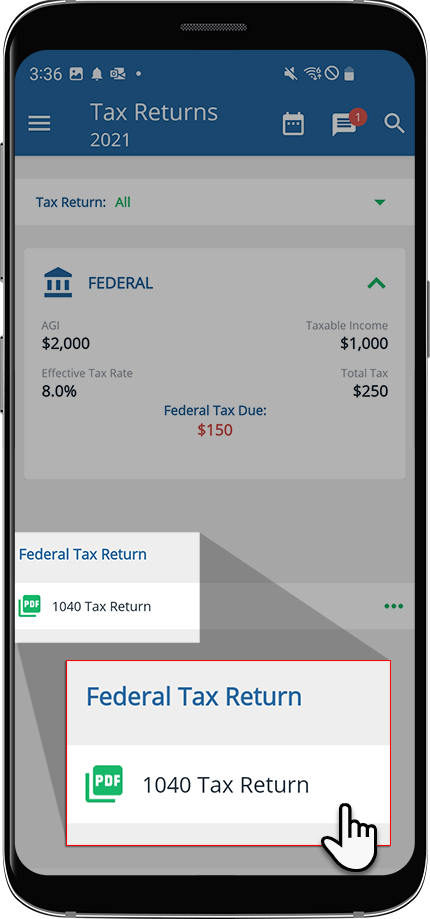
Android mobile app
To view your tax return on Android, tap the
Menu
icon.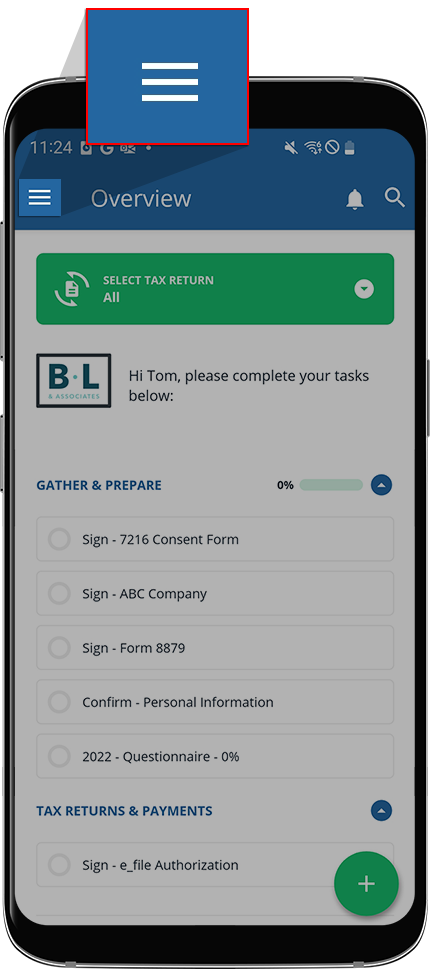
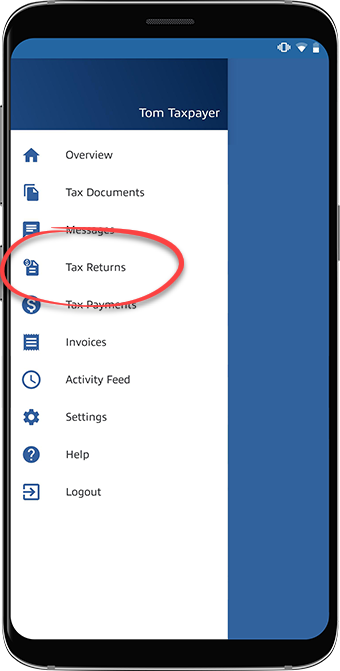
Tap
Tax Returns
.
Tap the tax return to view it in the Document Viewer.
Related Content
-
About TaxCaddy
Format: Article,
4 min read
Article,
4 min read

