
Log out of TaxCaddy on Mobile
Show all hidden content
Exiting the TaxCaddy mobile app will automatically log you out of TaxCaddy. However, you can also follow these steps to sign out of TaxCaddy on your mobile device manually:
iOS mobile app
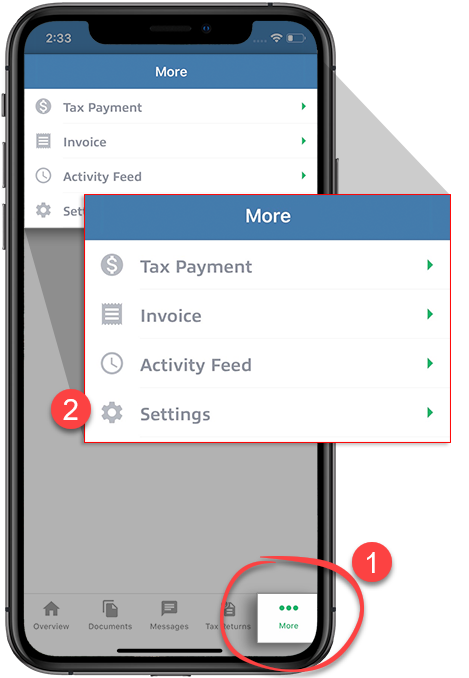
Select
More
from the navigation bar, then select Settings
.
Scroll to the
App
section of the settings, then select Log Out
to sign out of TaxCaddy.
Android mobile app
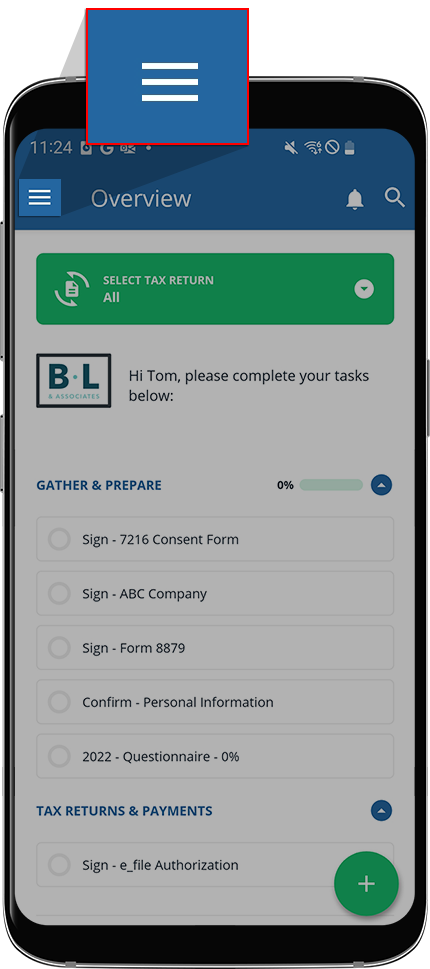
Select the
Menu
.
Select
Logout
to sign out of TaxCaddy.
Related Content
-
Set up your TaxCaddy account
Format: Article

