
Create new message threads
Show all hidden content
TaxCaddy lets you message your tax professional to address any tax-related concerns you may have during your filing process. When starting a conversation with your tax professional, you can create a new message thread in
Messages
.TaxCaddy.com on PC, Mac, or tablet
Follow these steps to create a new message thread using TaxCaddy.com on your PC, Mac, or tablet.
note
You can also send messages from document view, the questionnaire, or your return.
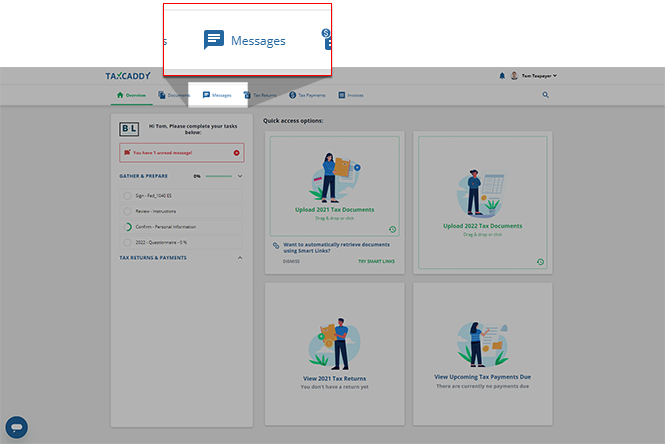
- Sign in to TaxCaddy.com then selectMessagesto view messages of your default tax year.
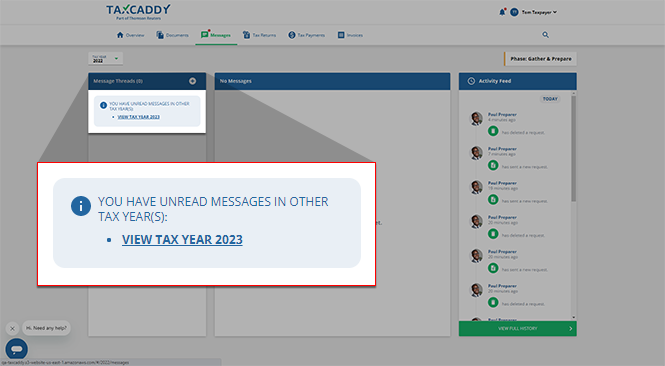
- If you have unread messages in other tax years, you will see an alert that lists these tax years. SelectVIEW TAX YEARto view any unread messages for the year listed.
- On theMessage Threadpanel, selectAdd.

- UnderNew Message Thread, enter a subject and your message, then selectSend. The number at the bottom indicates the number of remaining characters.noteAll messages are between you, your tax professional, and any other members of their firm that follow your account. There is no need to specify a recipient.

- Your message will appear at the top of the thread, and can be accessed from theMessage Threadsscreen. When your tax professional replies, their response will appear following your message in the same thread.
iOS mobile app
Follow these steps to create a new message thread using the iPhone mobile phone app.
note
You can also send messages from document viewer, the questionnaire, or your return.
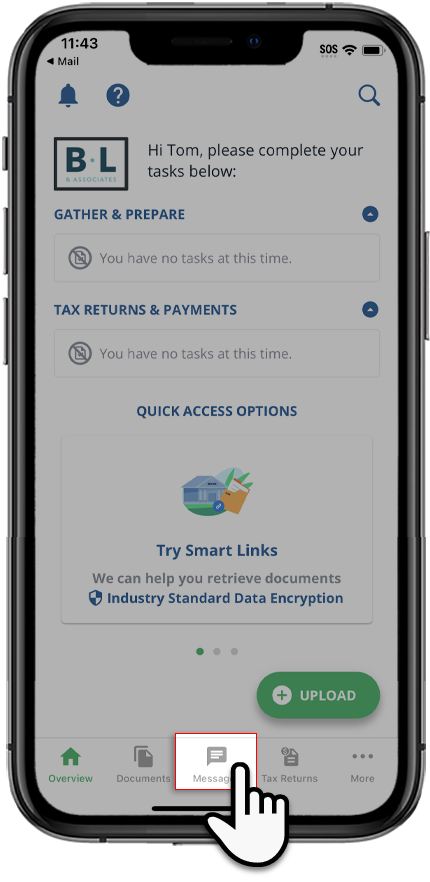
- Sign in to the TaxCaddy mobile app, then selectMessageson the navigation tab bar.
- SelectNewwithin theMessagesscreen to create a message thread.

- UnderNew Message Thread, enter a subject and your message and then selectSend.noteAll messages are between you, your tax professional, and any other members of their firm that follow your account. There is no need to specify a recipient.

- Your message appears in the thread and the new thread is added toMessage Threads. When your tax professional replies, their response will appear following your message in the same thread.
Android mobile app
Follow these steps to create a new message thread using the Android mobile phone app.
note
You can also send messages from document view, the questionnaire, or your return.
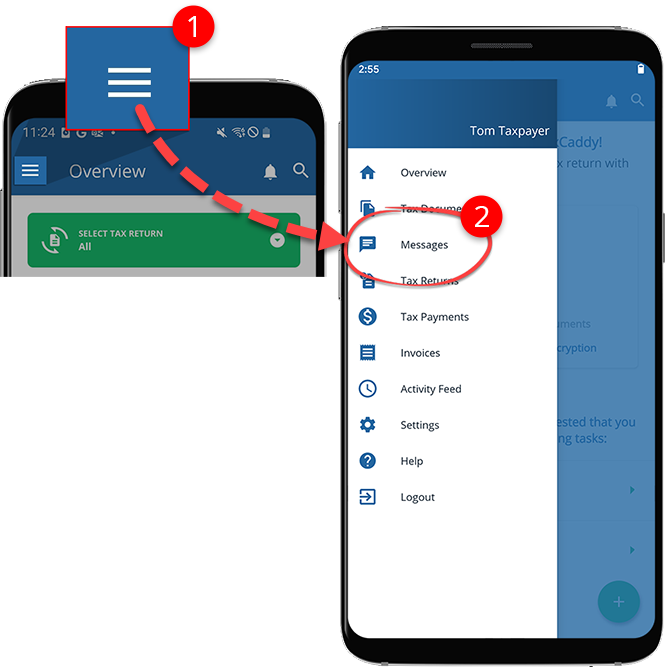
- Sign in to the TaxCaddy mobile app, then selectMenuand selectMessages.
- SelectNewwithin theMessagesscreen to create a message thread.

- UnderNew Message Thread, enter a subject and your message, and then selectSend.noteAll messages are between you, your tax professional, and any other members of their firm that follow your account. There is no need to specify a recipient.

- Your message appears in the thread, and the new thread is added toMessage Threads. When your tax professional replies, their response will appear following your message in the same thread.

