
View the activity feed
Show all hidden content
View the full history of activity on your account on the
Activity Feed
panel and screen.TaxCaddy.com on PC, Mac, or tablet
Follow these steps to view the full history of your activity feed using TaxCaddy.com on your PC, Mac, or tablet.
- Sign in to TaxCaddy.com.
- Select the user menu, thenActivity Feed.
 You can also view theActivity Feedpanel by going to any of the following locations:
- Documents
- Messages
- Tax Returns
- Tax Payments
- Invoices

- Pages with theActivity Feedpanel show the most recent activity. To view the full history, selectVIEW FULL HISTORY.

- The full activity page is displayed.

Activity Feed Action
The Activity Feed lets you perform the following actions:
- Reply: Open the message thread to respond back to a message.
- View: Opens the document in the Document Viewer.
- Undo: Lets you undo an action. This feature is useful when you want to undo document deletion.
To view actions in the
Activity Feed
, point to the activity, then select the item when it appears.
iOS mobile app
Follow these steps to view the full history of your activity feed on the iPhone mobile phone app.
- Sign in to the TaxCaddy mobile app.
- SelectMoreon the navigation tab bar, thenActivity Feed.

- The full activity page is displayed. For messaging activity, you can select the message to reply. For document activity, you can select a document to open it in the document viewer.

- You can also select theTax Yearicon to see your account activity for a different tax year.

Android mobile app
Follow these steps to view the full history of your activity feed on the Android mobile phone app.
- Sign in to the TaxCaddy mobile app.
- Select theMenuicon.
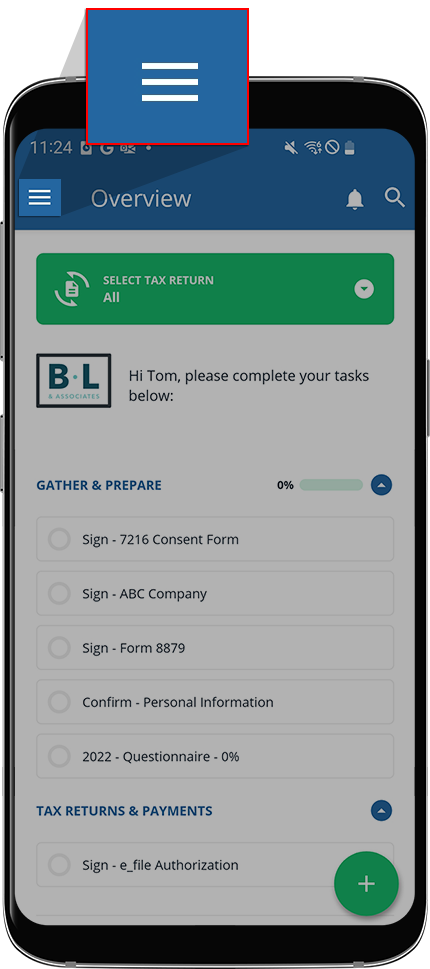
- SelectActivity Feed.

- The full activity page is displayed. For messaging activity, you can select the message to reply. For document activity, you can select a document to open it in the document viewer.

- You can also select theTax Yearicon to see your account activity for a different tax year.


