Unread messages
Show all hidden content
TaxCaddy.com on PC, Mac, or tablet
When you have unread messages, you'll see them as a
Tax Pro Request
. Select the alert to view your messages in the Overview
screen.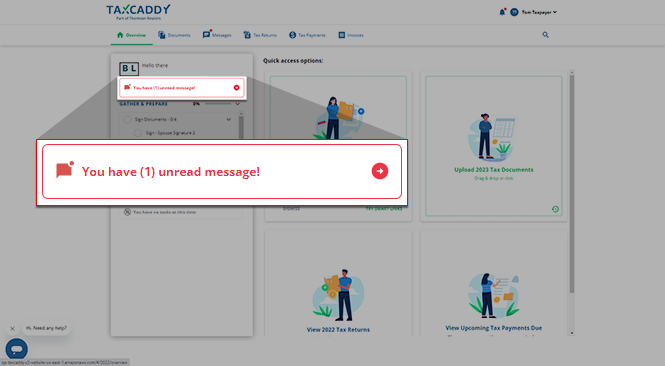
Alternatively, you select
Messages
on the navigation bar to go to the Messages
screen.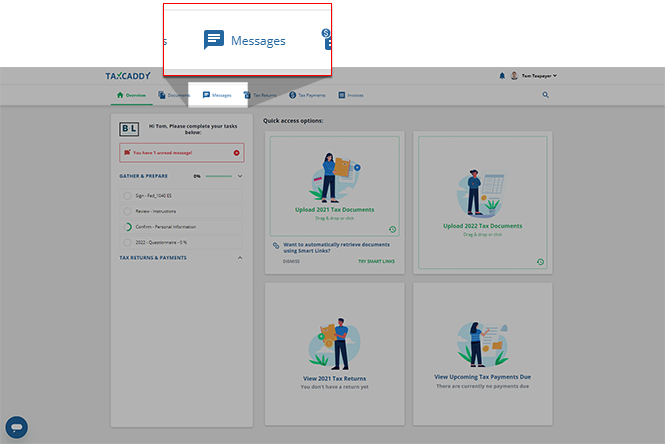
You will see a message notifying you of any unread messages in a tax year other than the one currently selected. Select
VIEW TAX YEAR
to view any unread messages for that tax year.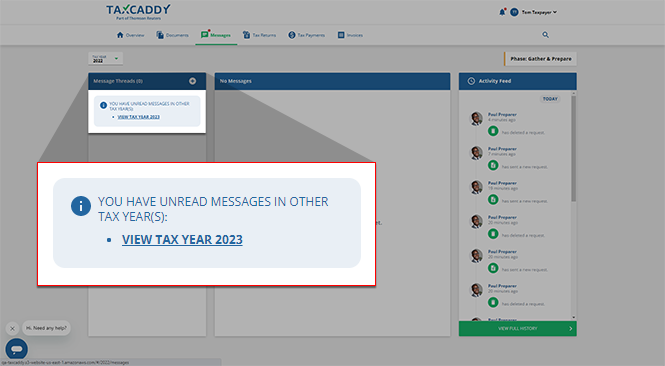
iOS mobile app
When you have unread messages, you'll see a banner before the
Task List
indicating so. You will also see a red badge indicating the number of unread messages. Select the unread message banner to view your unread messages, or select Messages
on the navigation tab bar to see your messages.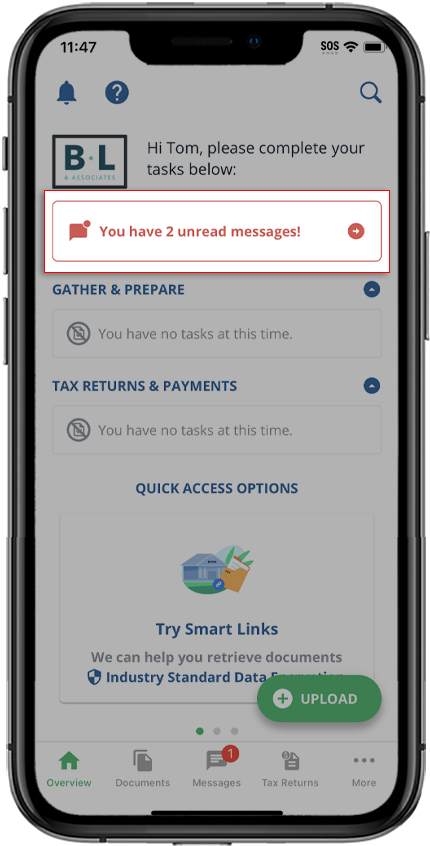
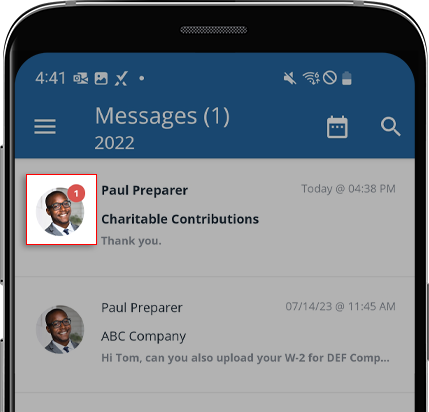
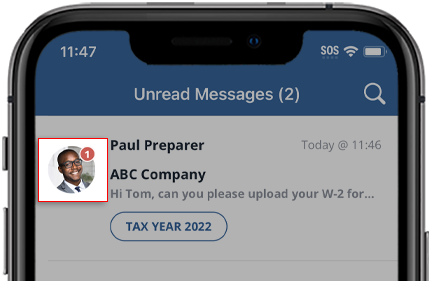
Message threads also indicate the number of unread messages in each message thread.
Android mobile app
When you have unread messages, you'll see a banner before the
Task List
indicating so. You will also see a red badge indicating the number of unread messages. Select the unread message banner to view your unread messages, or select Messages
on the navigation tab bar to see your messages.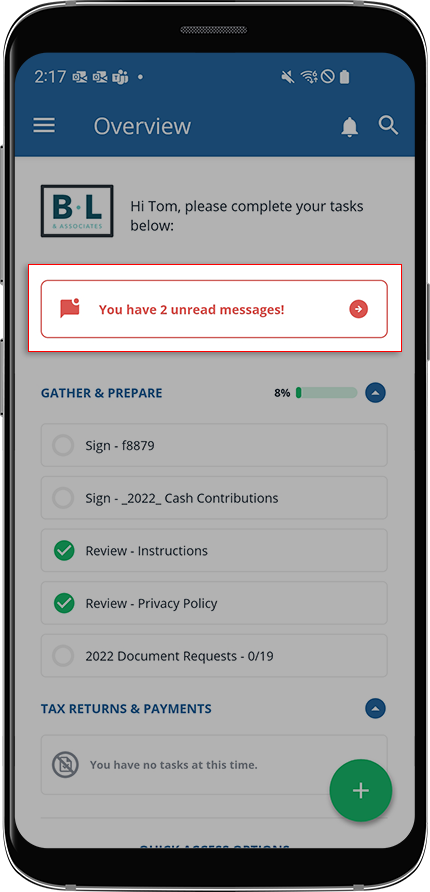
A red badge on a message thread indicates the number of unread messages in that thread.