
Track tax payment shipping
Show all hidden content
If you selected to mail your tax payment check via Certified Mail, then you will be able to view the tracking number for your tax payment. You can use the tracking number to track the progress of your delivery. The tracking number will be available in TaxCaddy within 1 business day. Delivery may take 2-5 business days.
Shipping Discount
TaxCaddy is offering a promotional discount on shipping. For a limited time, the cost of USPS Certified Mail has been reduced to $11.95 (normally priced at $14.95). Take advantage of this offer to get proof of delivery through electronic tracking numbers when using USPS Certified Mail.
To view the a tax payment's delivery status, you can view your tracking number via:
- Tax Payment screen
- Email
Tax Payment screen
TaxCaddy.com on PC, Mac, or tablet
Follow these steps to access the tracking number on the
Tax Payments
screen:- Sign in to TaxCaddy.com
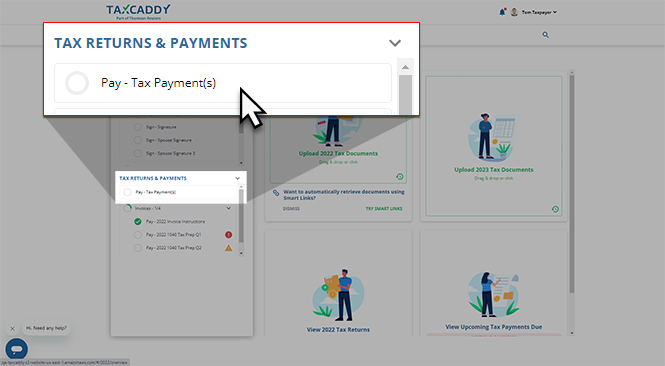
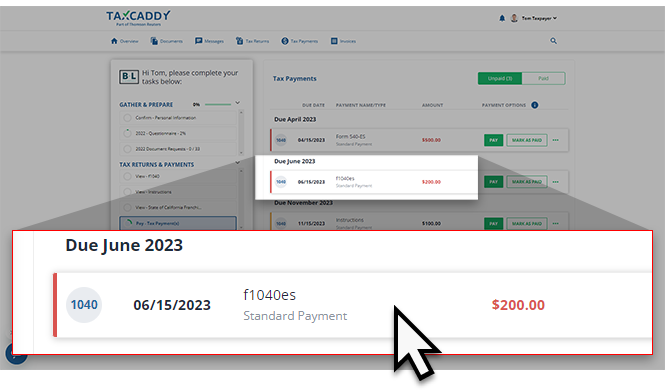
- If your tax professional has uploaded a tax payment voucher to your account, you can selectPay - Tax Payment(s)to view these payment vouchers.
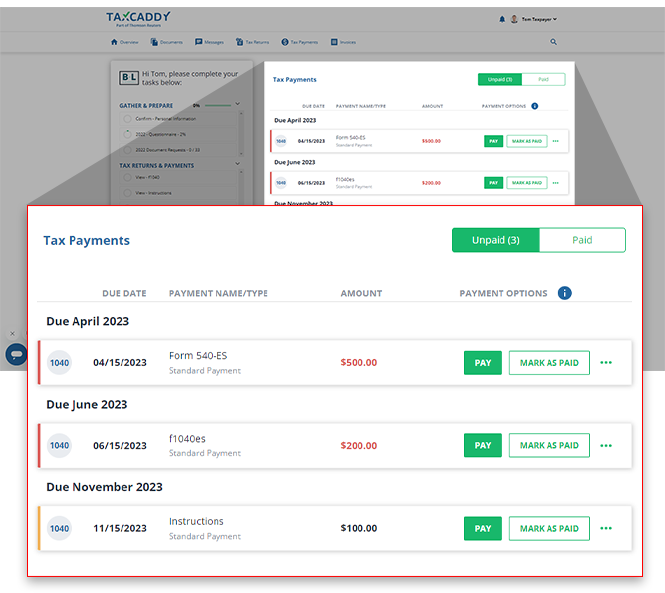
- Your tax payments for the current tax year will appear in theTax Paymentspanel beside yourTask List.noteIf you're looking for a specific tax payment, select theTax Paymentstab to view tax payments belonging to other tax years.
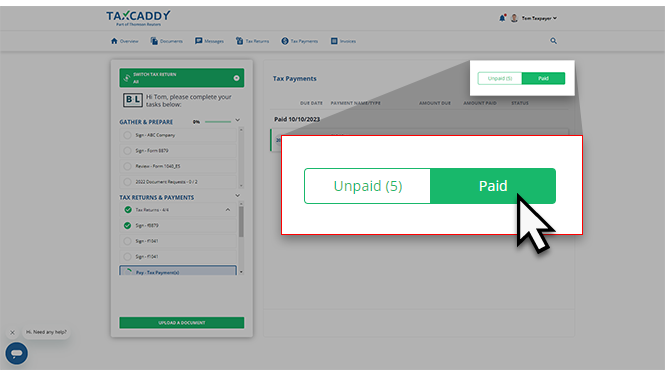
- Select thePaidswitch for a list of tax payments you've already paid to locate the tax payment you want to track.
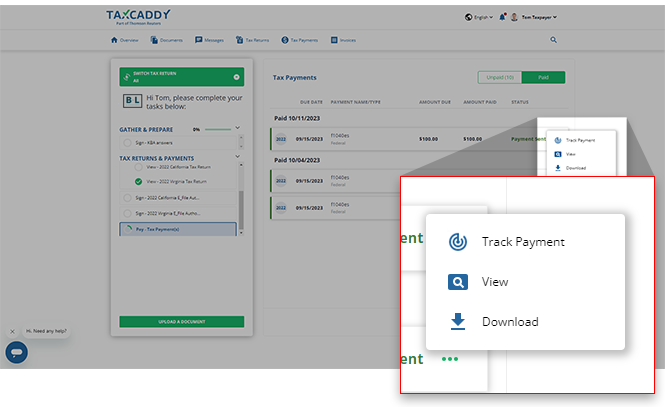
- After 1 business day, you will be able to select theMenu, thenTrack Paymentto view the delivery progress on the USPS website.noteTrack Paymentonly appears if you mailed a tax payment check by mail through TaxCaddy using USPS Certified Mail.
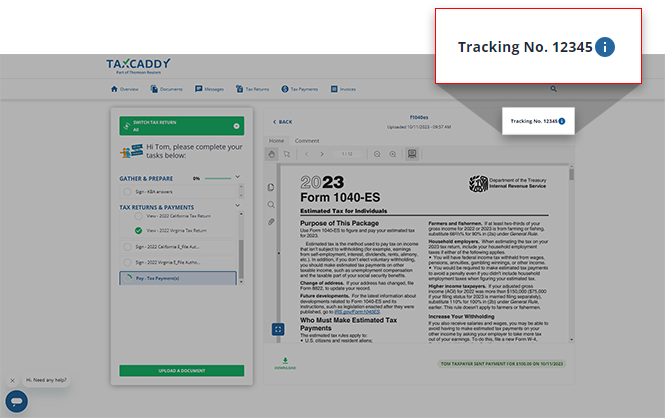
- Alternatively, you can select the tax payment voucher.
- Select theTracking No.icon. A new link will open to the USPS website where you can view the delivery progress.
iOS mobile app
Follow these steps to access the tracking number on the
Tax Payments
screen:- Sign in to the TaxCaddy mobile app.
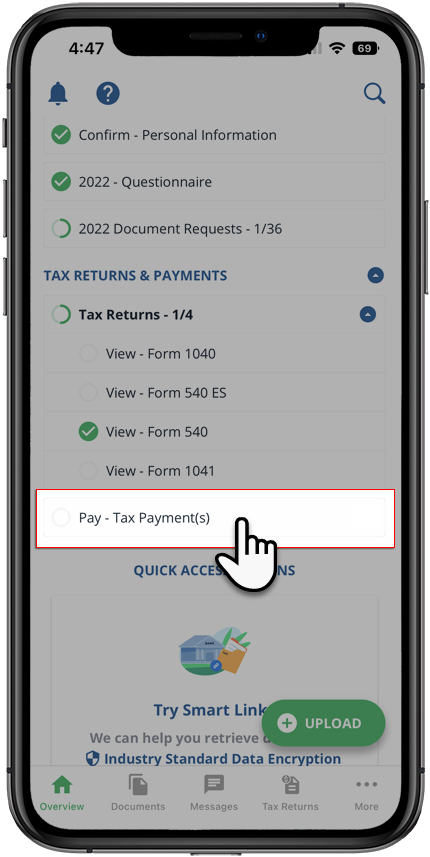
- Tax payment vouchers that have been uploaded to your account will appear on theOverviewscreen. SelectPay - Tax Payment(s)to open your tax payments.
 Alternatively, you can selectMoreon the navigation tab then selectTax Payments.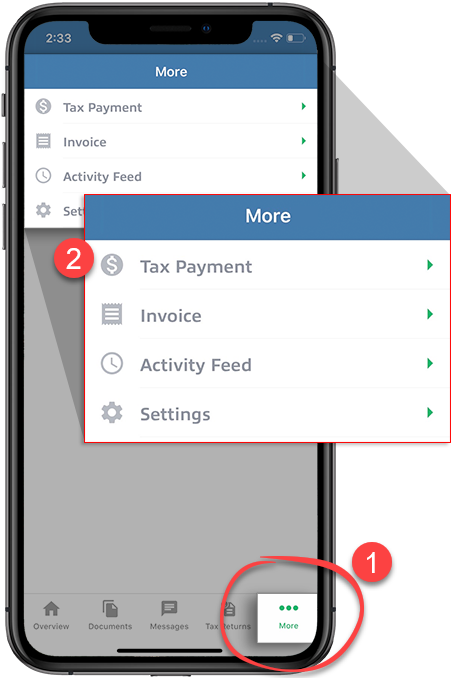
- You will see tax payments spanning all tax years.
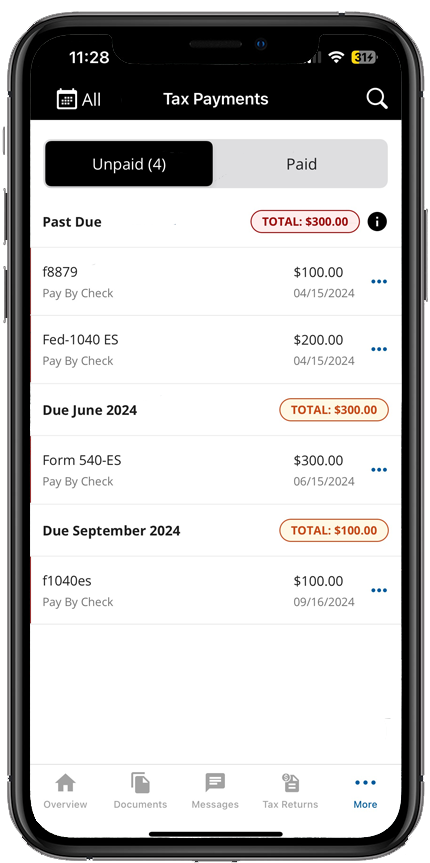 TheAlltax year option will be selected by default. If you'd prefer to see tax payments belonging to a specific tax year, select it from theTax Yearmenu.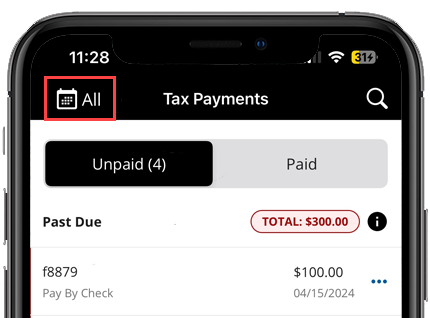
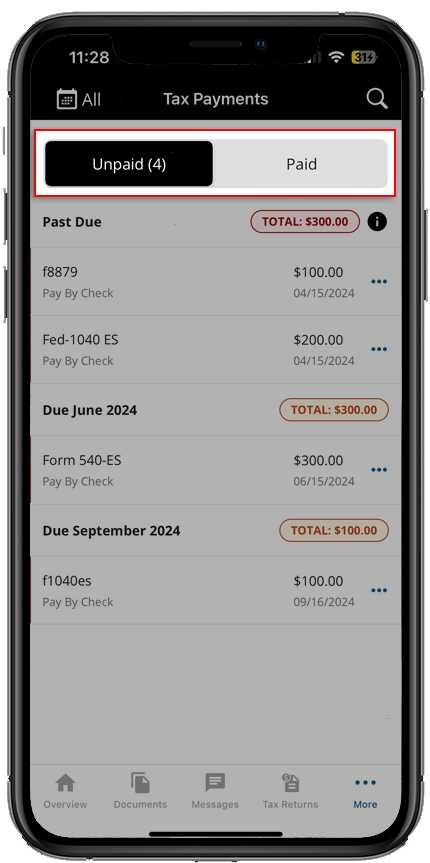
- SelectPaidto see tax payments that you've already paid.
- Select theMenufor the tax payment voucher you want to track. SelectTrack Paymentto visit to the tracking page where you can view your delivery status.noteTheTrack Paymentoption only appears if you mailed a tax payment check by mail through TaxCaddy using Certified Mail.
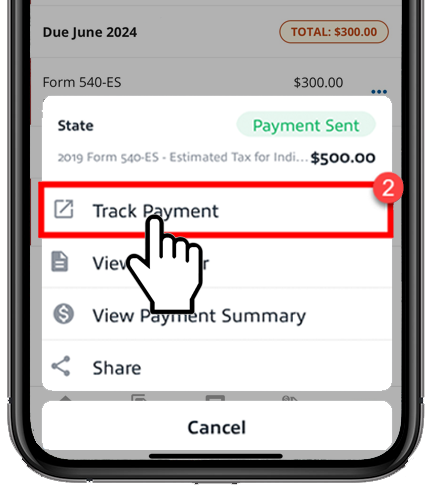
- Alternatively, you can selectView Payment Summaryon the tax payment menu, then select theTracking Numberto go directly to the tracking page.noteTracking Numberonly appears if you mailed a tax payment check by mail through TaxCaddy using Certified Mail.
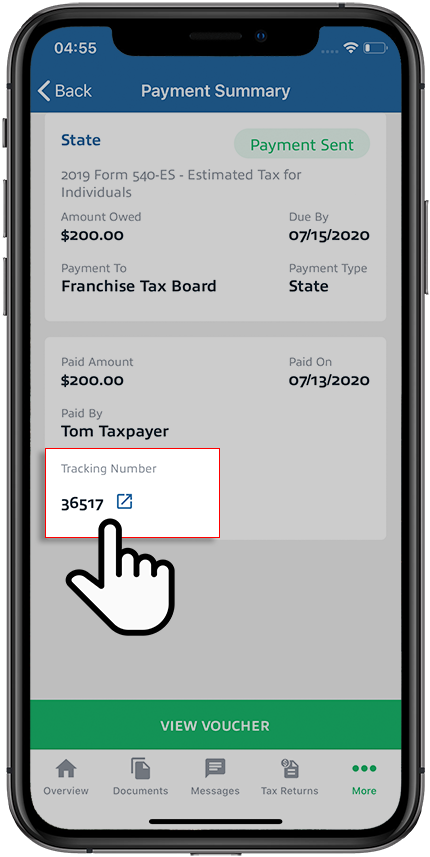 You can also note down the tracking number, go to USPS.com then paste the tracking number to view your delivery progress.
Android mobile app
Follow these steps to access the tracking number on the
Tax Payments
screen:- Sign in to the TaxCaddy mobile app.
- Tax payment vouchers that have been uploaded to your account will appear on theOverviewscreen. SelectPay - Tax Payment(s)to open your tax payments.
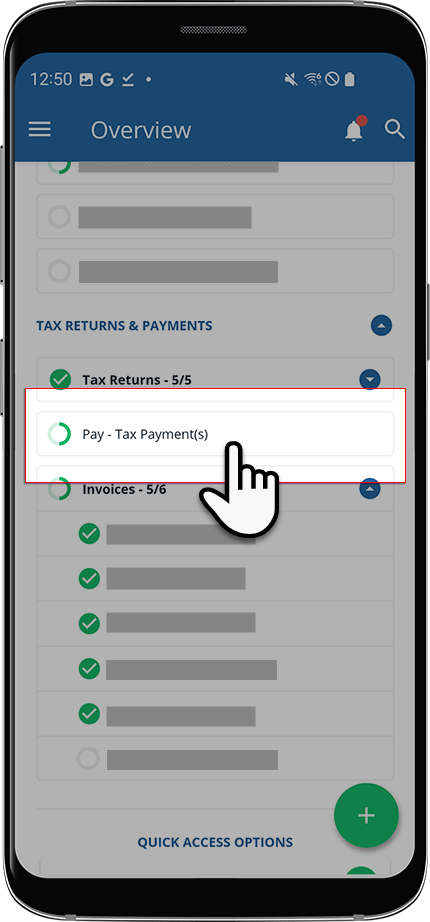
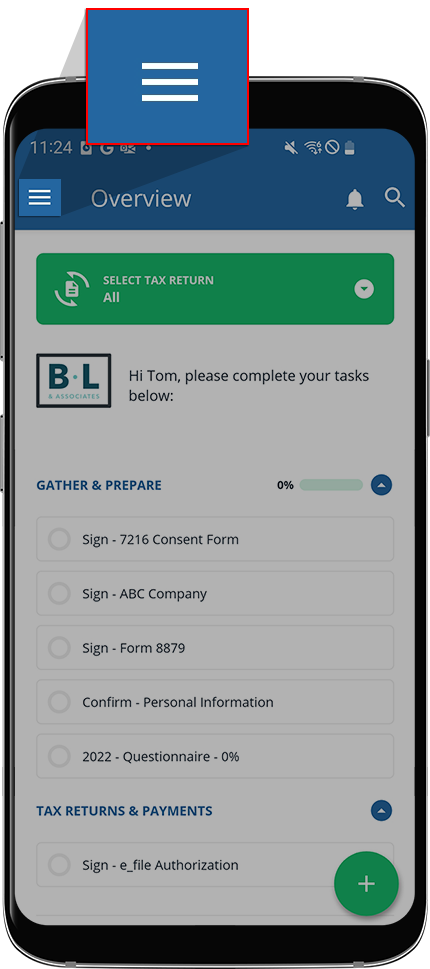
- Alternatively, you can selectMenu.
 SelectTax Payments.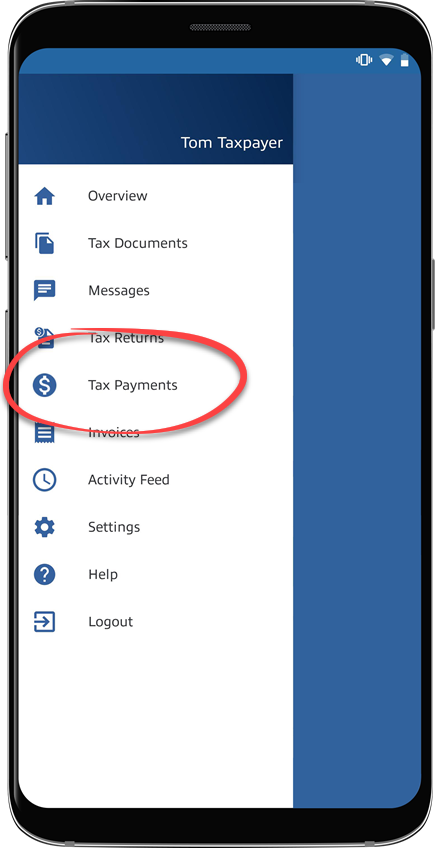
- You will see tax payments grouped by due date.The
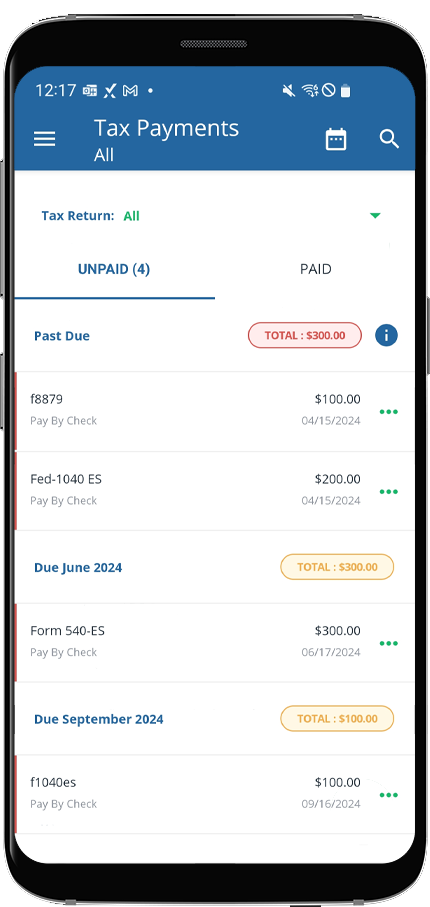 Alltax year option will be selected by default. If you'd prefer to see tax payments belonging to a specific tax year, select it from theTax yearmenu.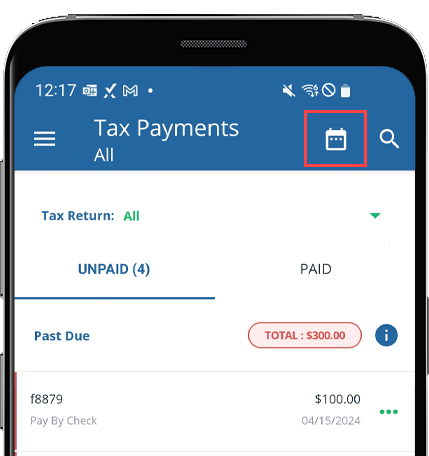
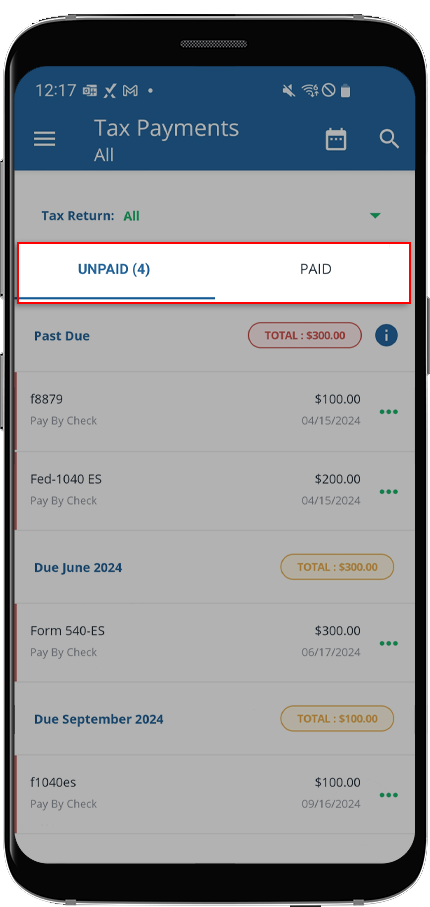
- SelectPAIDto see tax payments you already paid.
- Select theMenucorresponding to the tax payment voucher you want to delete.
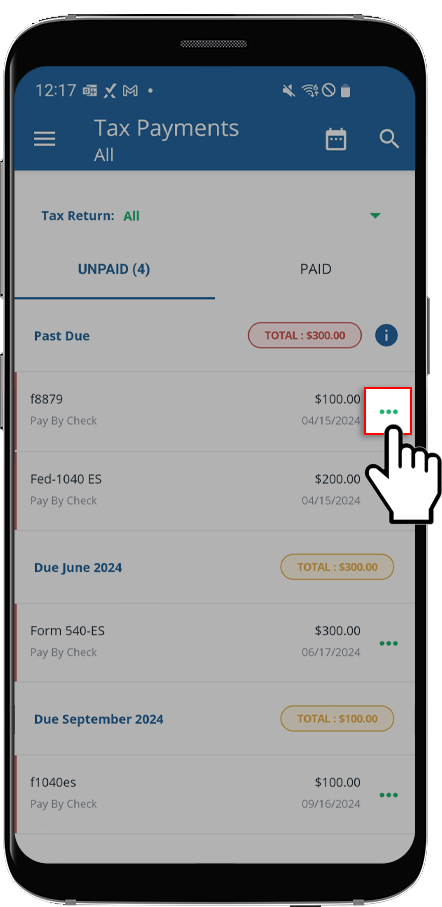
- SelectTrack Paymentto visit the tracking page where you can view your delivery status.noteTrack Paymentonly appears if you mailed a tax payment check by mail through TaxCaddy using Certified Mail.
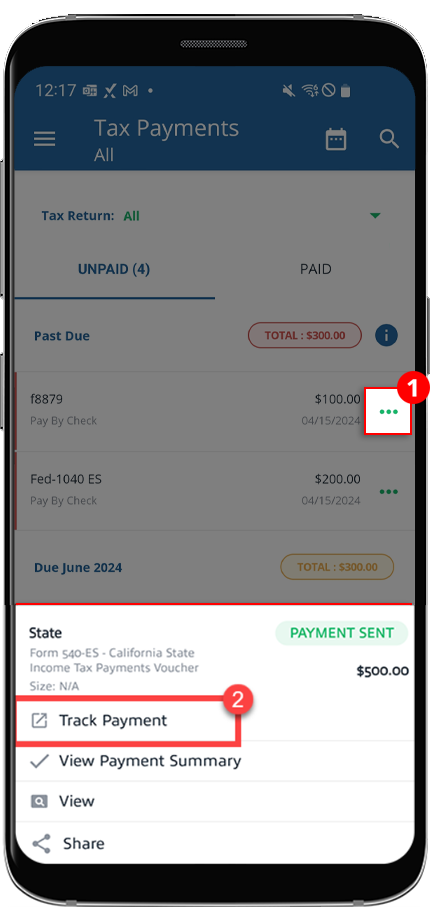
- Alternatively, you can selectView Payment Summaryon the tax payment menu, then selectTracking Numberto go directly to the tracking page.noteTheTracking Numberoption only appears if you mailed a tax payment check by mail through TaxCaddy using Certified Mail.
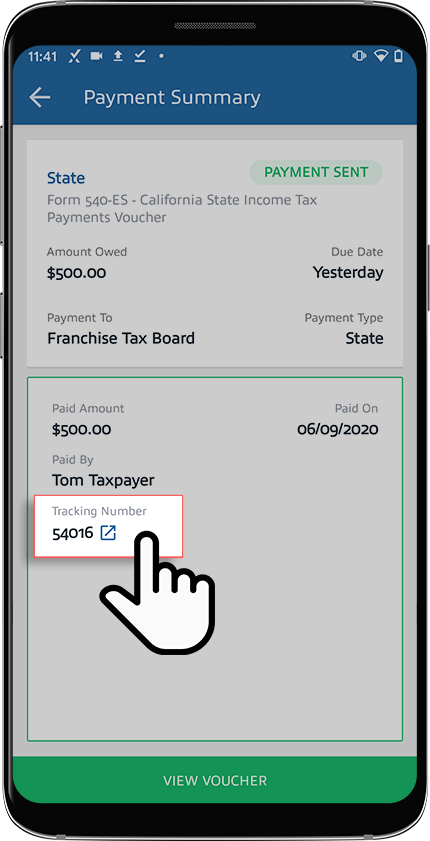 You can also note down the tracking number, go to USPS.com then paste the tracking number to view your delivery progress.
Email
If you made a tax payment via Certified Mail then you will receive a confirmation email once your check has been mailed. To track the shipping progress, select the USPS website link then enter the tracking number provided in the email.
Checking your tax payment status
We recommend paying tax payment checks via Certified Mail. You can then use the tracking number to track the progress of your mail delivery.
- The tracking number will be available in TaxCaddy within 1 business day.
- Tax payments check is delivered within 2-5 business days.
- The IRS may take up to 3 weeks to process your check after it has been delivered.
To check your tax payment status, you can either create an account at IRS's website or call IRS e-file Payment Services at
1-888-353-4537
.The IRS considers the postmark date as the payment date rather than the date on which the tax payment is processed. TaxCaddy mails your paper check in 1 business day after you submit the payment details. If you submitted your tax payment details before the deadline, then you won’t be fined.
Related Content
-
Pay a tax payment by check
Format: Article,
29 min read
Article,
29 min read

