Delete a tax return
Show all hidden content
You can delete a tax return if you want to remove it from your account.
TaxCaddy.com on PC, Mac, or tablet
Follow these steps to delete a tax return when using TaxCaddy.com on your PC, Mac, or tablet.
- Sign in to TaxCaddy.com
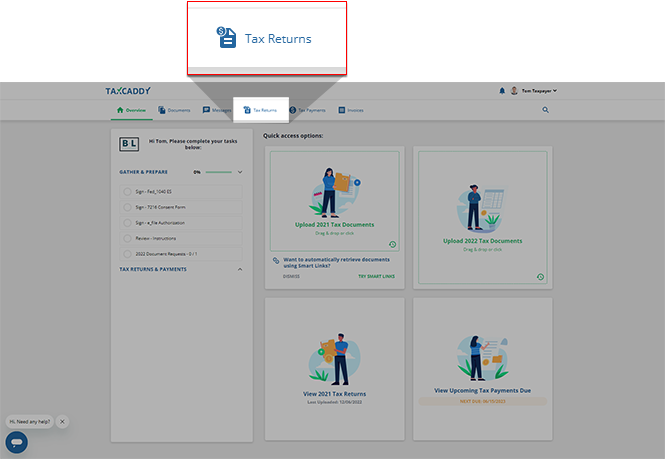
- SelectTax Returns.
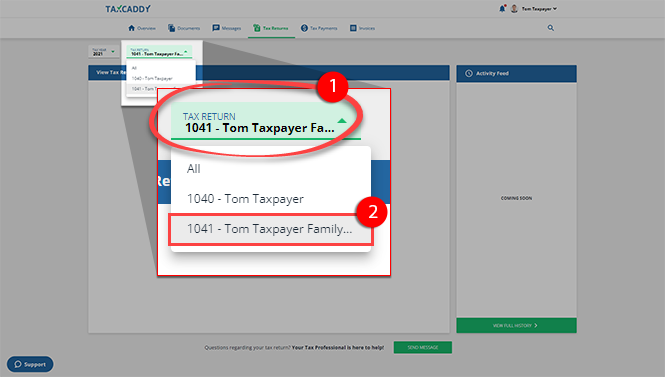
- If your tax professional has created a 1041 tax return profile, select a different from theTAX RETURNmenu.
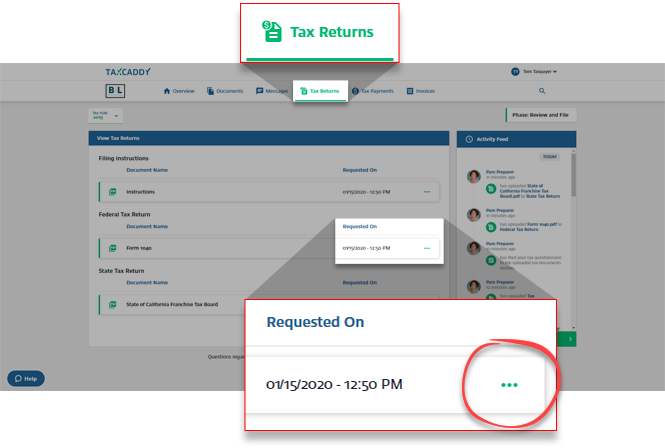
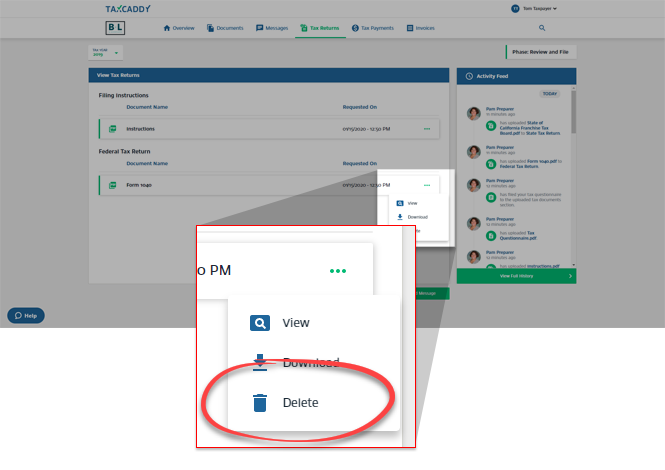
- Select theMenuof the return you want to delete.
- SelectDelete.
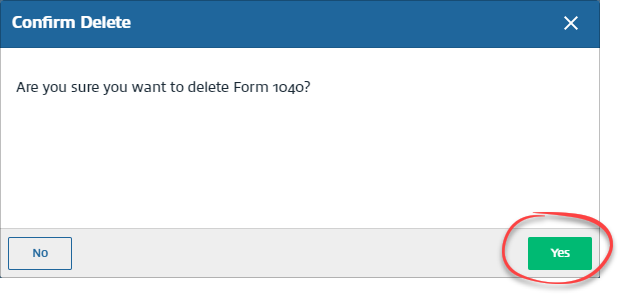
- SelectYeson theConfirm Deletewindow.
iOS mobile app
Follow these steps to delete a tax return on your iPhone mobile phone app.
- Sign in to the TaxCaddy mobile app.
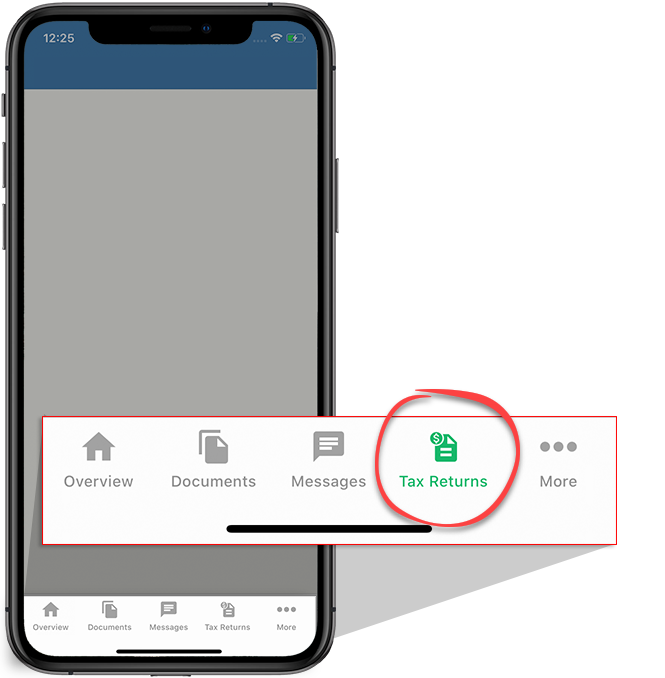
- TapTax Returnson the tab bar.
- Tap the tax year to view tax returns that belong to another tax year.
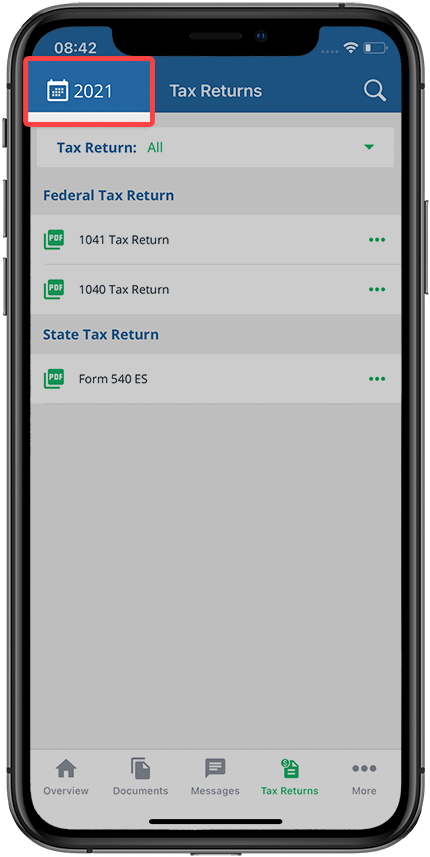 If your tax professional has enabled 1041 tax return profiles on your account, tap theTax Returndropdown to view your available tax return profiles.
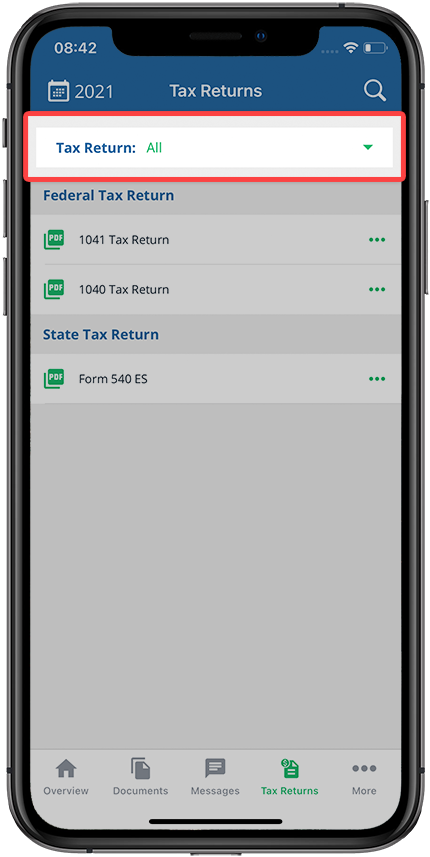 Allwill be selected by default. Select the tax return profile you want to view.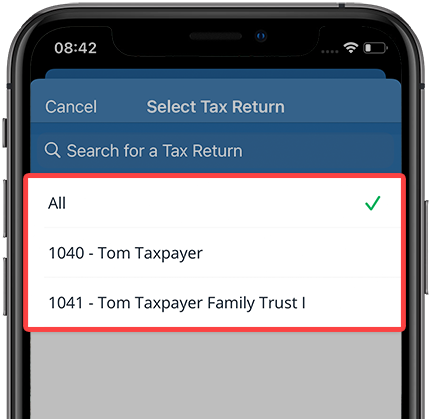
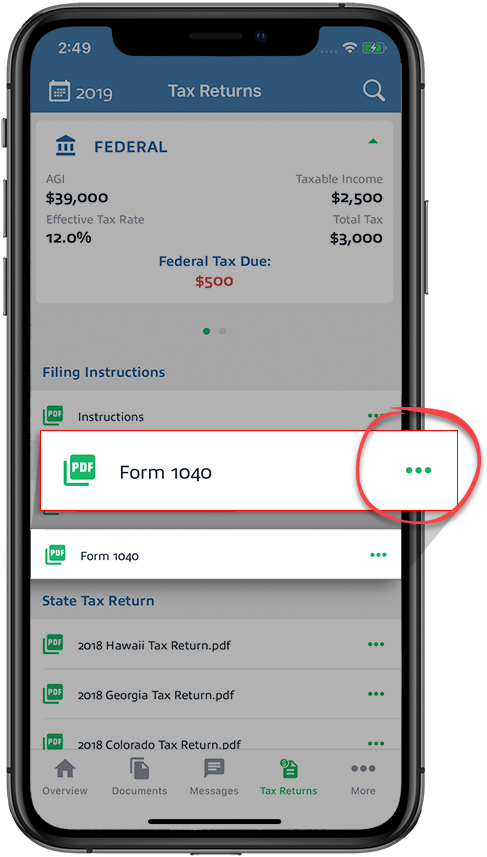
- Tap theMenuon the return you want to delete.
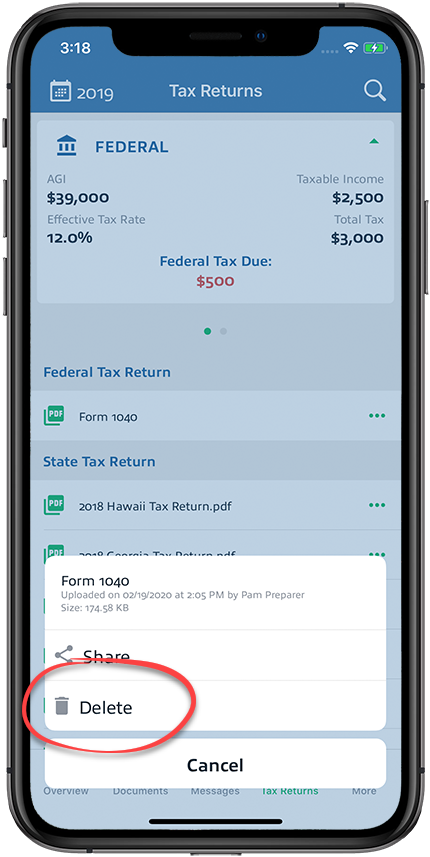
- TapDelete.
Android mobile app
Follow these steps to delete a tax return on your Android mobile phone app.
- Sign in to the TaxCaddy mobile app.
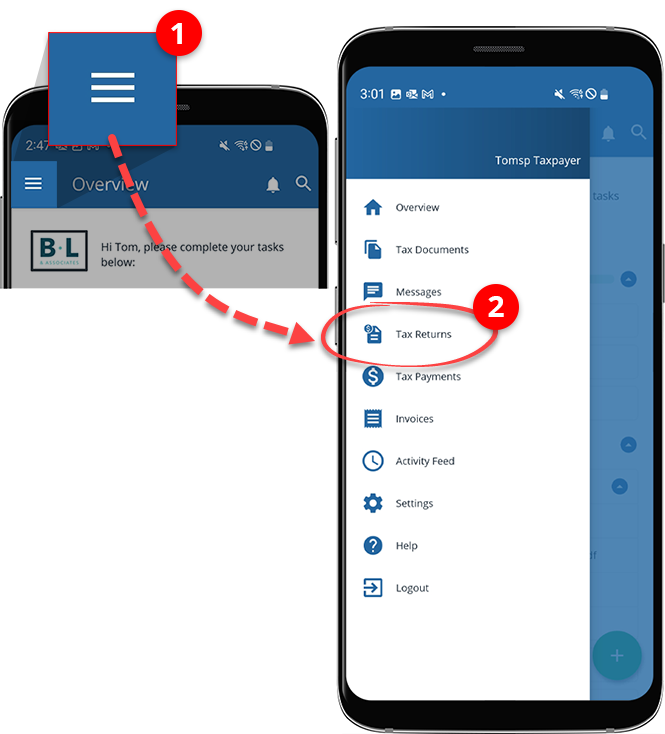
- Tap theMenu, then tapTax Returns.
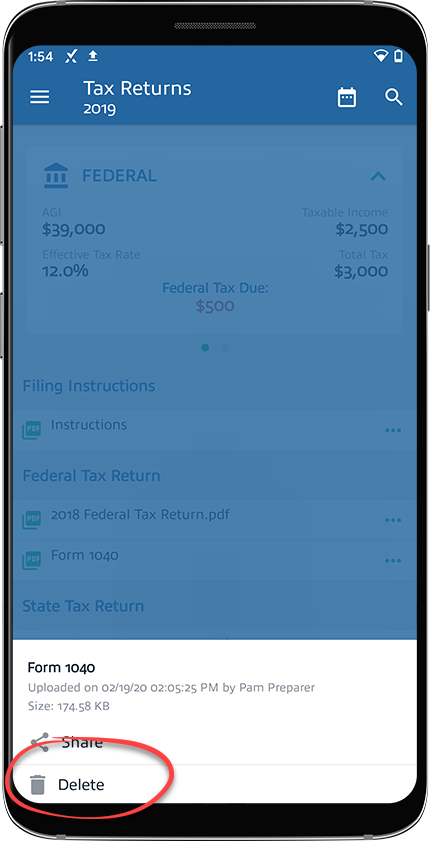
- Tap theMenuon the return you want to delete.
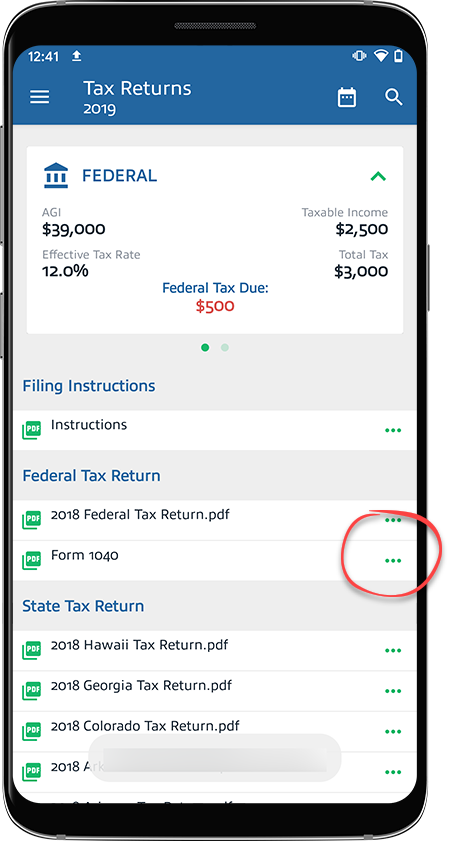
- TapDelete.