
View your tax summary
Show all hidden content
TaxCaddy lets you to view a summary of your tax return without requiring you to view or download the complete tax return. To review the tax return in detail, you can open the tax return in the Document Viewer in TaxCaddy or download the tax return PDF to your local machine.
note
Your tax summary will only be available once your tax professional provides the information.
TaxCaddy.com on PC, Mac, or tablet
Follow these steps to view your tax return summary using TaxCaddy.com on your PC, Mac, or tablet.
- Sign in to TaxCaddy.com
- On theOverviewscreen, you will see aTask Listbeside your tax summary listed asView - [Tax Year] Tax Summaryif it is available. Select your tax summary.
- Your tax summary will open in theOverviewscreen's document viewer.
- Alternatively, you can selectTax Returnsto be directed to your tax summary in theTax Returnstab.
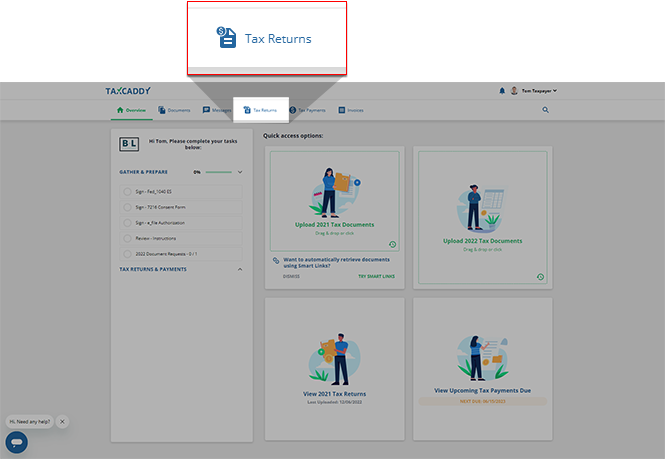 Or you can review a less detailed version of your tax summary on theOverviewscreen in theView...Tax Returnspanel.
iOS mobile app
Follow these steps to view your tax summary on the iPhone mobile phone app.
- Sign in to the TaxCaddy mobile app.
- SelectTax Returnson the tab bar.
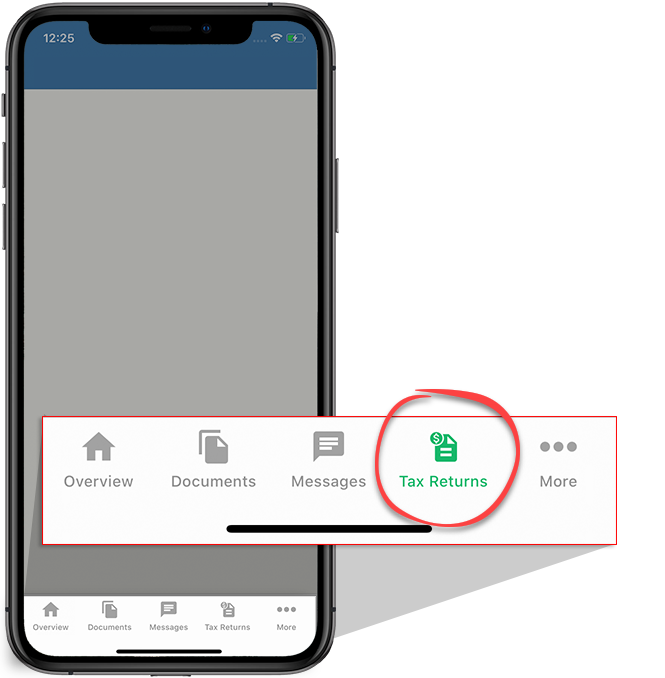
- Your tax summary will be displayed at the top if it's available.

- Swipe to see your state tax summaries if they’ve been provided.

Android mobile app
Follow these steps to view your tax summary on the Android mobile phone app.
- Sign in to the TaxCaddy mobile app.
- Select theMenu, thenTax Returns.
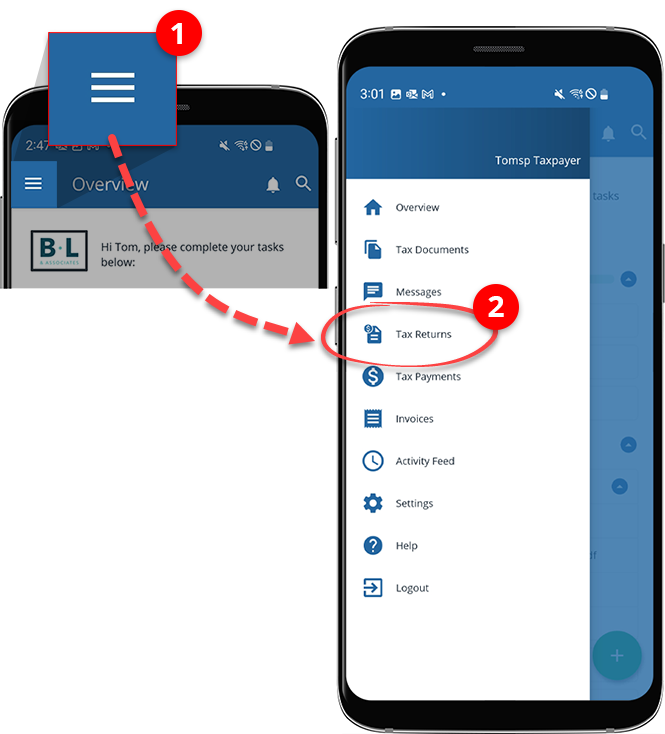
- Your tax summary will be displayed at the top if it's available.

- Swipe to see your state tax summaries if they’ve been provided.


