Editing client document templates in Microsoft Word
Due to differences between the text editor used in UltraTax CS and Microsoft Word, client document templates (like filing instructions, transmittal letters, engagement letters, and invoices) can't be edited in Microsoft Word. When the variables used in the UltraTax CS templates are copied into or from another text editor, the links to your client data are broken. There are, however, ways to edit portions of these document templates in Microsoft Word using copy and paste.
Do the following steps to edit portions of client document templates using Microsoft Word or another text editor and successfully copy the information back into UltraTax CS. You can also add special formatting to client document templates that's not easily attainable within UltraTax CS.
tip
Before you edit any client documents, we recommend creating a backup of your current client documents by following the steps in Backing up items in UltraTax CS (select
Documents
in step 2). If no documents are listed in File
, then Backup
, you don't need to create a backup prior to editing client documents.Items that shouldn't be copied from UltraTax to Microsoft Word or other text editors
The following items shouldn't be copied into Microsoft Word or any other text editor for editing. Doing so will result in information not pulling correctly into the client documents in UltraTax CS and unwanted text and symbols displaying on the client documents.
note
Select each item to view a screen shot and additional information on identifying these items.
Variables
Variables will always be denoted by red text enclosed in square brackets.
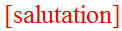
If you copy variables into Microsoft Word or another text editor, they will no longer act as variables when copied back into UltraTax. For example, if the [salutation] variable is copied between applications, the text [salutation] will appear in the document instead of the client's salutation.
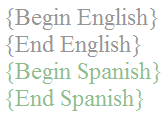
{Begin English}, {End English}, {Begin Spanish} and {End Spanish}
The conditional statements for displaying the Spanish or English text will be denoted by light gray text enclosed in curly brackets for English and light green text enclosed in curly brackets for Spanish.
If you copy these conditional statements into Microsoft Word or another text editor, they will no longer act as conditional statements when copied back into UltraTax CS. Instead, the client document will display the actual conditional statements text and all of the Spanish and English text.
Items that shouldn't be copied from Microsoft Word to UltraTax or other text editors
The following items, if entered in Microsoft Word, won't copy over to UltraTax and won't display when the client document is printed out of UltraTax.
Text color
Client document templates in UltraTax can only contain black text.
Non-text items (images, graphs, shapes, borders etc)
Any non-text items entered in Microsoft Word won't copy to or print from UltraTax CS. This includes logos images, graphs, and other annotations.
Items that can be copied from UltraTax to Microsoft Word or other text editors
The following items can be copied successfully between Microsoft Word (or another text editor) and UltraTax CS.
Embedded content
Embedded content in the UltraTax CS client document templates is denoted by pink text enclosed in curly brackets and is typically used for the List of Returns or Optional Paragraphs.
While embedded content can be copied between applications, if edits are made to the embedded content, it may not copy back into UltraTax successfully. This includes the curly brackets and everything enclosed within them. Changes may prevent the content from pulling into the client document and result in the embedded content syntax displaying in the client document.

Print if
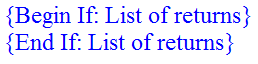
Print ifs are denoted by blue text enclosed in curly brackets and always contain "Begin if..." and "End if..."
While print ifs can be copied between applications, if edits are made to the print if statements, it may not copy back into UltraTax successfully. This includes the curly brackets and everything enclosed within them. Changes may prevent the print if statements from functioning correctly and may result in the print if syntax and the unwanted content displaying in the client document.
Items that can be copied from Microsoft Word to UltraTax or other editors
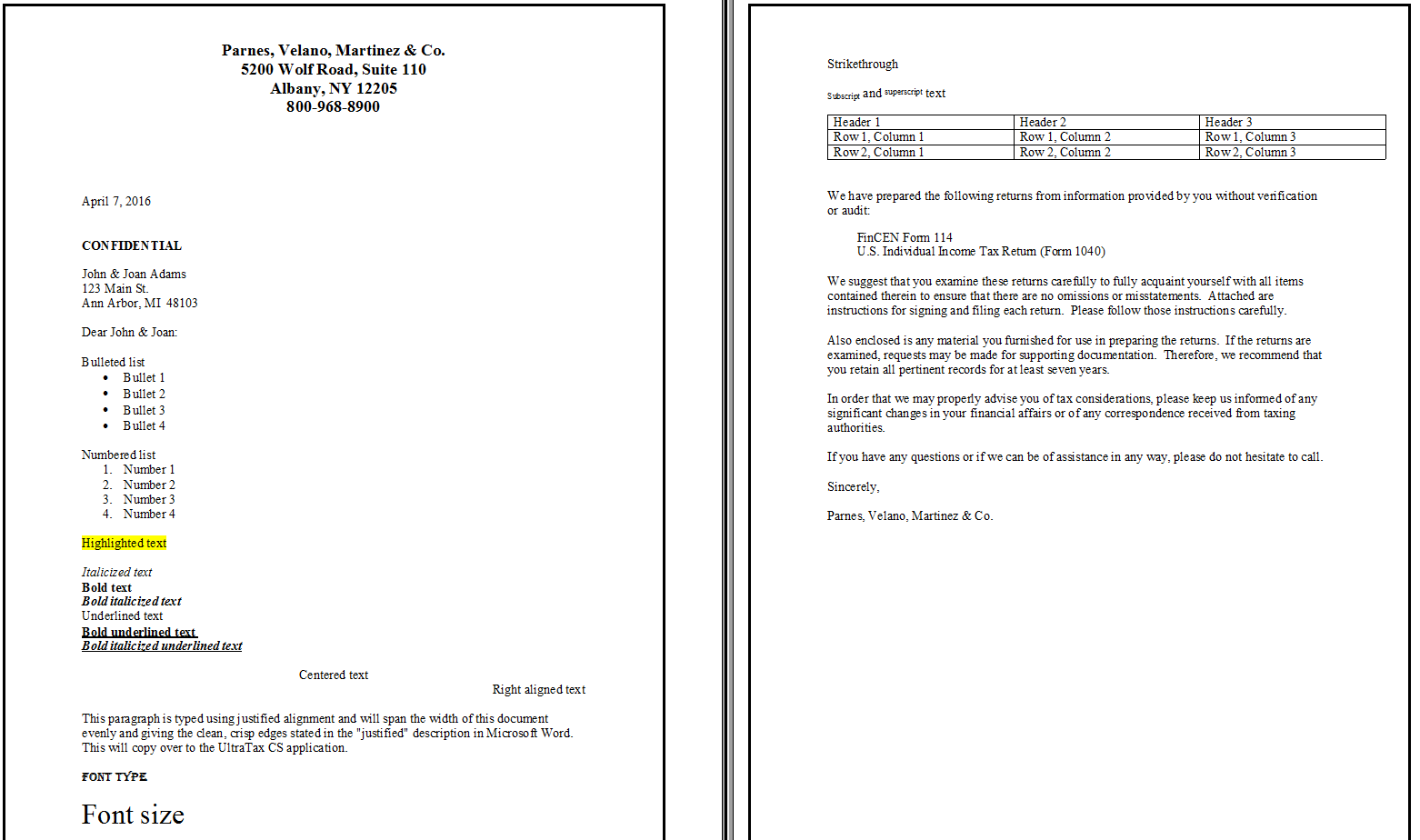
The following text formatting items (commonly used in Microsoft Word or another text editor) can be used in Microsoft Word and will be included in the client document templates in UltraTax.
Bulleted list
{List of Returns}
Numbered list
- Number 1
- Number 2

Bold
, italicized
and underlined
text
Font type and size

Highlighted text

Strikethrough

Subscript and superscript text

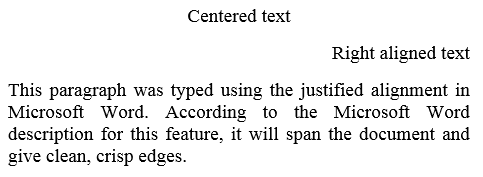
Alignment
Tables
Header 1 | Header 2 | Header 3 |
|---|---|---|
Row 1, Column 1 | Row 1, Column 2 | Row 1, Column 3 |
Row 2, Column 1 | Row 2, Column 2 | Row 2, Column 3 |

Recommendations to fully utilize Microsoft Word with minimal error
Follow these steps to edit client document templates in Microsoft Word.
- SelectSetup, then[[Entity type]].
- On theFederalor state tab, selectLetters & Email/Filing Instructions/Invoice, thenText & Format Options.
- Select the document you want to edit, then selectOpen.
- If you don't have any Spanish speaking clients and don't need client documents printed in Spanish, selectFormat,Remove language,Remove Spanish.importantIf you need Spanish client documents, do not complete this step. Once you remove a language, there's not a way to undo the removal without restoring the letter from a backup or to default.If you need client documents printed in Spanish, it may be best to edit the client document templates using the UltraTax CS editor only. If you choose to edit portions of the templates in Microsoft Word, you'll need to copy one paragraph at a time into Microsoft Word, make your edits, and copy the paragraph back into UltraTax.
- Select the text you want to edit in Microsoft Word, then selectCtrl+Con your keyboard to copy the text.This screenshot was pulled from the 1040 Transmittal Letter.

- Open Microsoft Word (or other text editor).
- Paste the text usingCtrl+Von your keyboard or by selectingEdit, thenPaste.
- Make all desired edits to the document.

- When finished editing the document, selectCtrl+Aon your keyboard to select all text, then selectCtrl+Cto copy.
- In UltraTax CS and return to the document opened in step 3.
- Remove the portion you selected in step 5 and selectDeleteorBackspaceon your keyboard.
- SelectCtrl+Von your keyboard to paste the text.
- SelectFile, thenSaveto save the template in UltraTax CS.
- Close the UltraTax CS client document editor and selectOKto exit theProduct Informationwindow.
- To view your edits, open a client with the same entity type selected in step 1 and preview the return.