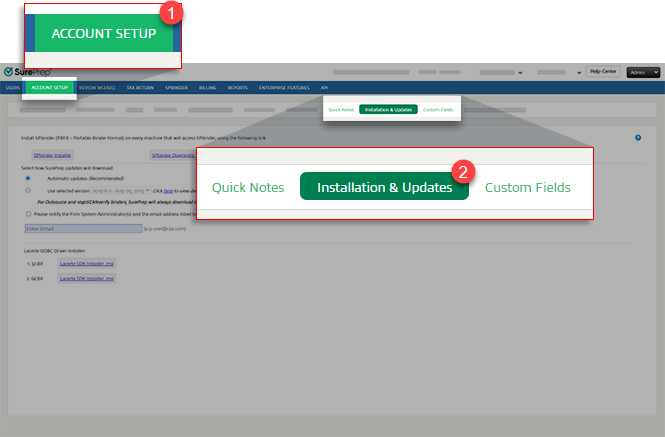
See the recommended system requirements for optimal performance.
note
SurePrep recommends enabling automatic updates.
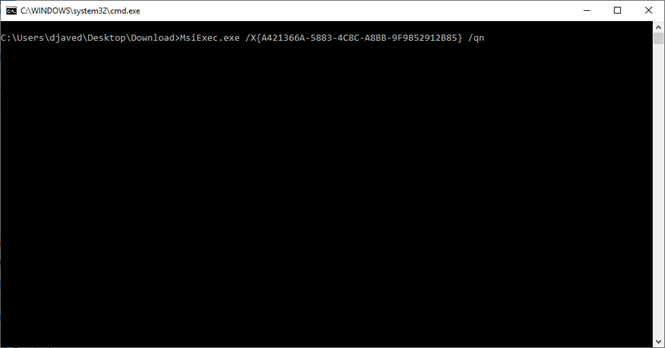
Skip to the next step if you are not familiar with the command prompt. However, if you are familiar with the command prompt then you have the option to automate the rest of the installation process by running the installer in silent mode.
Locate the downloaded file in your downloads folder. Right-click the downloaded file then select
Run as Administrator
. Contact your IT department for assistance if you don’t have admin rights on your PC or shared environment.
note
File download path may vary based on the browser and operating system version.
If you had SPbinder installed previously, then the installer will automatically uninstall the previous version of SPbinder and SurePrep Apps before installing a new version. The command prompt window disappears after you successfully uninstall SPbinder. No action required, skip to the next step to continue the installation process.
When the
SPbinder - InstallShield Wizard
opens, select
Next
.
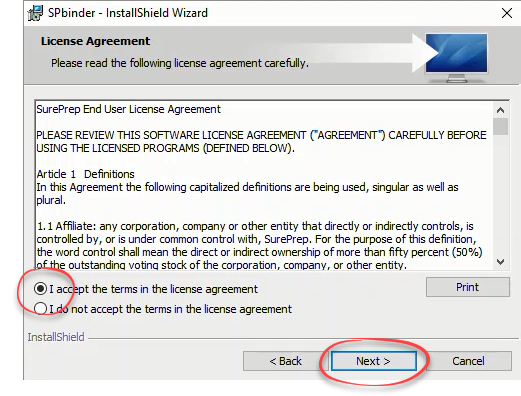
Review the License Agreement, select
I accept the terms in the license agreement
, then
Next
.
Verify the install location, then select
Next
.
note
By default, the installation path goes to
C:\Program Files\SurePrepLLC\PBFX\
. If your firm administrator has instructed you to use a different location, select
Change
and select a path.
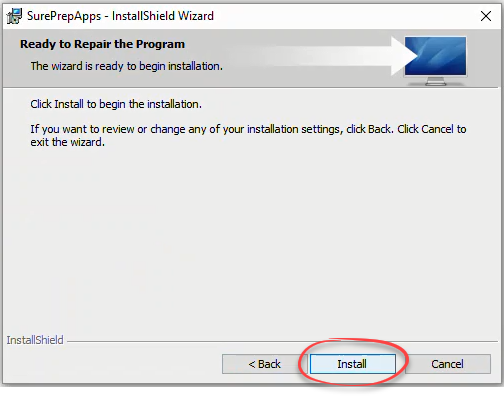
Select
Install
.
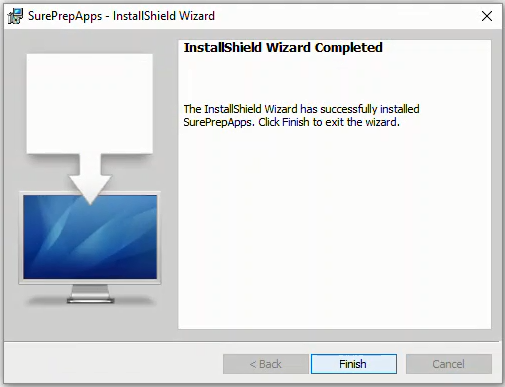
When the installation is complete, select
Finish
. SPbinder is now installed.
You can confirm if
SPbinder
was installed successfully by looking at the list of installed programs in your computer's
Control Panel
.
You should also have novaPDF SDK (version 10 or higher) installed in your computer's
Control Panel
.
If you don’t have the latest version of novaPDF SDK (version 10 or higher) installed, then you'll need to manually uninstall novaPDF SDK and re-run the installation again.
note
If you are on a shared environment (that is, Xcentric, Cloud9, Abacus) then .
Automate installation in silent mode
Automating the installation process through command prompt is only recommended for advanced users with Admin rights. Contact your IT professional to follow this guide or install SPbinder through the UI. Silent Installation will automatically uninstall and reinstall SPbinder and NovaPDF.
note
SurePrep Apps install has been merged with SPbinder and won’t appear as a separate install.
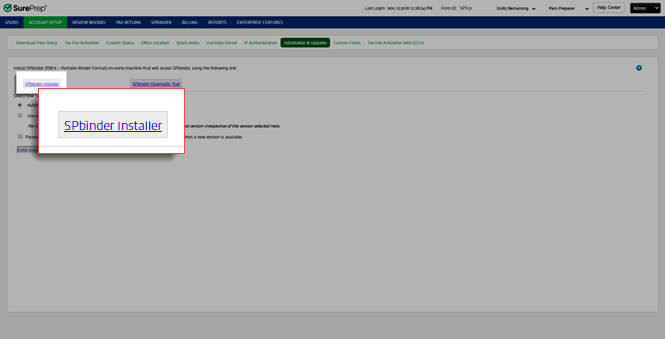
Download a new copy of
SPbinder Installer
from
Account Admin
(Read the previous instructions on how to download SPbinder Installer).
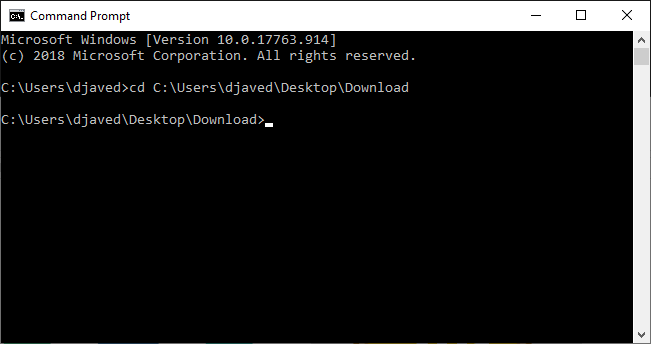
Open the command prompt window as an Administrator.
Go to the folder path where the installer is downloaded (
cd
[SPbinder.exe download path]).
note
Your file download path may vary based on the browser and operating system version.
Run the following command to run the SPbinder installer in silent mode.
SPbinder /S /v” /qn”
If necessary, the command prompt window will automatically uninstall any previous versions of SPbinder and automatically install a new version of SPbinder. The command prompt window will close automatically after SPbinder has been installed.
To confirm if SPbinder installed successfully, go to the
Control Panel
then locate SPbinder.
You should also have novaPDF SDK (version 10 or higher) installed in your computer's
Control Panel
.
If you don’t have the latest version of novaPDF SDK (version 10 or higher) installed, then you'll need to manually uninstall novaPDF SDK and re-run the installation again.
Post-installation checks
For the best user experience, we recommend going through the following checklist after installation is complete:
Check permissions:
Check if the
Program File
and
SurePrep Download Folder
paths are setup in
Account Admin
.
Enable access to download folder path (i.e.,
SurePrep Download Folder
).
This is useful if your firm has users accessing client binders from multiple workstations on a shared network drive (for example, x:/SurePrepLocalFiles).
To check if your firm's download folder path is on a shared network drive, go to
FileRoom
Admin
Account Setup
Download Files Setup
SurePrep Download Folder
.
Run SPbinder Diagnostic tool.
If you can open binders by opening PBFX files from FileRoom, no further action is needed. However, if the PBFX file doesn't open SPbinder, you may need to set PBFX to open SPbinder.