
Administrators: Manage users
When adding a new user or editing an existing user, you'll have the option to link or create a new Thomson Reuters Account.
Add new user
When adding a new user, you can link them to an existing Thomson Reuters Account. If they don't have an account, they'll create it after you've finished setting them up on this page.
note
Make sure you've enabled
Create users in Thomson Reuters Account
on the Thomson Reuters Account Upgrade
page. This makes it so new users have to use the Thomson Reuters Account to sign in. It also disables the Login Method
on the User Details
page.- SelectAddon theUsersscreen.
- Enter an email address.noteTo find out if someone has a Thomson Reuters Account from this page, enter their email address. If the system automatically adds aFull Name, then the new profile gets added to their account when you complete the set up.If theFull Nameisn't added, enter the person'sFull Name.
- If you haven't enabledCreate users in Thomson Reuters Account, selectThomson Reuters Accountas theLogin Methodin user details.
- Continue with the setup process.
- Once complete, the person can choose the new user profile when they sign in.
Edit a user
If you need to change an upgraded user profile to a new person, you can do that by editing a user.
- Select a user to edit and go to theEdit Userpage.
- Clear theEmailand enter a new email address.
- After changing the address, you can either link to an existing account or create a new account.
- If the email is already connected to a Thomson Reuters Account, the system fills in theFull Nameand asks you if you want to upgrade.
- If the email doesn't match a Thomson Reuters Account, a new account will be created for the user. This starts the registration process and emails instructions to the address entered.
- SelectLink to New Thomson Reuters Accountto change the email associated with the user you're editing.
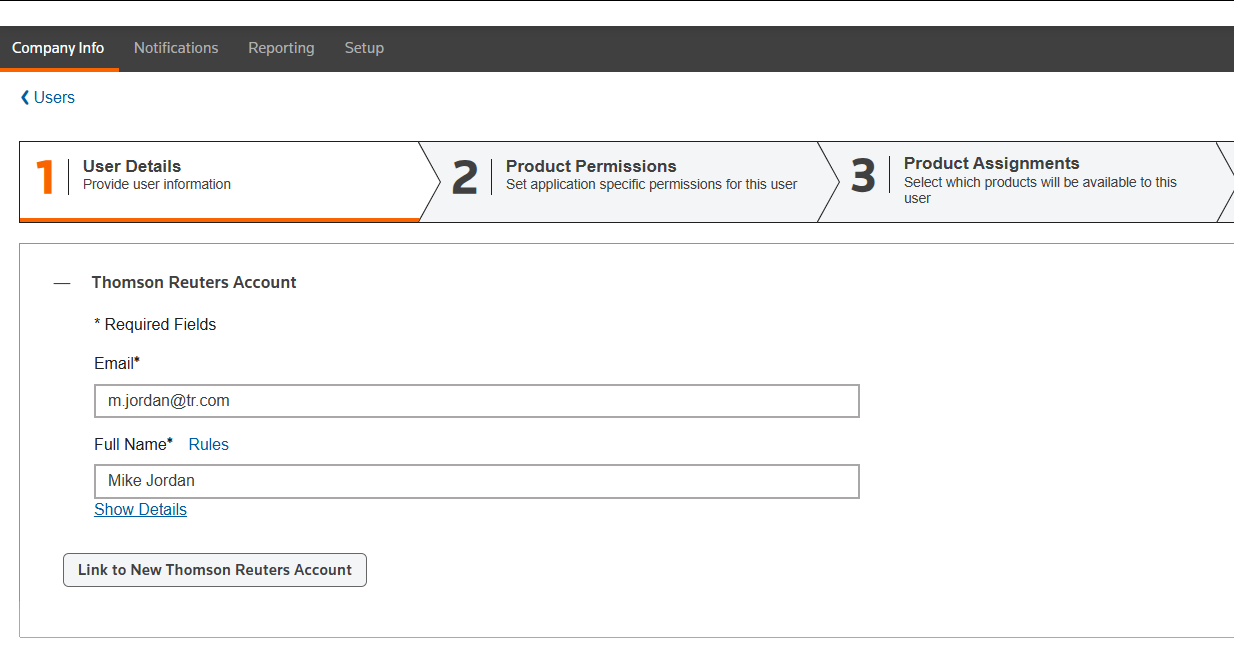
- SelectYesto confirm.
- Continue with the setup process.
- Once complete, the person can choose their new user profile when they sign in.
Related Content
-
Before you upgrade
Format: Article