
Organizer overview and manual data entry
Review prepared return data and manually enter the remaining document data in the Organizer.
The
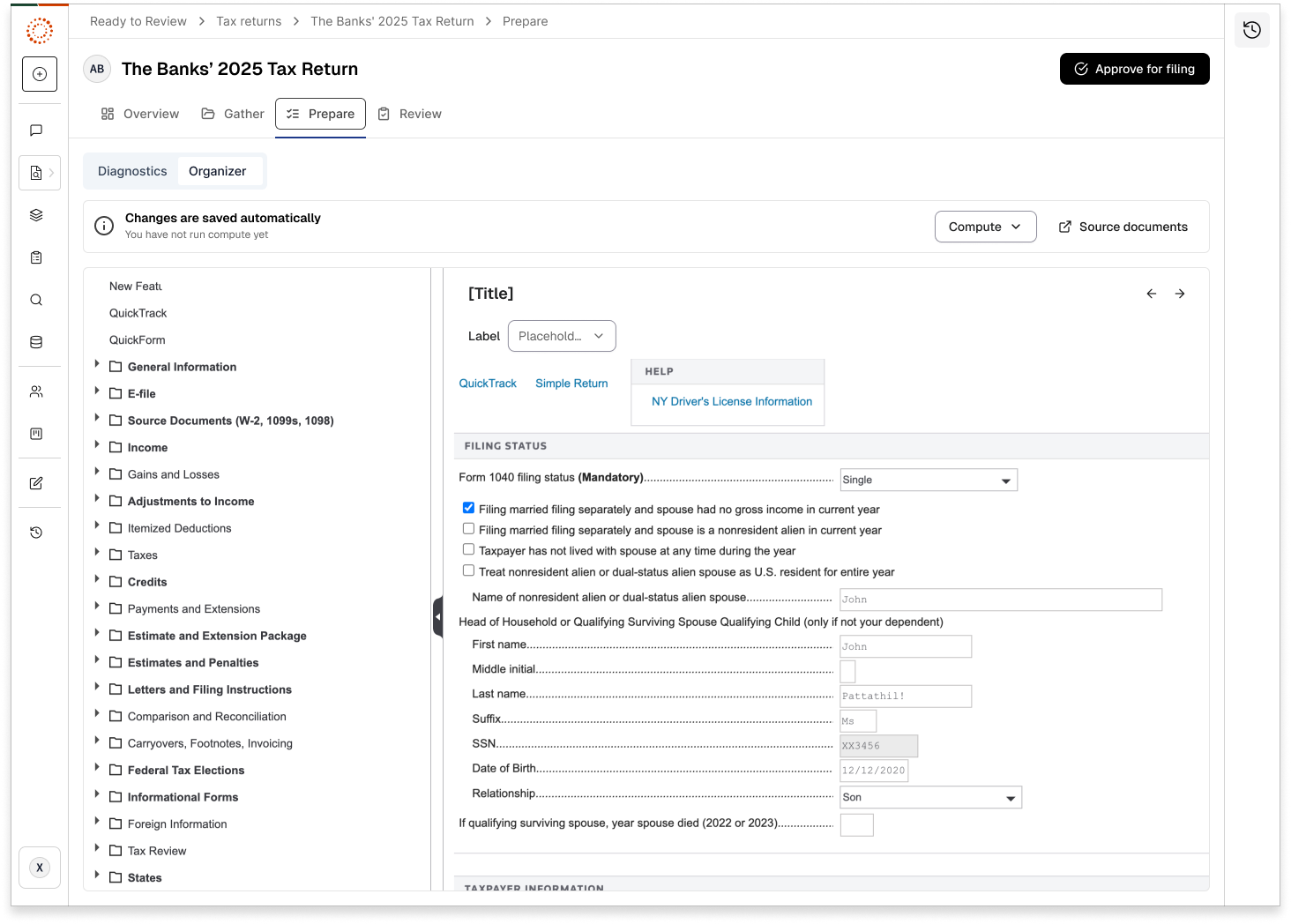
Organizer
is your central workspace for reviewing the prepared return data and manually adding any remaining documents' data before the return is finalized.Organizer features
- Structured data entry: Organized by tax form and schedule.
- Pre-populated fields: Data extracted by AI is already filled in.
- Manual entry options: Add or correct information as needed.
- Running on GoSystem Tax: Leverages proven tax preparation technology.
Recommended review workflow
- Go to your project, then select thePreparetab to open the organizer.
- Open the source document viewer in a separate window and place it side by side with the organizer.
- Check extracted data and make edits in the document viewer when available. Pay special attention to fields flagged asNeeds Verification, which appear in the document viewer.
- Review sections of the organizer and make additional manual entries as necessary.
note
Corrections made in the document viewer update the organizer, but changes made in the organizer don't update the document viewer. Make source-based corrections in the document viewer first.
Related Content
-
Needs Verification fields and Tasks Pending Items
Format: Article
-
Use the source document viewer
Format:
Article
-
Use the Organizer
Format:
Article
-
Manual data entry and corrections
Format:
Article