
Use the Organizer
The Organizer is your central workspace for reviewing and editing extracted data before the return is finalized. It's powered by the GO System tax engine, providing a familiar and robust data entry interface for tax professionals that uses proven tax preparation technology.
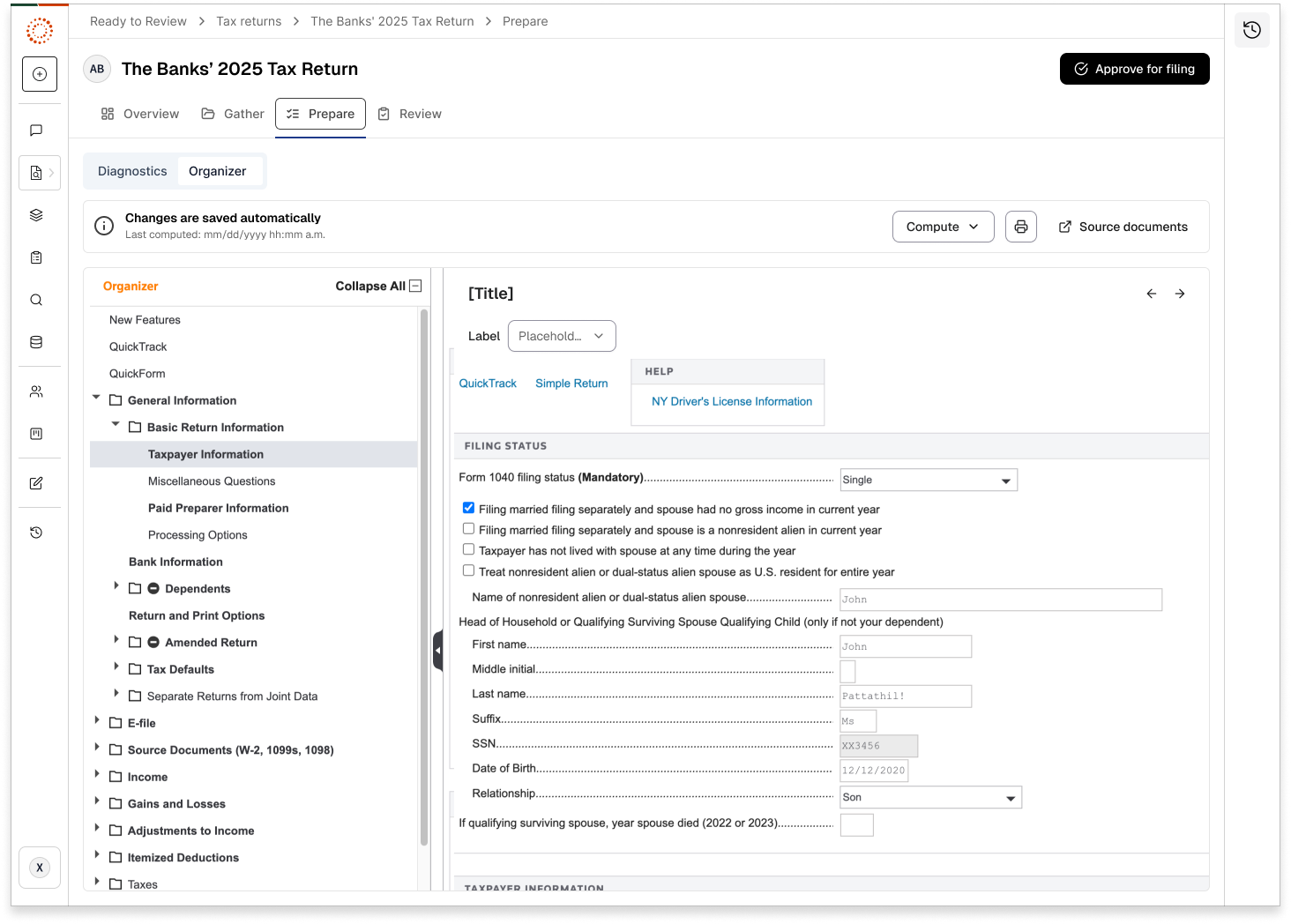
Key features
- Structured data entry: Organized by tax form and schedule.
- Pre-populated fields: Data extracted by AI is already filled in.
- Manual entry options: Add or correct information as needed.
- Validation indicators: Highlights incomplete or low confidence fields.
- Auto-compute functionality: Set to Auto-compute by default, though preparers can deselect this option and manually calculate the entire return.
- Calculate anytime: Calculate the return at any time during the preparation or review processes.
Key sections
- Personal Information: Taxpayer, spouse, and dependent details.
- Income: Wages, interest, dividends, and other income sources.
- Deductions: Standard or itemized deductions.
- Credits: Tax credits that apply to the return.
- Other Information: Additional required data.
Work with the Organizer
- Open your project.
- Go to thePreparetab.
- The Organizer displays all extracted data organized by tax category.
- Review each section of the organizer.
- Verify accuracy of auto-populated fields.
- Make corrections or additions as necessary.
- Pay special attention to fields flagged with low confidence.
tip
- Use the navigation panel to jump between sections.
- Look for completion indicators (for example, "21/21 provided").
- Pay attention to validation messages and required fields.
- Save your work frequently.
Related Content
-
Organizer overview and manual data entry
Format: Article