
Organizer overview and manual data entry
The
Organizer
is your central workspace for reviewing and editing extracted data before the return is finalized.Access the Organizer
- Go to your project.
- Go to thePreparetab.
- The organizer displays all extracted data organized by tax category.
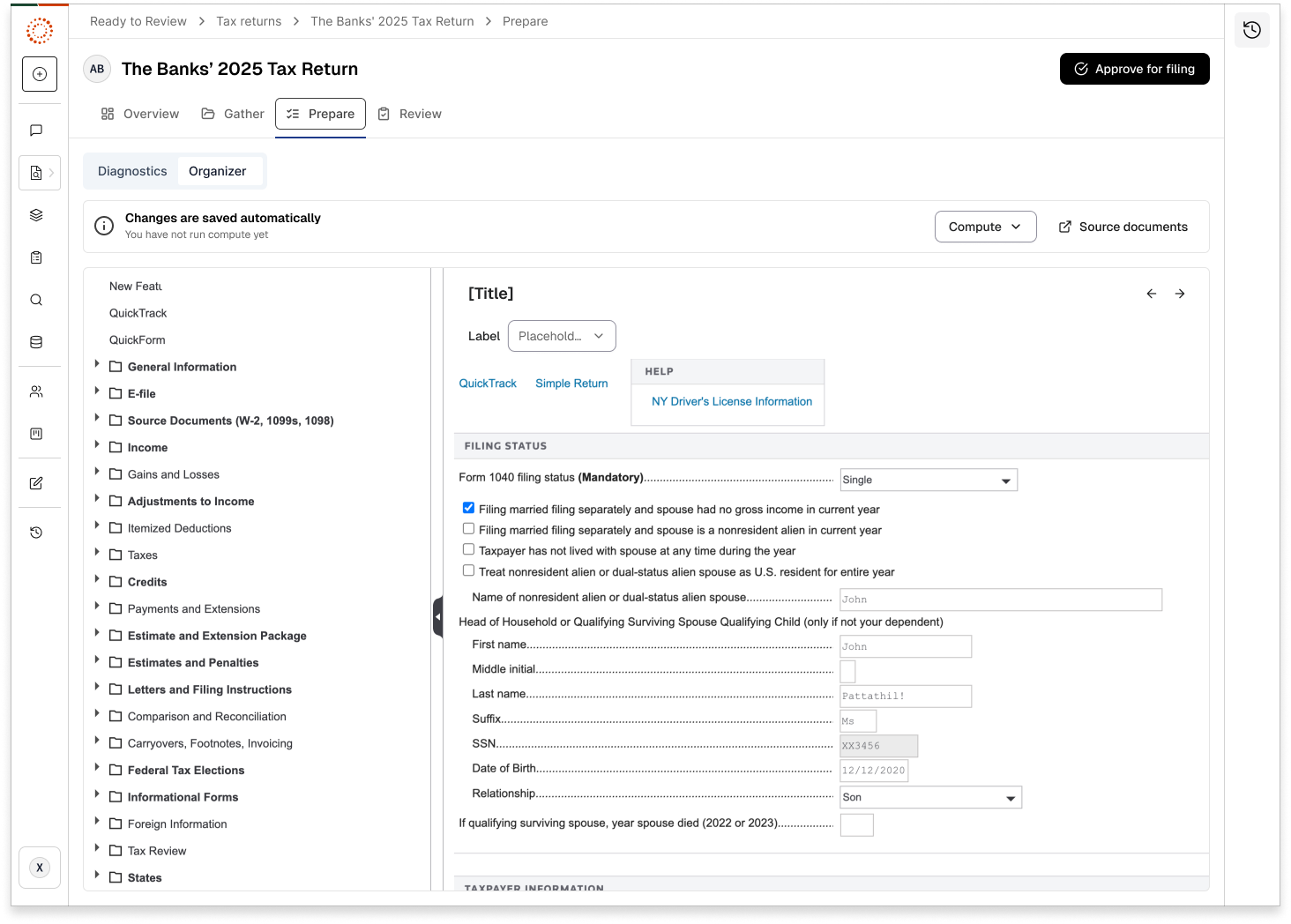
Organizer features
- Structured data entry: Organized by tax form and schedule.
- Pre-populated fields: Data extracted by AI is already filled in.
- Manual entry options: Add or correct information as needed.
- Validation indicators: Highlights incomplete or low-confidence fields.
- Running on GoSystem Tax: Leverages proven tax preparation technology.
Review extracted data
- Review each section of the organizer.
- Verify accuracy of auto-populated fields.
- Make corrections or additions as necessary.
- Pay special attention to fields flagged with low confidence.
Related Content
-
Low confidence data and Action Needed items
Format: Article
-
Use the source document viewer
Format:
Article
-
Use the Organizer
Format:
Article
-
Manual data entry and corrections
Format:
Article