
Insert Field
A
Field
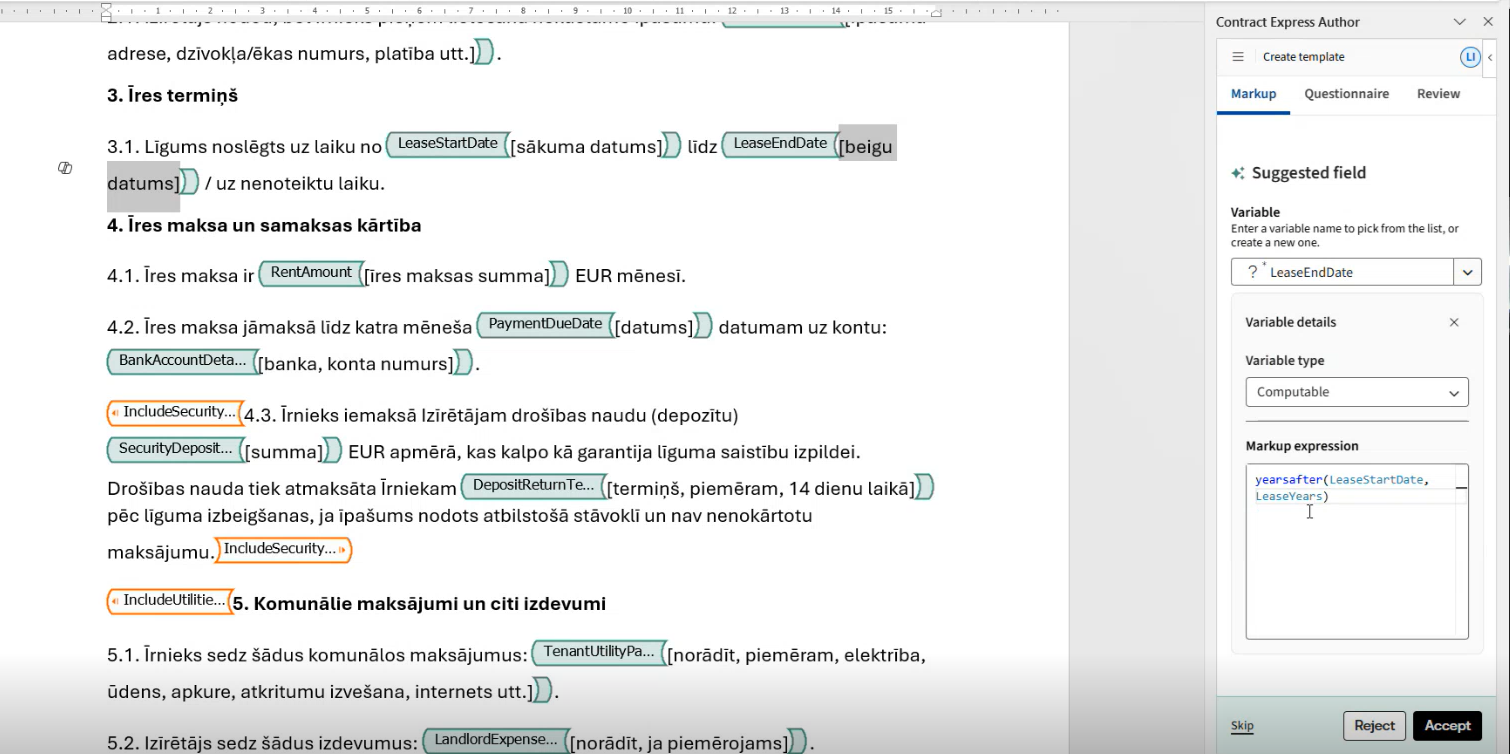
is an insertion point in the document where dynamic information is added, such as party names, dates, product names, or amounts. In most cases, this information is collected through questions in the questionnaire. However, you can also use computations to calculate the value based on other answers or insert information from an external data source.How to insert field
To insert a field, highlight the text to be replaced or place the cursor in the required position, and then select
Insert field
. A content control is inserted into the document, and the work pane displays the variable selection screen.
Select an existing variable from the list or type a variable name to create a new one. Set the variable type and question, and then click
Apply
.
A field that uses a variable name as its definition is the simplest and most common type of field. It inserts the questionnaire response into the document exactly as it is provided and stored. In some cases, you may want to manipulate the value using functions or apply a different format.
When working with a new field, you can undo the insertion to restore the original text. You can also remove the field by selecting the delete icon at the bottom of the screen.

note
Deletion will remove the content control, but it will not reinstate the text it replaced when it was first added.
A field cannot contain another field or span, but a span can be added around a field.
In addition to standard variables, you can add computable variables, which are created using expressions.
View in questionnaire link in variable details
Users can also directly access variables in the questionnaire by clicking
View in questionnaire
in the details section, allowing them to quickly jump to a variable's location in the Questionnaire tab without manually searching for it. This is particularly useful when working with large questionnaires containing many variables.
The link appears at the bottom of the Variable details section, below the
Question field
for standard variables, or below the Selection choices
for Single select and Multi select variables. Simply click it, and the application will navigate you directly to the Questionnaire tab, automatically opening and displaying the same variable you were viewing so you land exactly where you need to be.For
Computable variables
, clicking the link will take you to the Computable variables section rather than the standard Questionnaire tab. Variables used under spans
will also display the link, keeping navigation consistent regardless of where a variable is used.note
If
Advanced mode
is enabled, the "View in questionnaire" link will not appear in the variable details section, as Advanced mode
has its own navigation behaviour.Related Content
-
Add markup with Author Online
Format: Article