
Steel Melt and Pour
Proclamation 10783 has been issued that requires new Steel Melt and Pour data elements for importers. These new data elements are required on the Entry Summary and guidance from CBP has been provided in CSMS 62095799 and
CSMS 62280558. Please review these documents to see if any of your products fall under the new reporting requirements.
We have created an option on the ABI Entry Summary Form for you to key in the new data elements at the time of Entry Summary filing.
- ABI-01 Self-Filer – If you fill out the new data elements in the Menu, the data will automatically be transmitted to CBP when you transmit your Entry Summary.
For ABI-01 filers, the option will show you all potentially applicable products on an entry that has the status of New, Hold or Revalidate and has an HTS that is listed by CBP. Based on the guidance provided and the data within the application, we are not able to indicate whether you must file for every part that shows in this new screen, but we have provided you the means to do so, should you wish to report.
-Note - We have not currently created any validations, as we are still learning all the requirements from CBP. We do not want to hamper or force any filings until there is more knowledge about these updates.
The Steel Melt and Pour option allows you to apply the same data to multiple lines, so you do not need to key this for every line, just every combination you need to file. If a line requires no reporting, do not select that line, or fill out any data.
This screen can be opened by clicking Steel Melt & Pour from the ABI menu.

To apply the data to lines that require reporting:
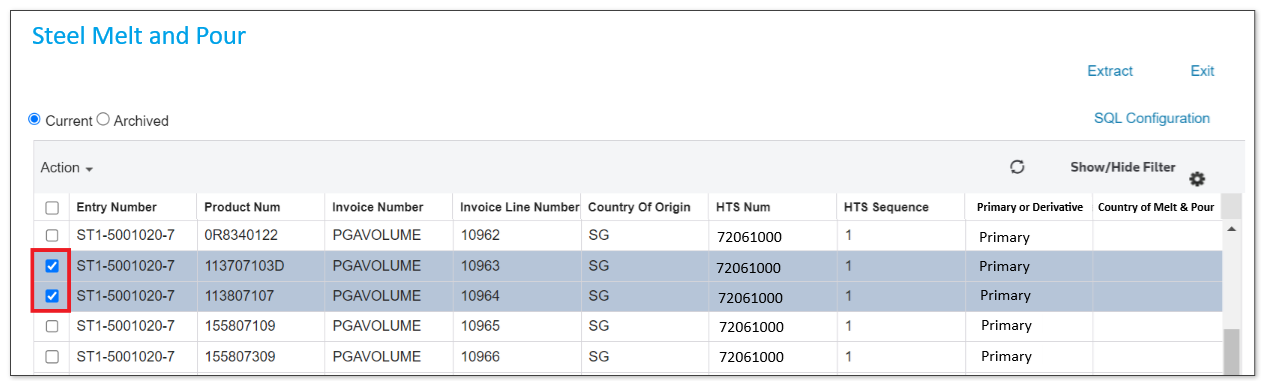
- Check the boxes of the entry lines you want to apply the same data to.
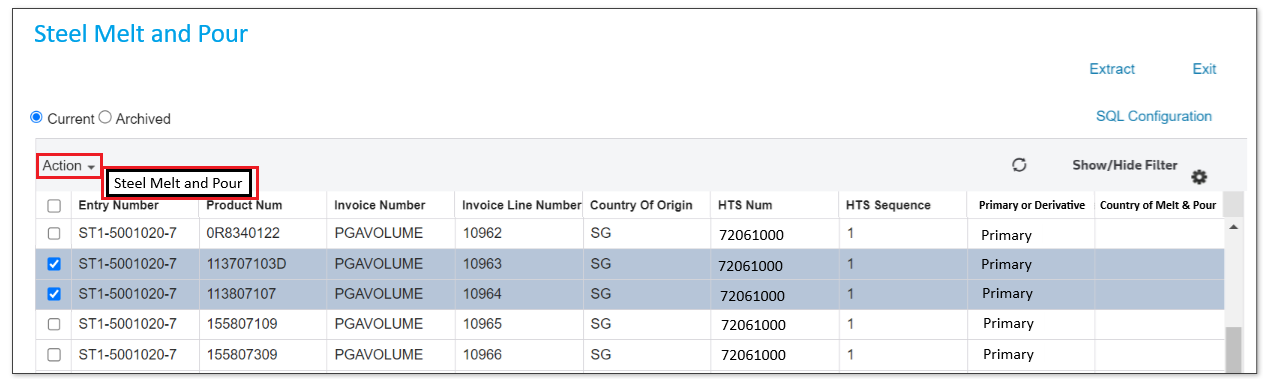
- Hover your cursor to theActionoption and clickSteel Melt and Pour.
- A pop-up will appear that alerts you that data will be applied. ClickOKif you wish to proceed. ClickCancelif you do not wish to change any data.
- TheUser Inputpop-up will appear. On the columnInput, click the dropdowns to select the answer to the messages described below.
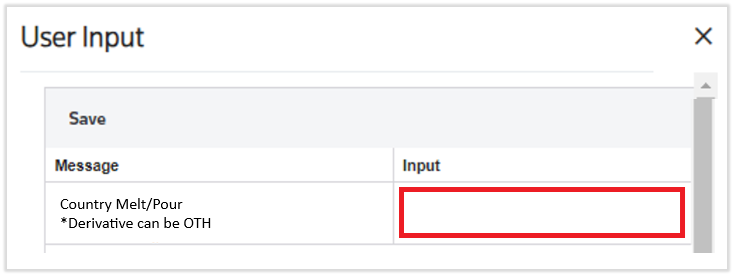 Country Melt/Pour *Derivative can be OTH:The information is required for articles of steel subject to the Section 232 steel articles and derivative steel articles. Type must be submitted if the article is primary steel or derivative steel regardless of whether the Section 232 duty treatment, quota treatment, or exception treatment applies.For products melted/poured in the U.S., report “US” as the Country of Melt and Pour.Provide the ISO country code where steel was originally melted. Country of melt and pour refers to the original location where the raw steel is (1) first produced in a steel-making furnace in a liquid state and then (2) poured into its first solid shape. The first solid state can take the form of either a semi-finished product (slab, billets, or ingots) or a finished steel mill product. The location of melt and pour is customarily identified on mill test certificates that are commonplace in steel production, generated at each stage of the production process, and maintained in the ordinary course of business. This data element is mandatory for all countries importing Primary Steel.For Derivative Steel Products of Mexico, the ISO Country of Melt and Pour code or ‘OTH’ may be provided.
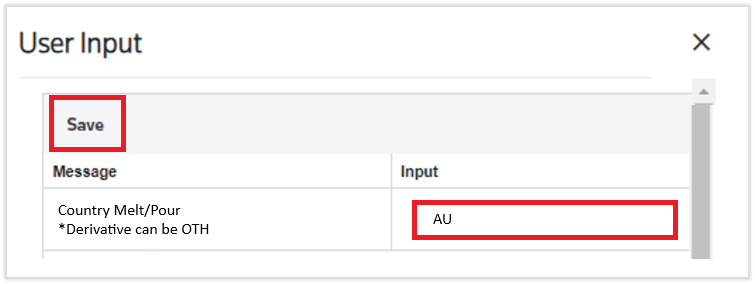
 - ClickSavewhen all fields are filled out.After saving the input, a successful message is displayed, and the countries are displayed in the grid.
 If you determine you need to change data after the entry has been generated (printed), simply unprint the 7501. The Exit Doc ID and the fields will again be available for you to edit in the new menu screen.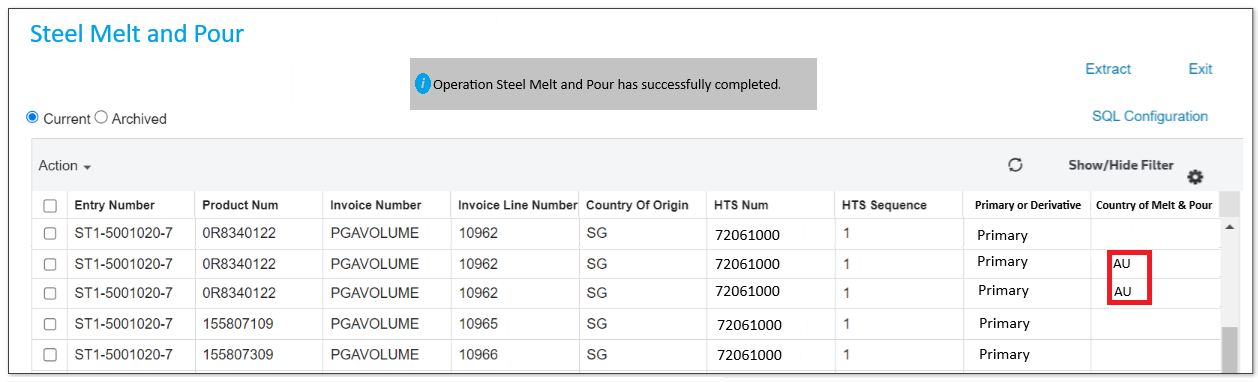
EXTRACT
You can download your
Steel Melt and Pour
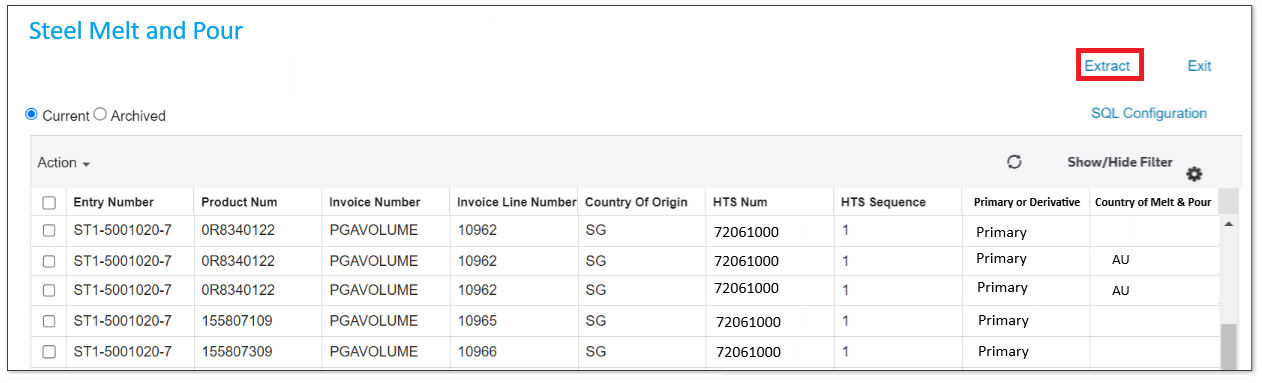
entry lines in an Excel spreadsheet by clicking the action button Extract
.
Related Content
-
AMS Query
Format: Article,
1 min read
Article,
1 min read
-
Frequently Asked Questions (FAQ)
Format:
Article,
6 min read
-
Entry Summary (Entry 7501)
Format:
Article,
1 min read
-
Frequently Asked Questions (FAQ)
Format:
Article,
6 min read
-
Entry Summary (Entry 7501)
Format:
Article,
1 min read