
Edit/View
To edit or view company information (e.g. company address, contact information, etc.).
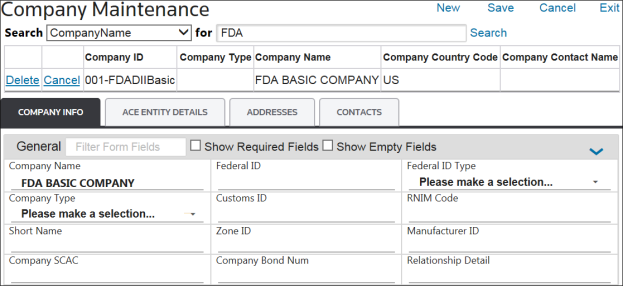
- Choose an entity from theCompany Maintenancegrid.
- Click its correspondingEditlink on the far left to open the record for the selected company, along with its saved information within theCompany Info,ACE Entity Details,Addresses, andContactstabs.

The
ACE Entity Details
tab may or may not appear, depending on how the system was configured.Upon opening this screen, the fields in these tabs will be read/write. They can be updated as needed. Each tab will be covered in more detail in the sections listed below.
Related Content
-
Company Maintenance
Format: Article