
New Request Template
To create a new request template, click
New Request Template
.
Clicking
New Request Template
will open the Edit Request
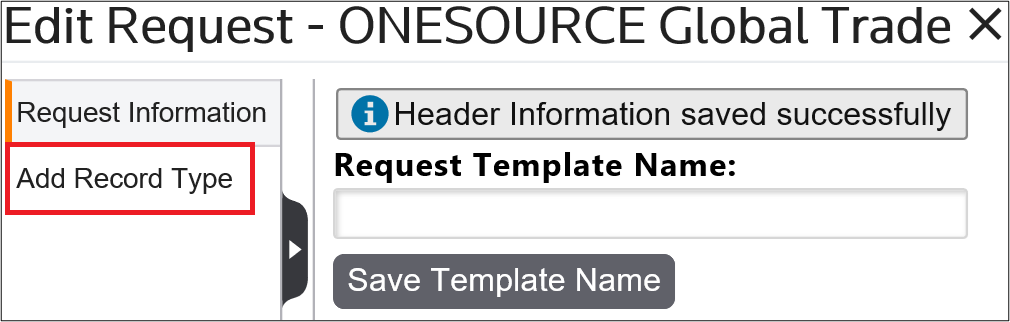
pop-up. Enter a template name for the request and then click Save Template Name
.
Once the template name has been saved, a validation message will appear and a vertical menu bar will appear on the far left of the pop-up. To proceed, click
Add Record Type
.
Add Record Type
Clicking
Add Record Type
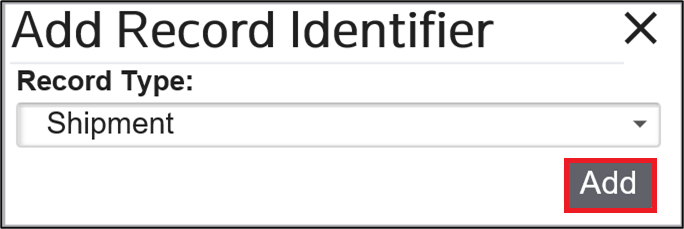
will open the Add Record Identifier
pop-up. Choose a record type from the drop-down and then click Add
.
Related Content
-
Request Management
Format: Article