
DPS Blocked Companies per List: Reviewing Blocked Partners
DPS Blocked Companies per List
screen provides a listing of all DPS lists the user is presently subscribed to, as well as the Company Partner(s) each list is blocking. This information includes company id, name, status and last screened date.This screen can be accessed by choosing
DPS Blocked Companies per List
from the DPS Menu
.Within the
DPS Blocked Companies per List
from the DPS Menu
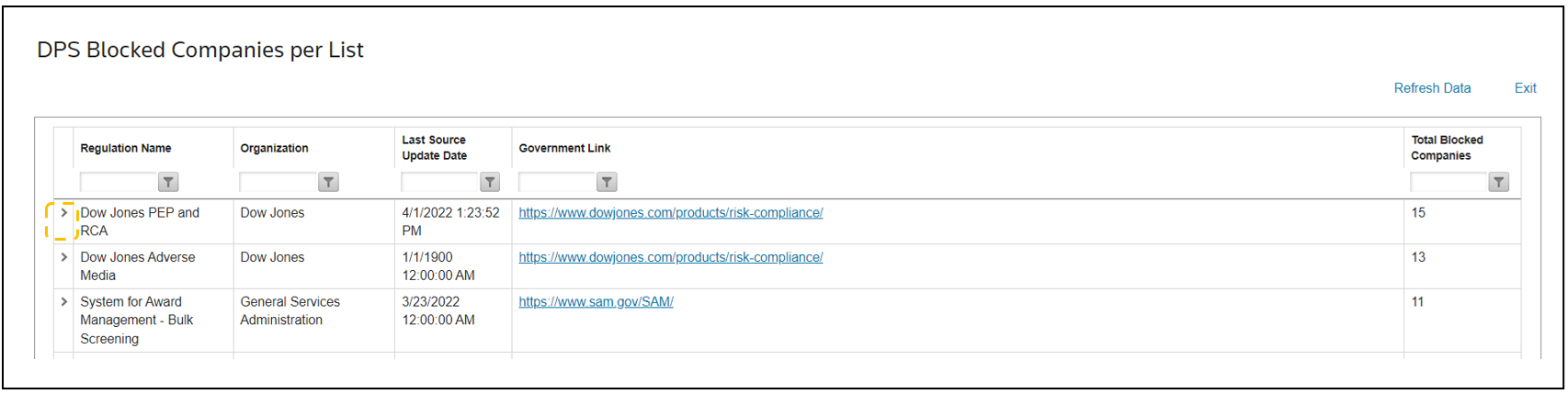
screen there is a grid that contains the following columns.Columns | Description |
|---|---|
Regulation Name | The name of the regulation list. |
Organization | The organization publishing the regulation list. |
Last Source Update Date | A date stamp of the last time the regulation list was updated. It is important to note that some government agencies announce updates for certain regulations but do not release the actual updates until later. |
Government Link | A hyperlink to the official source website for the regulation list. |
Total Blocked Companies | Count of Company Partner(s) currently blocked by a given DPS list the user is presently subscribed to. |
Review Currently Blocked Company Partners
To review blocked companies per list:
- Choose a list from the grid.
- Click the expansion arrow to the left of the regulation name.
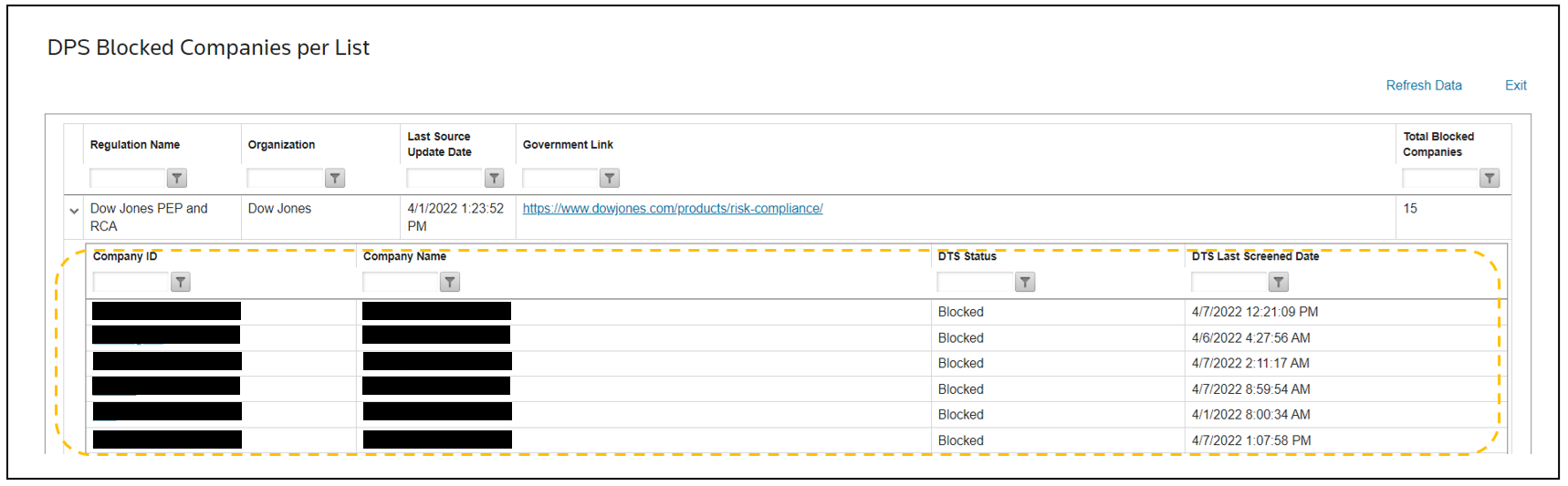
Clicking the expansion arrow will open a sub-table containing the following information for the specified list:
Columns | Description |
|---|---|
Company ID | The id of the Company Partner. |
Company Name | The name of the Company Partner. |
DTS Status | The status of the Company Partner. |
DTS Last Screened Date | Date & time stamp of when a party was previously screened. |
Related Content
-
DPS Regulation List Updates: Monitoring List Activity
Format: Article