
DPS Webservices: Reviewing Results on DPS Management
Screening results are saved and stored within the DPS Management screen, meaning you can review specific screenings at any time.
Below are the results of an example screening on the DPS Management screen:
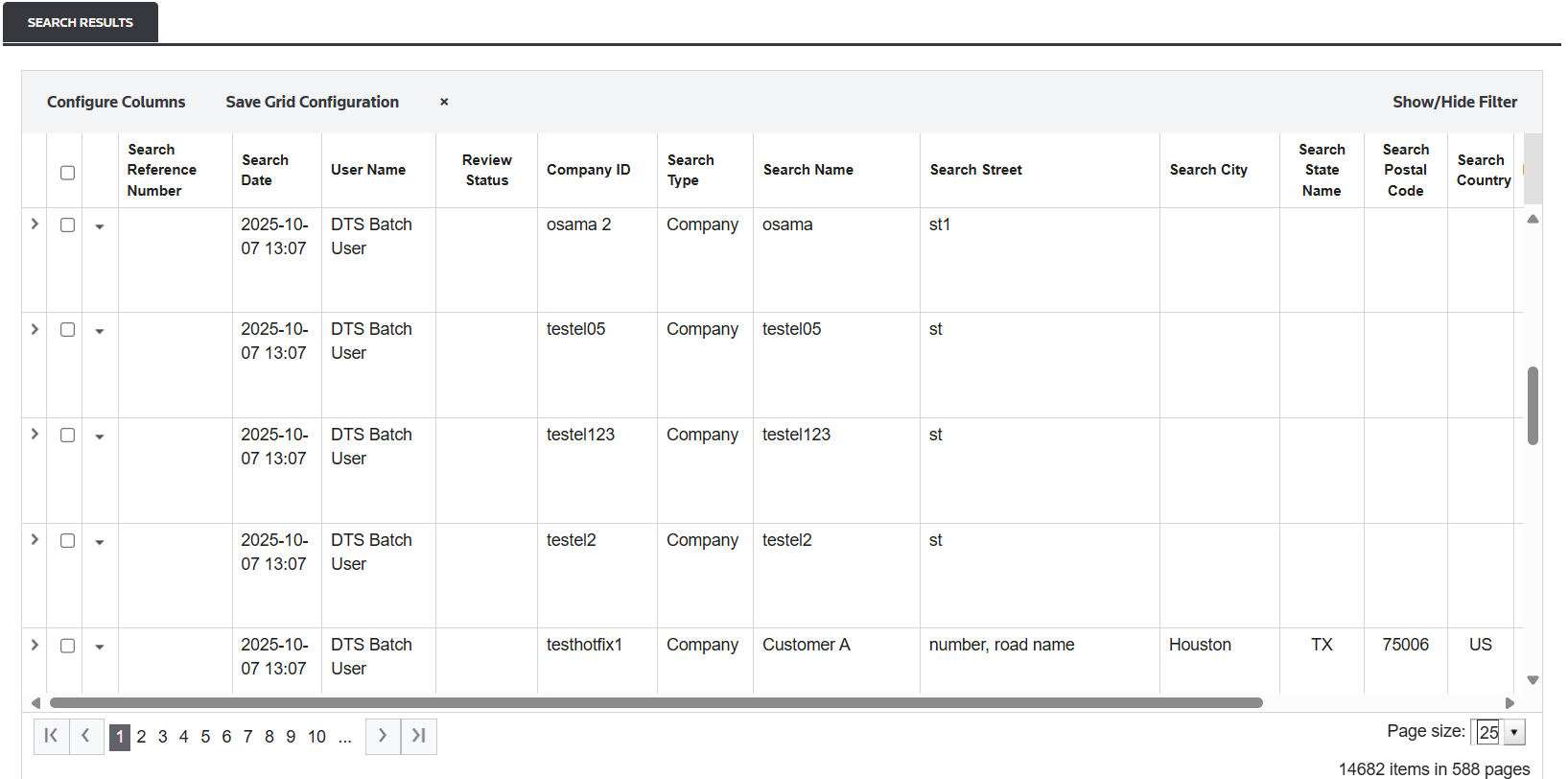
DPS Management Data Elements
Data elements | Description |
|---|---|
Search Reference Number | This column’s data matches the text provided in the <SearchRefNum> request parameter. |
Search Date | This column’s data matches the exact time the screening occurred. This is captured in the response’s <DTS_Search_Date> element. |
User Name | This column’s data will match the user provided in the <LoggedInUser> element. If this element is not populated, then the <UserName> field will be used instead. |
Review Status |
|
Company ID | This field will only be populated with a Company ID if the search date provided in the request matches a company stored within the company partner(s). If a Company ID is provided but the request data is different from the company data, then the Company ID will not be stored. This is referred to as an Ad Hoc search. The main reason for this is to avoid confusion on what the search data is when viewed within DPS Management . It is safe to assume that when the Company ID field is populated, the listed search data is consistent with the company data at that exact moment in time. |
Search Type | The type of search, if it was "Ad-Hoc" or "Company" search. |
Search Name | The name that was used to perform the search. |
Search Street | The street that was used to perform the search. |
Search City | The city that was used to perform the search. |
Seach State Name | The state the was used to perform the search. |
Search Postal Code | The postal code that was used to perform the search. |
Search Country | The country that was used to perform the search. |
Hits | Number of hits found for the giving screening |
Current Screening Status | The current screening state of the giving search. |
Settings | If a Settings Description was entered as a parameter, that settings description will be used (provided it exists within DPS Settings). If a Settings Description was NOT entered as a parameter, this field will read as DEFAULT. For more information about DPS Settings, refer to the ONESOURCE Denied Party Screening help manual. |
Reviewing Result Details
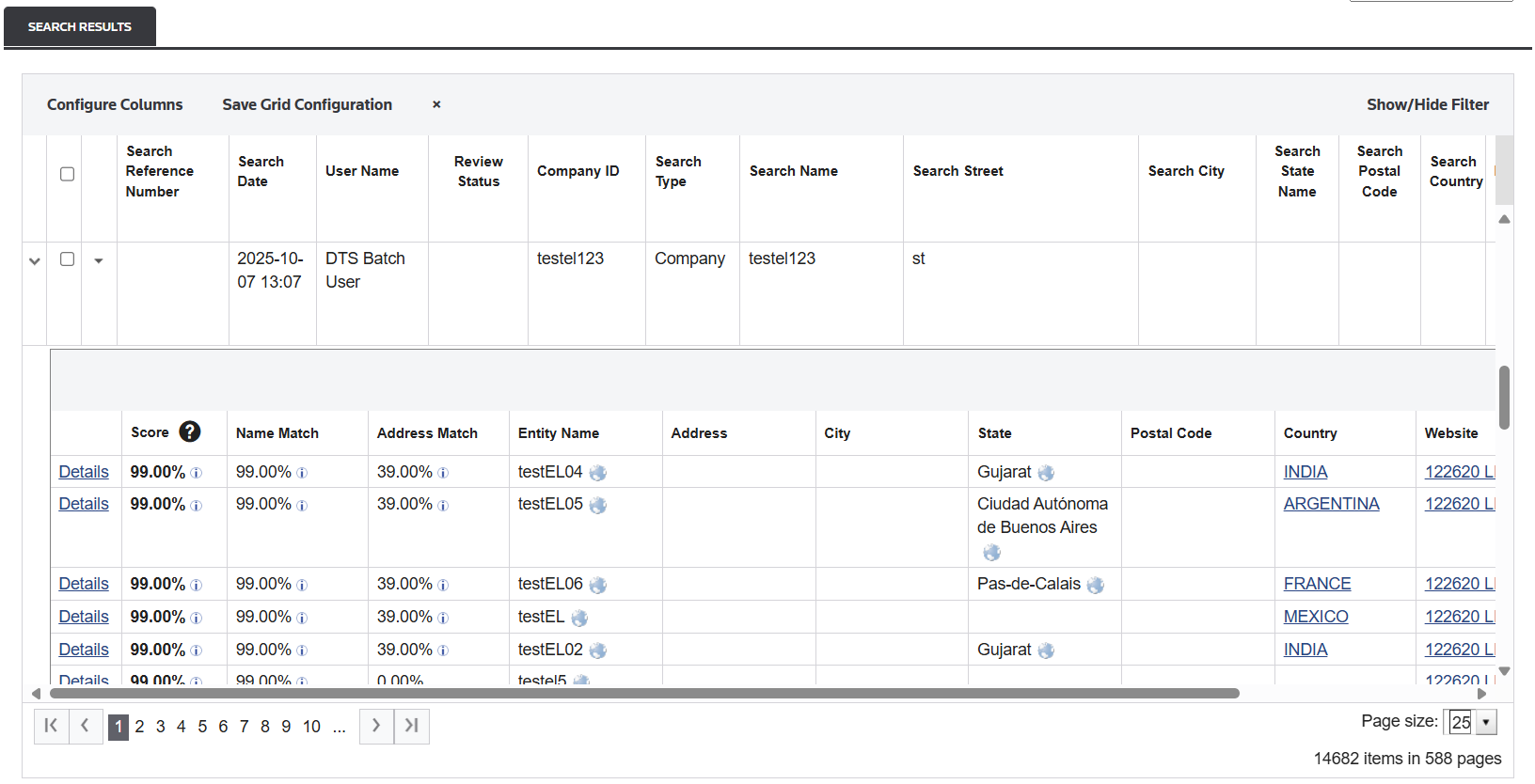
Each <result> element listed under <summary_results> will have a row in the Entity Details table.
Columns | Description |
|---|---|
Details | This link provides further information about the entity, such as:
|
Score | This is the same score that was provided in the response element. Hovering over the icon will show a breakdown of how the score was calculated. For more information about how search result scores are configured, refer to the ONESOURCE Denied Party Screening help manual. |
Related Content
-
DPS Management: Search History and Result Analysis
Format: Article