
FTA: Customer Request Management - Request Summary
The
Request Summary
tab provides the high-level information for all open customer requests; such as the Company Name, Request Date (EffDate of the request record), Due Date, and Notes. If these fields are not immediately available, the screen can be toggled to the left or right to show more columns.
To open a request:
- Choose a request from theRequest Summarygrid.
- Click the correspondingRequest Nameon the left.
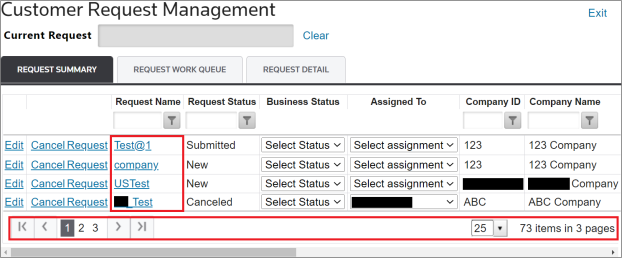
If configured to be visible, the
Business Status
drop-down can be used to select custom statuses for specific requests, as shown below.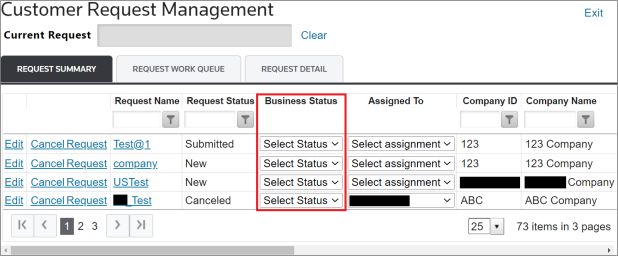
Editing a Request
It is also possible to edit an existing request. This can be done by choosing a request from the
Request Summary
grid and clicking its corresponding Edit
button.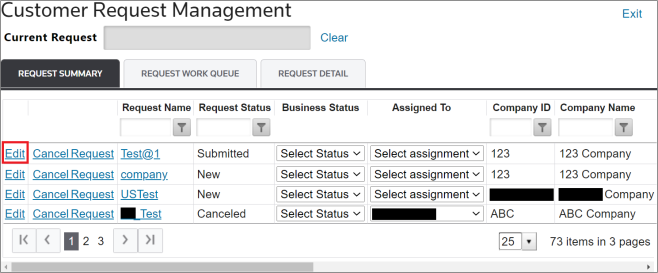
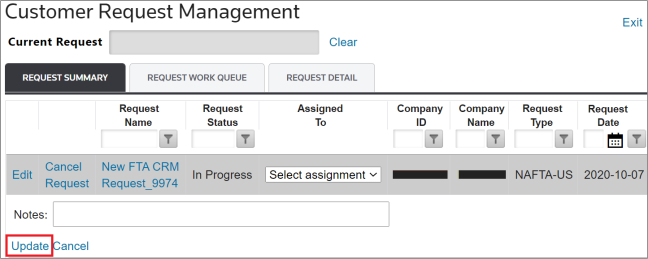
Unless otherwise configured to include additional fields, only the
Notes
field will appear as editable. Make any necessary changes and then click Update
.
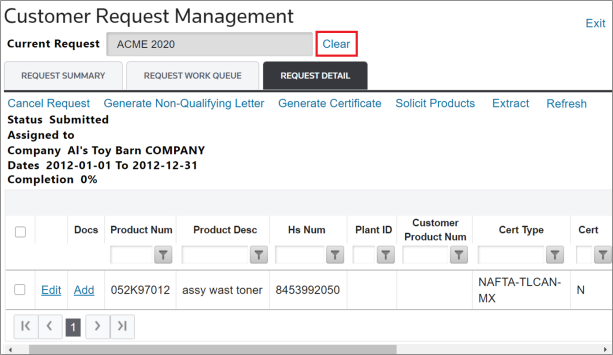
Reviewing a Different Request (Clear)
After a request has been selected in the
Request Summary
tab, its information will be populated in the Request Detail
tab.To review another request or return to the
Request Summary
tab, click Clear
.
Related Content
-
FTA: Customer Request Management
Format: Article