
FTA: Supplier Dashboard - Parties
The
Parties
tab is used for the review and modification of Exporter, Importer, or Producer information. A tab will appear for each agreement for which the supplier was solicited. The supplier will need to complete the information on each tab before moving to the signatures tab.To update party information: click either
Edit Party Information
or Copy From Other FTA
.
Edit Party Information
In the
Edit Party Information
pop-up you can include or edit the name, address, Tax ID, and e-mail of the party. This screen contains four tabs:- Exporter Information
- Importer Information
- Producer Information
- Certifier Information (if USCMA is the selected trade agreement)
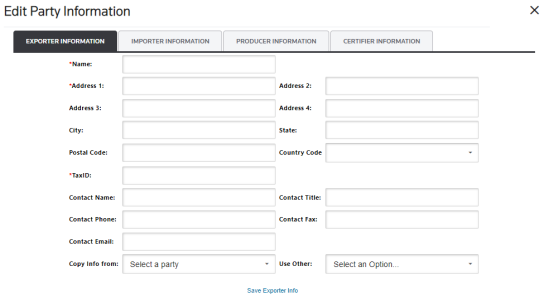
Make any necessary changes and click
Save Exporter Info
at the bottom of the pop-up. Additionally:- TheAddress 2, 3 and 4are available for additional information in case theAddress 1is longer than 200 characters.
- TheCountry Codedrop-down contains both the country name and ISO Country Code.
- You have the option to copy information from a completed tab to another without having to retype information by using theCopy Info FromorUse Otherdropdowns. The options available there are sorted alphabetically.
- If the importer can be more than one entity, writeVariousin theNamefield and leave the correspondingAddressandTax IDfields blank as permitted by the Free Trade Agreement.
- TheProducer Informationtab may have two additional boxes, depending on how the system was configured during implementation. The first of these boxes (Use Exporter Info as Producer) allows the supplier to copy the Exporter information to the Producer tab. The second box populates theProducer Namefield withAvailable to Customs Upon Request.
Edit Party Information - Certifier Information (USMCA)
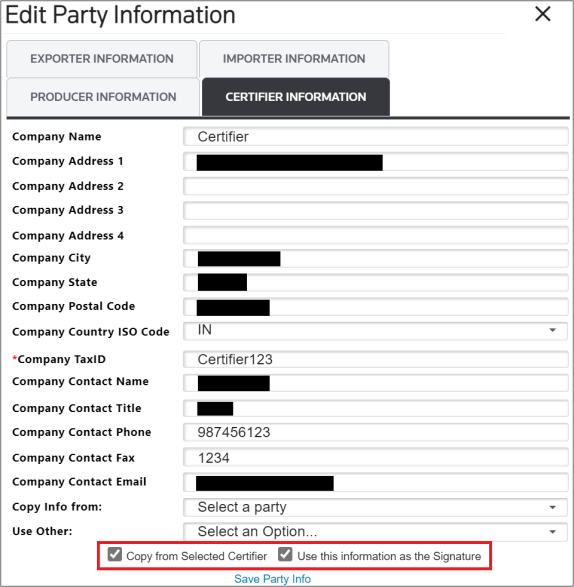
The
Certifier Information
tab (which will appear for USMCA) contains two additional checkboxes at the bottom of the modal: Copy from Selected Certifier
and Use this information as the Signature
.
If the
Use the information as the Signature
checkbox is selected when the Save Party
Info button is clicked, then the certifier’s information will be automatically populated into the corresponding fields on the Signatures
tab.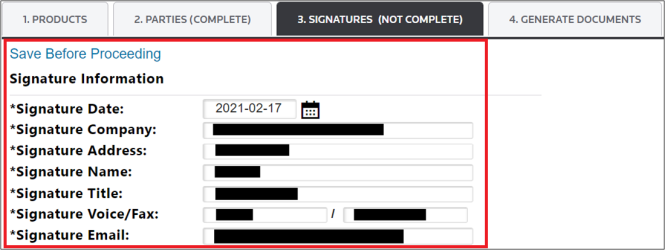
In order for these changes to be saved, click the
Save Before Proceeding
button and then move to the Signatures
tab.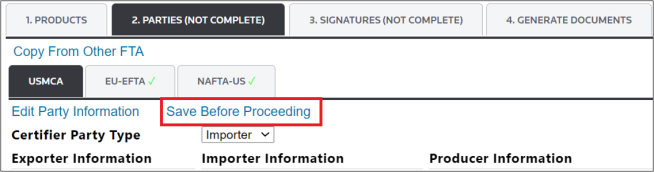
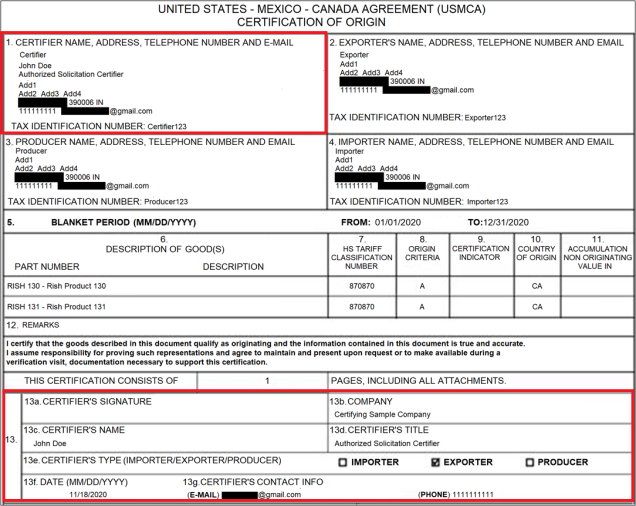
Once all steps are complete and the document is generated, the signature information will appear similar to the example shown below:
Copy from Other FTA
The
Copy from Other FTA
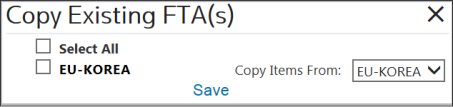
link is used for copying party information from one agreement party to another.To copy information from another FTA,
- Check the box(es) for the agreement(s) to be copied.
- Use the drop-down to choose an FTA to copy.
- ClickSave.
Save Before Proceeding
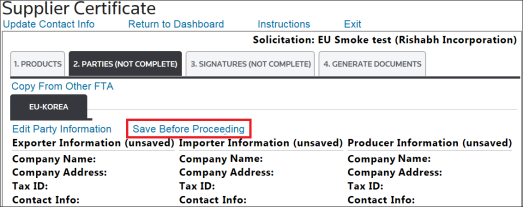
Save Before Proceeding
is used to save changes made to the incomplete certificate so no in-progress data is lost. After this action is complete, the Parties
tab label will change from (Not Complete
) to (Complete
).
Related Content
-
FTA: Supplier Dashboard
Format: Article