
ABI: Entry Summary (Entry 7501) - Transmit ACH for Single Pay or PSC
What changed and why
CBP now accepts electronic ACH payments for single pay entry summaries (entries filed with a Payment Type Code of 1) and Post Summary Corrections (PSCs). Previously, these were the last entry payment types that required a paper check.
This is different from how statements work. With daily and periodic statements, CBP sends you a statement and you pay it through ACH. With single pay entries and PSCs, CBP does not send anything within the software to prompt you. You initiate the payment yourself from the Entry page when you are ready.
If you file entries through a broker, your broker handles these payments on your behalf. This feature applies only to customers who currently self-file their entries through ONESOURCE Global Trade, including FTZ self-filers.
This feature is for payments where you owe an amount greater than zero. If a PSC results in money owed back to you (a refund), this process does not apply.
Before you start
You must already be a self-filer with ONESOURCE Global Trade. This feature is not available to customers who file through a broker. It applies to both Import ABI self-filers and FTZ self-filers.
As an existing self-filer, you already have a Payer Unit Number established with us. The system uses that same Payer Unit Number for these new ACH payment types. No additional setup is required.
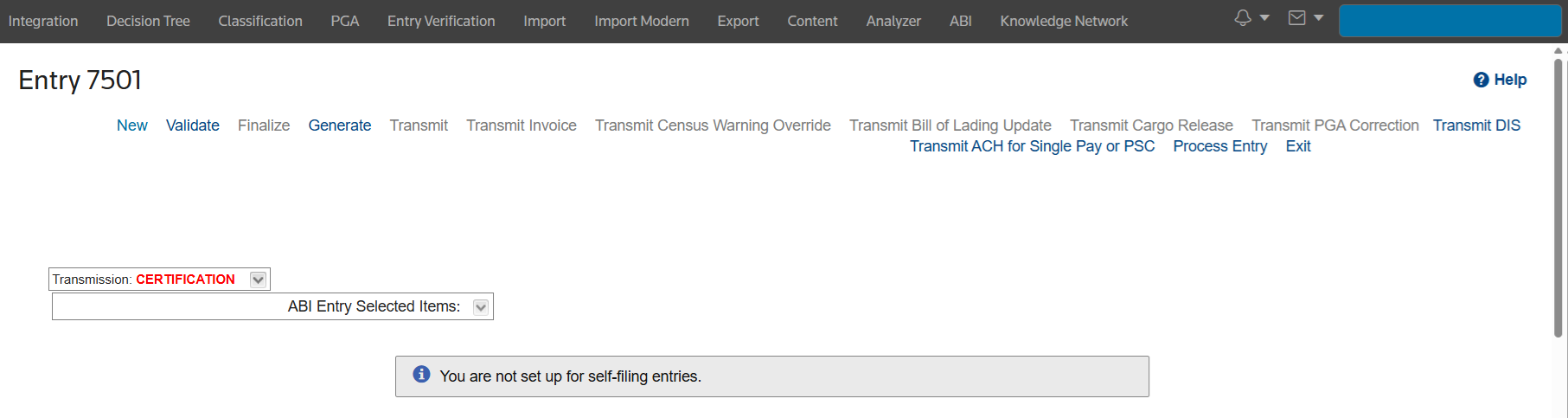
If you click the new "Transmit ACH for Single Pay or PSC" link and see the below message, it means your account is not self-filing entries through ONESOURCE Global Trade:
"You are not set up for self-filing entries"
If you would like to become a self-filer through ONESOURCE Global Trade, contact your account manager for assistance.
How to submit an ACH payment
- Go toABI > Entry Summary. Filter for the entry number you want to pay and click itsDetailslink to open the entry.
- Look for the linkTransmit ACH for Single Pay or PSC. The link is active when the entry's Payment Type is1(Individual) or thePost Summary Correctionfield isY. If neither applies to the entry you are viewing, the link will be inactive.
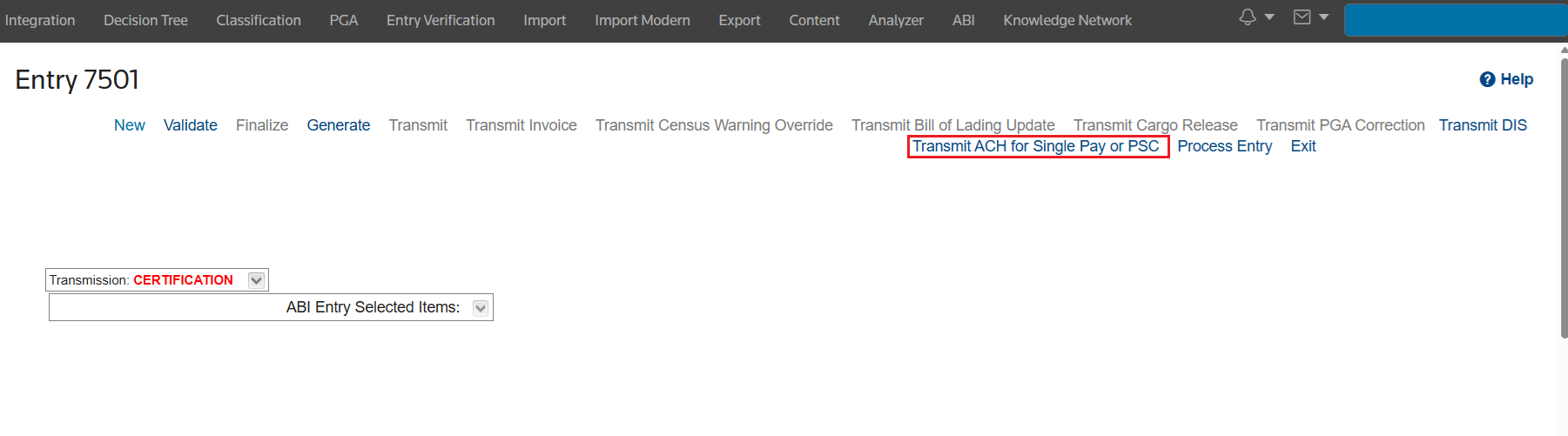
- Click the link. A pop-up opens for you to enter the payment amount.
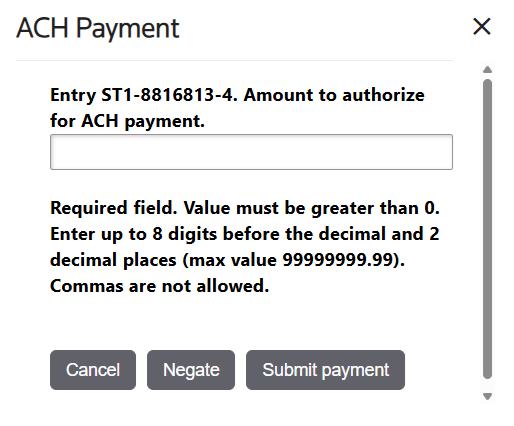
- Key the amount you want to pay (value must be greater than 0; enter up to 8 digits before the decimal and 2 decimal places, max value 99999999.99; commas are not allowed) and clickSubmit payment.
- The system transmits the payment to CBP. You will receive a reply from CBP under theEntry Replies > Replies ACH For Single Pay or PSCtab confirming whether it was accepted or rejected.
How to negate (reverse) a payment
If you need to reverse a payment you already submitted, use the same link and pop-up.
- ClickTransmit ACH for Single Pay or PSCon the same entry.
- Key the amount of the payment to reverse and clickNegate.
The system sends a negation to CBP using today's date. CBP only accepts negations on the same day the original payment was accepted. If the timing is wrong, CBP will reject the negation and you will see that in the replies. For a single pay entry, an accepted negation reverts the entry to unpaid.
For a PSC, it cancels the PSC payment authorization.
Checking your payment replies
Go to the
Entry Replies
tab on the entry and select the Replies ACH for Single Pay or PSC
sub-tab.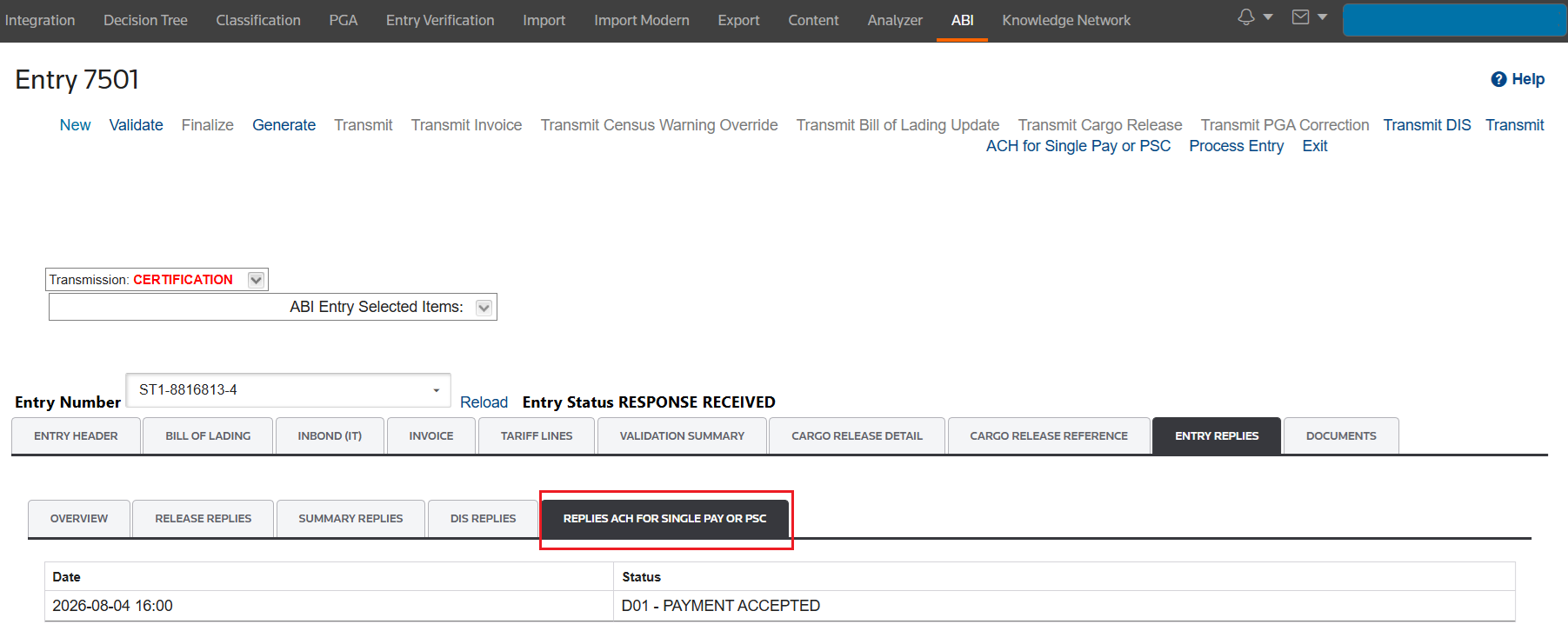
Each row shows:
Column | What it tells you |
|---|---|
Date | When CBP processed the reply |
Status | ACCEPTED or REJECTED |
Rejection reasons | If rejected, CBP's reason codes and descriptions appear below the status so you can look up what went wrong |
Common rejection reasons
Reason | What to do |
|---|---|
D12 - PAYER UNIT NUMBER NOT ON FILE | If you are already a ONESOURCE Global Trade Self-filer, confirm your Payer Unit Number is correct with your ABI Representative |
D11 - INCORRECT PUN FOR IMPORTER OR FILER | If you are already a ONESOURCE Global Trade Self-filer, confirm your Payer Unit Number is correct with your ABI Representative |
D08 - PAYMENT AMT NOT EQUAL TO STMT/BILL/ES AM | Confirm your Payer amount through ACE and transmit again |
D21 - AUTHORIZATION DOES NOT EXIST TO NEGATE | You do not have an Entry Payment in the correct status to negate |
Related Content
-
Automated Broker Interface (ABI)
Format: Article
-
ABI: Daily Statements - Overview and ABI Statement Payment Types
Format:
Article
-
ABI: Entry Summary (Entry 7501) - Post Summary Correction (PSC)
Format:
Article