
ISF Enterprise Report
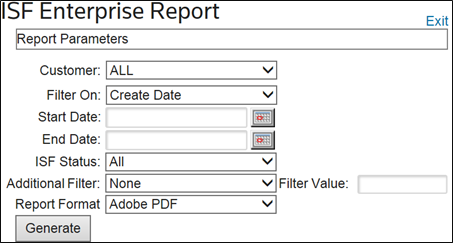
The ISF Enterprise Report displays filing details across all or specific partners within a specified date range. This report condenses all partners into one report and creates a more restrictive summary report than the standard “Print Filing Report”. This report screen can be opened by
choosing
“ISF Enterprise Report” from the “Reports” menu.
The user has the ability to pull up Security Filings with a specific status (Accepted, Accepted with Warnings, Rejected, or Not Transmitted) as well as search for specific values with additional filters such as the Bill of Lading Number.
Related Content
-
Importer Security Filing (ISF)
Format: Article