
Drawback Summary (ACS)
The
Drawback Summary
screen was used to manage and maintain claims created for transmissions to CBP via the ACS method. This screen and its functionality were replaced by the ACE Drawback Summary
screen in February 2020. Any ACS Drawback claims created in ONESOURCE Drawback can still be audited using this screen.All ACS Drawback claims are housed under the
Drawback Summary
screen in the ABI menu. On this screen, all claims in the system can be seen, as well as the response from Customs.Creating a New Claim
To create a new claim, click
New
.
This will open the
Drawback Claim Summary Detail
screen, which is described in more detail in the “Drawback Details” section of this Help. Complete the form and save.
Modifying an Existing Claim
To modify an existing claim, choose a claim from the grid below and click
Detail
on the far right.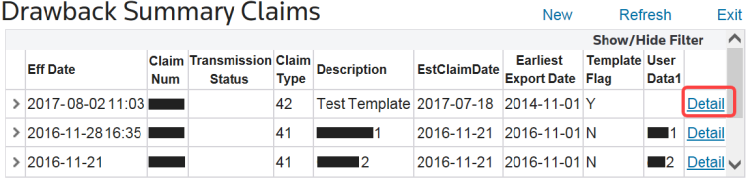
This will open the
Drawback Claim Summary Detail
screen, which is described in more detail in the Drawback Details
section of this Help. Make any necessary changes and save.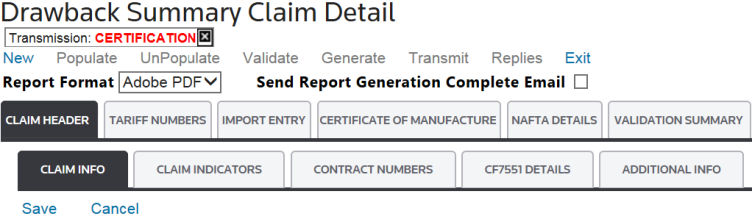
Searching for a Specific Claim
To search for a specific claim, click
Show/Hide Filter
and place as many filters in as many column headers as necessary to narrow down the results to the needed claim.
Customs Replies
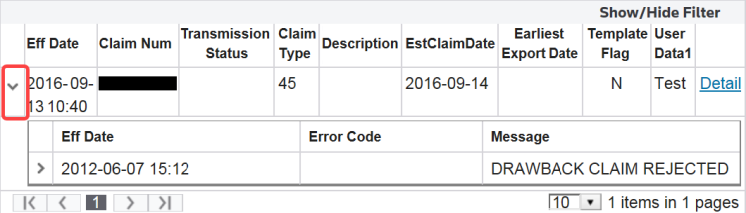
To view details on a Customs reply, click the arrow button on the far left.

This will allow the user to drill down into the details of each reply.
Related Content
-
Drawback Details
Format: Article