
Action Summary (Transmission)
To view the status of the Bonded Move transmission, click
Action Summary
at the top of the Action
screen.
It is also possible to open the
Action Summary
screen from the QPWP
menu. Once in the Action Summary screen, choose a Bonded Move from the grid below and click Detail
on the right. This will open the Action Record.
In the
Action
screen, audit the contents of the Action Record to confirm all information is correct. Resolve any errors should they occur. Once all information is confirmed as correct, click Transmit
.
Any replies from Customs will appear in the
Transmission Status
column of the Action Summary
, as shown below: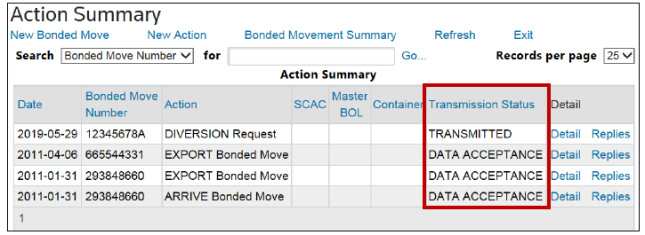
Related Content
-
Create New Action
Format: Article