
Roll forward datasets manually
There are cases when the roll forward should be manual. Manual roll forward is appropriate for unusual periods, such as periods that are not monthly, bi-monthly, or quarterly, usually where the authorities have agreed to a dispensation.
You should make sure that a calculation in a dataset is deleted permanently from ONESOURCE before the dataset is rolled forward; otherwise the soft deleted calculation will also be rolled forward along with other calculations in the dataset. It can be hard deleted by selecting
Deleted dataset(s)
from the Show menu option and then deleting the calculation.To manually roll forward:
- On the main menu, selectReturns>Returns.
- Group the columns by dataset.
- If it is not already active, select theShow Group Panelicon to open the heading pane. If the heading pane is already active, theShow/Hide Group Paneloption
 appears in the toolbar grid instead. You can use these icons to toggle the heading pane on and off.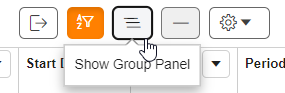
- Drag the column headings you want to group into the heading pane (located above the column headings). In this example, the grid will be grouped by Dataset.
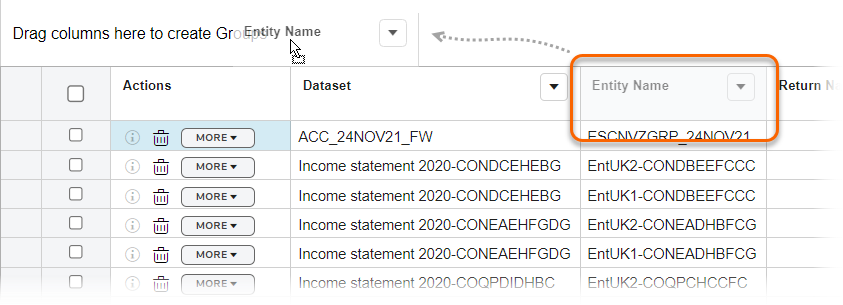
- To remove the grouping, select theXfor the grouping name in the column header.
- Check the checkbox for the dataset to be rolled forward.
- Select theRollFwd
 option on the toolbar.
Same Entity and Period with Multiple Calculations for Different Purposes
If a calculation is part of two different datasets, one for monthly (Jan) and the other for quarterly (Jan – Mar), and if you import the next period’s data related to first dataset (for example, for the month of February), ONESOURCE verifies if there is a dataset already existing for the dates being imported and as there is already one covering the periods January till March (for example, second dataset – quarterly), it will not roll forward the first dataset automatically. Instead you must do it manually.
Related Content
-
Datasets
Format: Article,
1 min read
Article,
1 min read
-
Roll forward datasets automatically
Format:
Article,
5 min read