
Validate the SAF-T XML file
Validate your SAF-T XML file and optionally generate a PDF using the integrated DUK Validator workflow.
The application only begins DUK validation when XML schema validation returns 0 errors. Ensure your XML file is structurally sound before proceeding.
- Open the Romania SAF-T report submission interface.
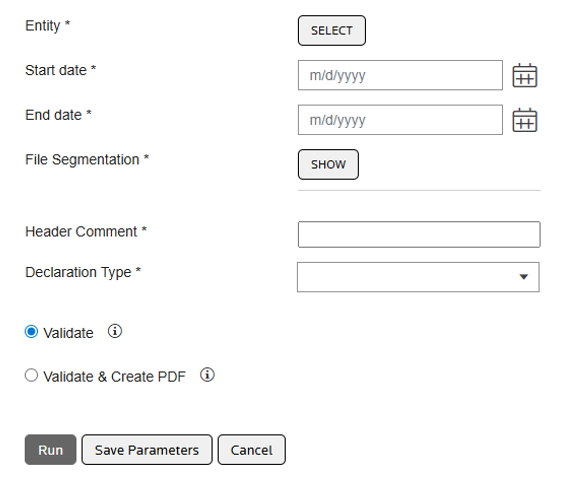
- Select one of the following processing options based on your requirement:
- Validate– The application generates the SAF-T XML file and validates it automatically against the XSD schema. If it passes, the application checks it against DUK business rules. Once both pass, you can download the approved XML file.
- Validate and create PDF– The application performs the full validation sequence and, upon passing all checks, generates an unsigned PDF of the declaration. Both the validated XML file and the unsigned PDF become available for download.
- Download the validated XML file and the unsigned PDF.
- Sign the PDF digitally outside the application. Use a physical smart card in desktop mode before you submit to the portal.noteDigital signing isn't included in the automated workflow. You'll need to complete this step manually outside the application before submitting to the portal.
- Submit the signed PDF and validated XML to the ANAF e-Declaration portal.
Related Content
-
Romania SAF-T: DUK validator integration
Format: Article
-
About the DUK validator integration
Format:
Article