
Share and link a report element
Share a report element from a source reporting entity and add a linked copy to a target reporting entity.
The Share and Link process involves sharing and creating a linked copy in the target entity. Once you establish the link, OSR reflects changes made to the source element in all linked copies within open financial periods.
- Open the report that contains the report element you want to share in the source reporting entity.
- Locate the report element you want to share.
- Select the ellipsis on the report element and selectShare Report Element.
- SelectContinueon theShare a Report Elementwindow. OSR marks the element as aShared Report Element.

- Open any report in the latest financial period where you want the linked element to appear in the target reporting entity.
- Select the ellipsis at the position where you want to add the linked element and selectLink Report Element.
- Select the source entity and financial period on theLink Share Report Elementwindow.
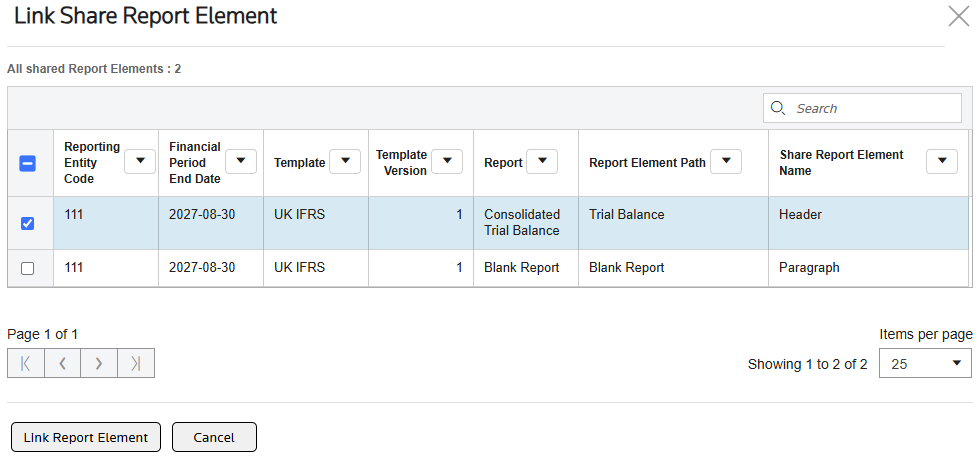
- SelectLink Report Element.OSR creates a copy of the shared report element in the target, linked to the source.

The linked report automatically reflects changes that you make to the source report element, as long as the target financial period is open.
Related Content
-
Share report element
Format: Article