
Create new API users
Follow these steps to create a new API user.
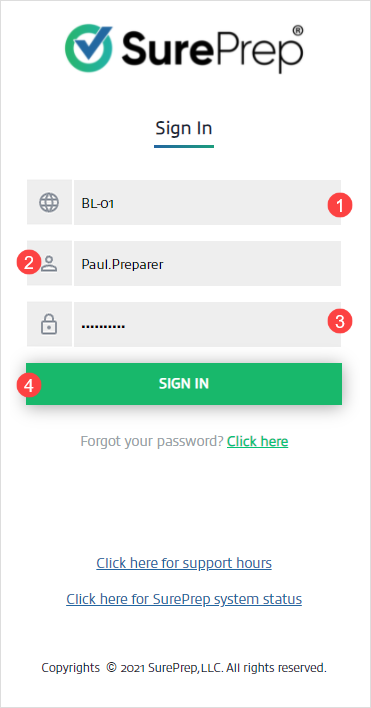
- Sign in to SurePrep FileRoom.
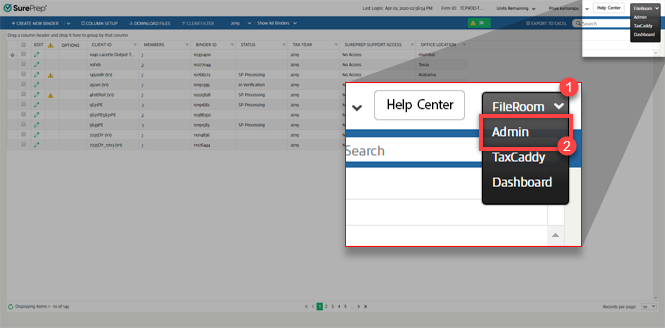
- Go toFileRoom, thenAdmin.
- On theAdminscreen, selectAPI, thenUser Management.
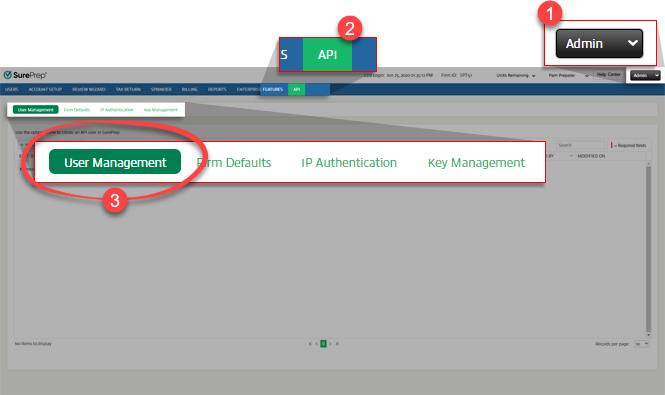 noteIf you don’t seeAPIon your navigation bar then contact SurePrep Support to enable this feature.
 - SelectNew Userto add an API user.

- TypeUSERNAME,PASSWORD, andEMAIL ID(optional).
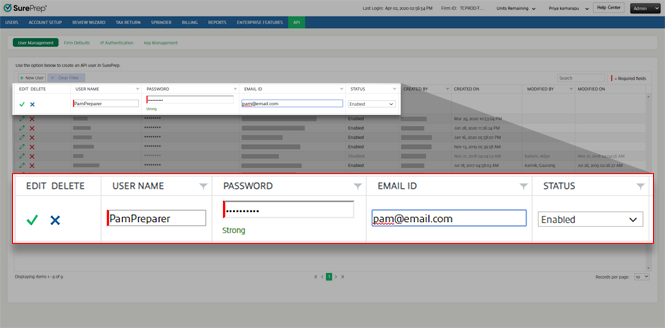
- Select theSave
 icon to save your API user.
 - On theUser Managementwindow, selectYes.

What's next?
After creating a user, create an API Key and Token to continue.
Related Content
-
User Management overview (API)
Format: Article
-
User Management overview (API)
Format:
Article
-
Enabling API for your firm
Format:
Article
-
Edit API users
Format:
Article
-
Delete an API user
Format:
Article
-
Enable and disable API user
Format:
Article
-
Set up API Key and Token
Format:
Article

