
Enable and disable API user
Follow these steps to enable or disable API users:
- Sign in to SurePrep FileRoom.

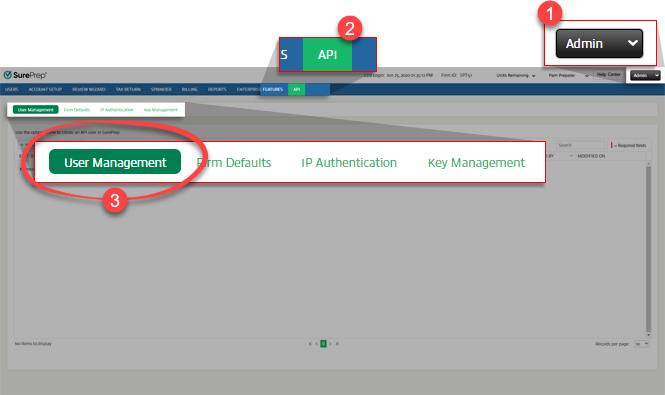
- Go toFileRoom,Admin,API, thenUser Management.
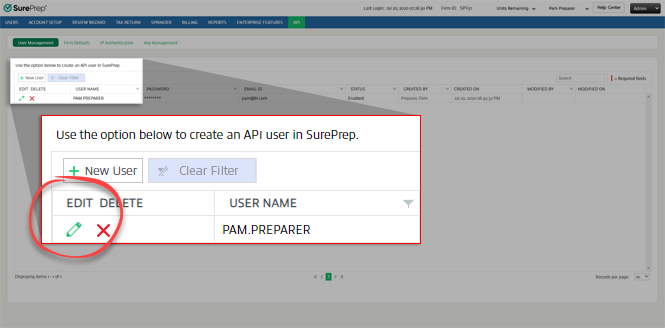
- Select theEdit
 icon.
icon.
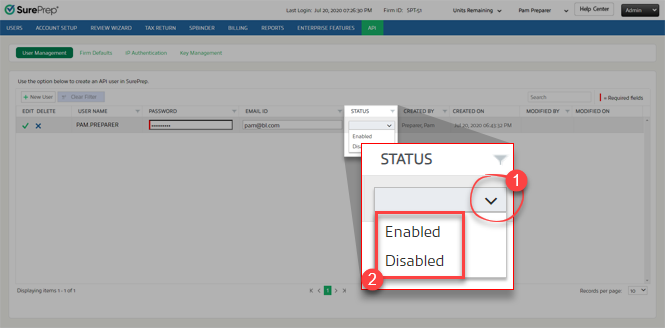
- On theSTATUScolumn, selectEnabledto enable the API user. SelectDisabledto disable the API user.
- Select theSave
 icon to save your changes.

Related Content
-
User Management overview (API)
Format: Article
-
User Management overview (API)
Format:
Article
-
Create new API users
Format:
Article
-
Edit API users
Format:
Article

