
Troubleshoot: Unable to access binder
Access to client binder could be restricted due to the following reasons:
- Owner
- 7216 Consent
- Assign Members
- Office Location
Owner
When the user is not an Owner or an assigned member.
7216 Consent
When a binder is created without 7216 consent, any users who are restricted from accessing binders without 7216 consent will lose access to the client.
You can also assign 7216 Consent restrictions to a user group.
Assign Members
When binders are restricted to only members assigned to the binder.
Office location restriction
When office restriction is enabled, users from 1 office location can't access binders that belong to another office location.
In FileRoom, office location restriction will restrict binder access to users from the same office location.
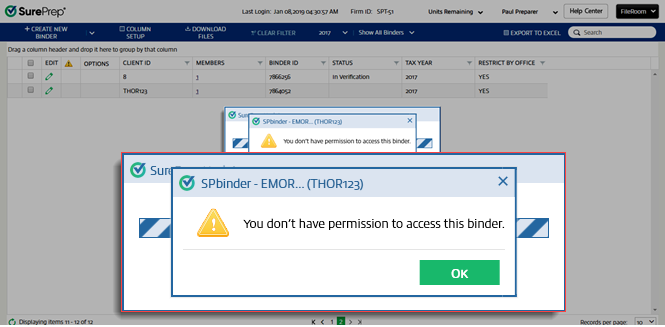
To turn on or turn off office restriction on the domain, go to , then select the
Office Locations
checkbox.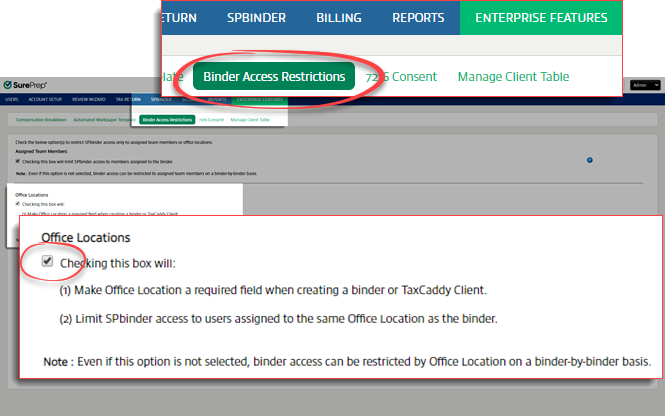
Related Content
-
Assign members
Format: Article

