
Select binder templates
On the
Create New Binder
window, the Select Binder Template
section lets you choose a specific binder template for a particular tax year and tax application. Only binder templates based on the tax application configured in Tax File Activation
will be displayed.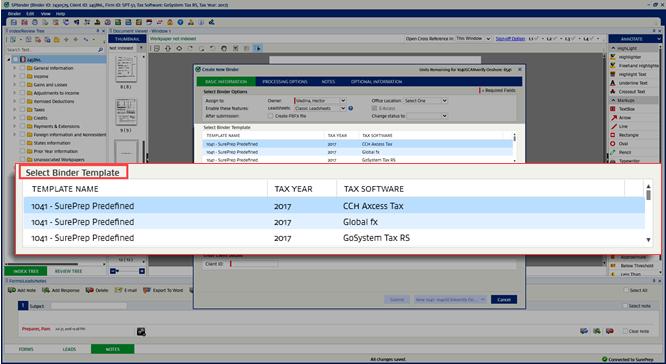
Select the binder template you want to select under the
Select Binder Template
section. The binder template you selected previously will be remembered for you on subsequent submissions.
note
Make sure you are selecting the correct
TEMPLATE NAME
, TAX YEAR
, and TAX SOFTWARE
. This option can't be changed once the binder is submitted.Aside from
SurePrep's Predefined
templates, you can also add custom binder templates to this list by enabling them in . Binder Template Setup
.Only binder templates based on tax application configured by your firm will be displayed. To turn on a tax application, go to , then select from the following tax application:
- CCH Axcess Tax
- UltraTax CS
- GoSystem Tax RS
- Lacerte
note
The “Other” tax application template will only be displayed for 1040 binders without leads and only if the service selected is 1040SCAN ORGANIZE or SPbinder.
Related Content
-
Basic information
Format: Article

