
Foreign tax credit
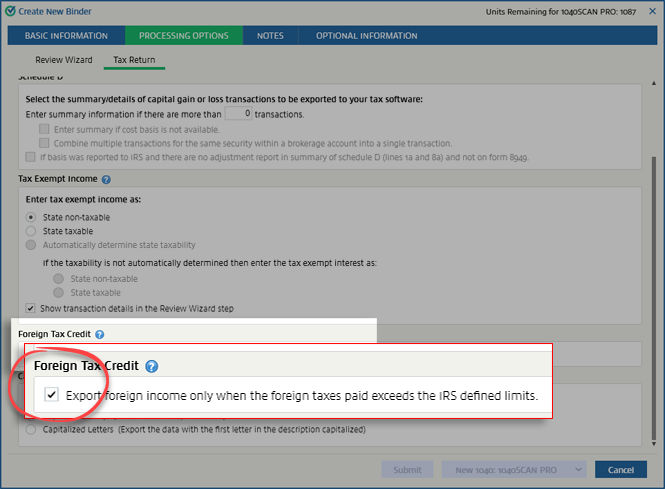
When creating a binder, you can enable this option to only export foreign income if it exceeds the IRS defined limits.
note
This option doesn't apply to 1041 binder type.
Follow these steps if you want to only export foreign income if it exceeds the IRS defined limit:
- Initiate creating a new binder.
- On theCreate New Binderwindow, select theProcessing Optionstab.

- SelectTax Return.

- Scroll down until you reach theForeign Tax Creditsection. If you want to export foreign income only when the foreign taxes paid exceed IRS defined limits ($300 Single or $600 Married Filed Jointly), select theExport foreign income only when the foreign taxes paid exceed the IRS defined limitscheckbox.
By default, this setting will match that chosen in . You can make changes here for this particular return. This setting will override the one made in
Admin
.Related Content
-
Processing options
Format: Article

