
Select indexing options
When creating a binder, you can choose how to index pages under
Indexing Options
.Follow these steps to select indexing options:
- Initiate creating a new binder.
- On theCreate New Binderwindow, select theProcessing Optionstab.

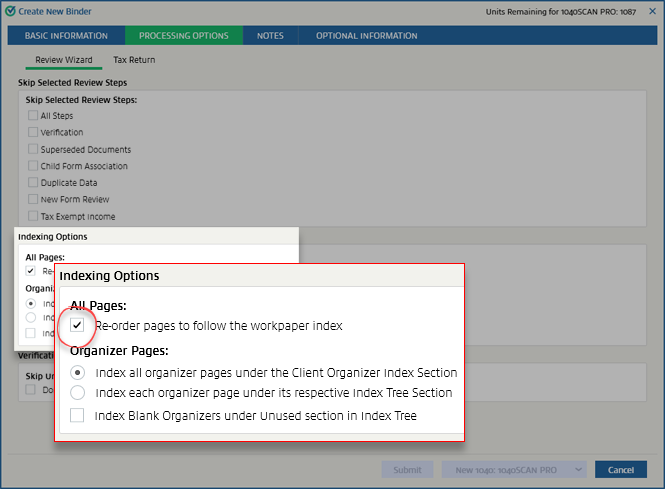
- On theProcessing Optionstab, locate theIndexing Optionssection.

- If you want to re-order the pages to follow the workpaper index, select theRe-order pages to follow the workpaper indexcheckbox. Conversely, you can clear this checkbox to maintain the order of pages in which they were submitted/scanned. Pages will appear in the same order when a binder is printed (that is, scanned order or reorganized order).
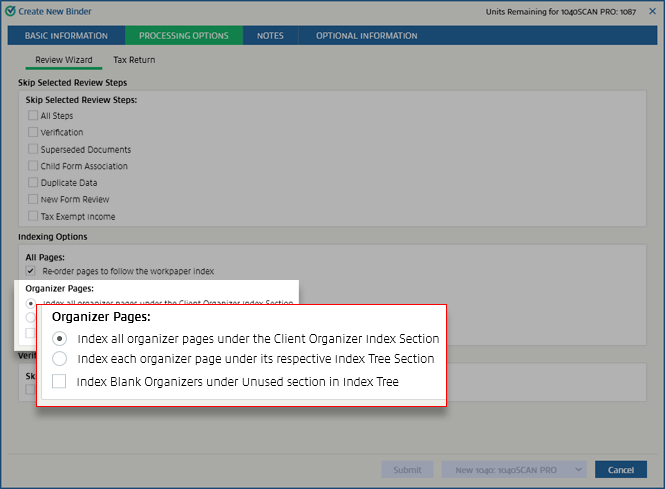
- UnderOrganizer Pages, you can choose whether to index all organizer pages under the client organizer index section or to index each organizer page under its respective index tree section.noteThese options aren't available for 1041 binders.
By default, these settings will match those chosen in . You can make changes here for this particular return. These settings will override the ones made in
Admin
.Related Content
-
Processing options
Format: Article

