
Deduction information
When creating a binder, you can select how you will be providing deduction information.
Follow these steps to select how you will be providing deduction information for a trust:
- Initiate creating a new binder.
- In theCreate New Binderwindow, select theTrust Informationtab.noteTheTrust Informationtab is only available for 1041 Outsource Onshore/Offshore.
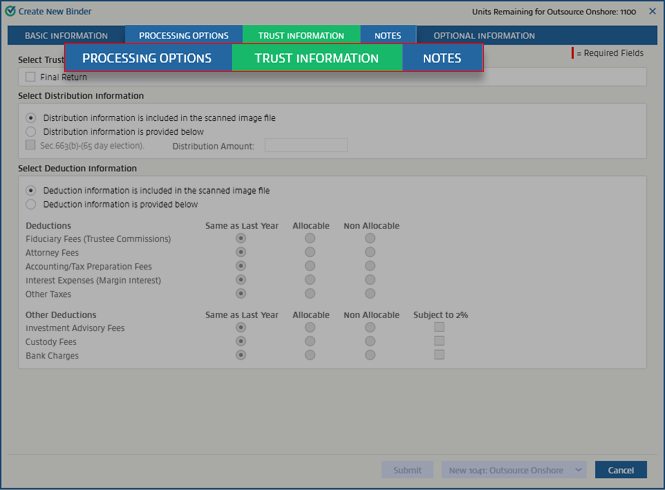
- Go to theSelect Deduction Informationsection.
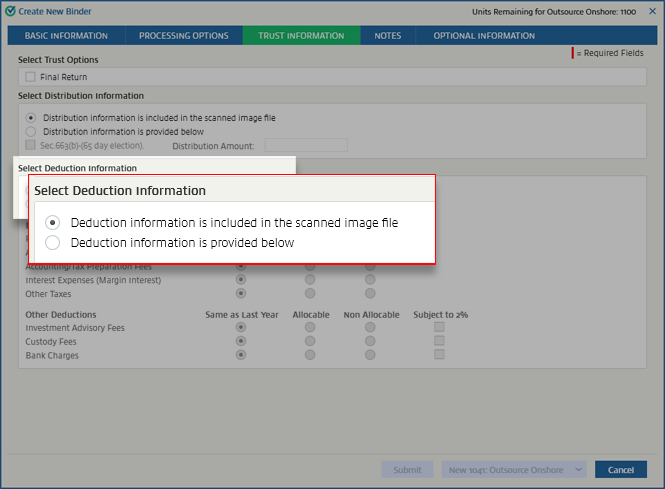
- If the scanned images include deduction information related to the settings inSelect Deduction Information, selectDeduction information is included in the scanned image file. When you select this option, the specific settings are turned off.
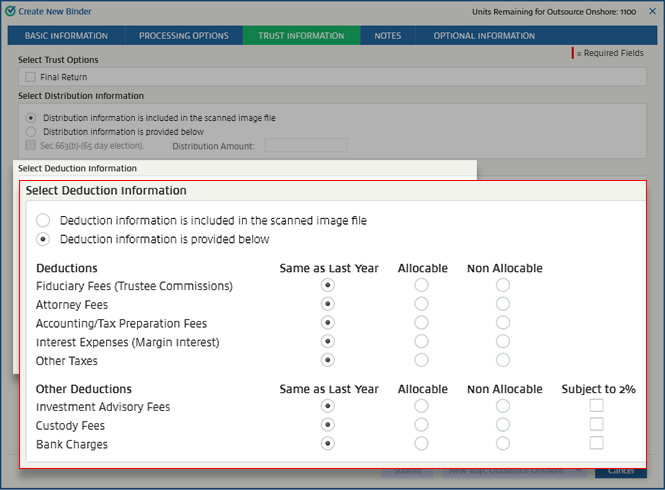
- If the scanned images don't contain this information, selectDeduction information is provided below. This will turn on the settings forDeductionsandOther deductions. Once these are active, you can choose your options.
Related Content
-
Trust information
Format: Article

