
View other tax years in FileRoom
Binders only appear under the tax year they were created for.
Example: binder created for the 2023 tax year will only appear under 2023 tax year.
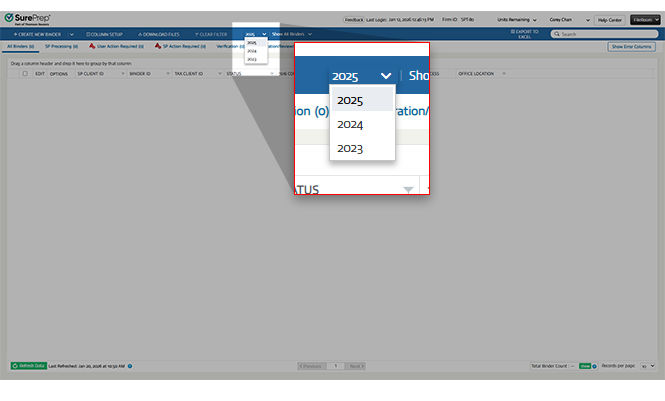
For a list of binders for a particular tax year, go to FileRoom, and select the down arrow of the currently displayed tax year to toggle between available tax years. For example, you can select the dropdown arrow for
2023
and choose to select 2022
or 2021
.
note
SurePrep retains access to client(taxpayer) binder information up to a certain time period. Data from the previous tax year is removed from FileRoom and the tax year will no longer appear in the dropdown. We recommend printing your binder if you need to backup your binder information for a long period of time.
Related Content
-
Access FileRoom
Format: Article

