
2026-02-03 (Document Auto-Categorization)
Release note for February 3, 2026
Document Auto-Categorization
TaxCaddy now offers enhanced Document Auto‑Categorization, providing users with a faster, more efficient upload experience by automatically identifying and assigning documents to the appropriate tax categories and forms. Document Auto‑Categorization uses TaxCaddy’s AI  to analyze each page of an uploaded PDF and assign it to the correct category.
to analyze each page of an uploaded PDF and assign it to the correct category. Firm users interested in using this new upload enhancement to streamline the document upload experience throughout tax season can do so from the
Upload Documents
section of a client's TaxCaddy profile. Select the
Auto-Categorize
toggle, then proceed with the document upload. After the document has uploaded, TaxCaddy will begin the auto-categorization process to sort the document into its appropriate category (for example Form W-2 or Form 1099-INT).
note
Documents that cannot be confidently classified are placed in the
Uncategorized
section for manual review and categorization.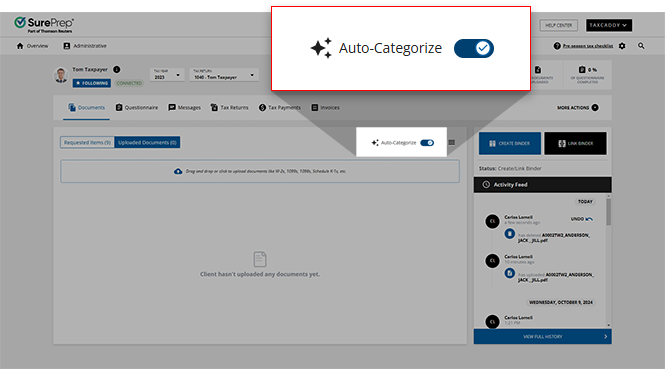
If a document containing multiple forms was not correctly split or categorized, users can then select
Restore original pages
to restore the multiple split forms into the original single document.
Select the
Document auto-categorization in TaxCaddy
article in the Related Content
to review the auto-categorization in further detail. Related Content
-
TaxCaddy release notes
Format: Article
-
Document auto-categorization in TaxCaddy
Format:
Article

