
Import process v1.2
Follow these instructions to import a SurePrep Profile for Fujitsu-fi-7160, 7260 with PaperStream capture 2.5.0, and Fujitsu Ricoh FI- 8170:
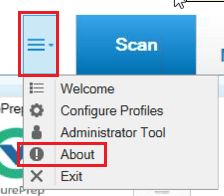
To check if you have the proper PaperStream Capture version, select the
Menu
icon, then About
.
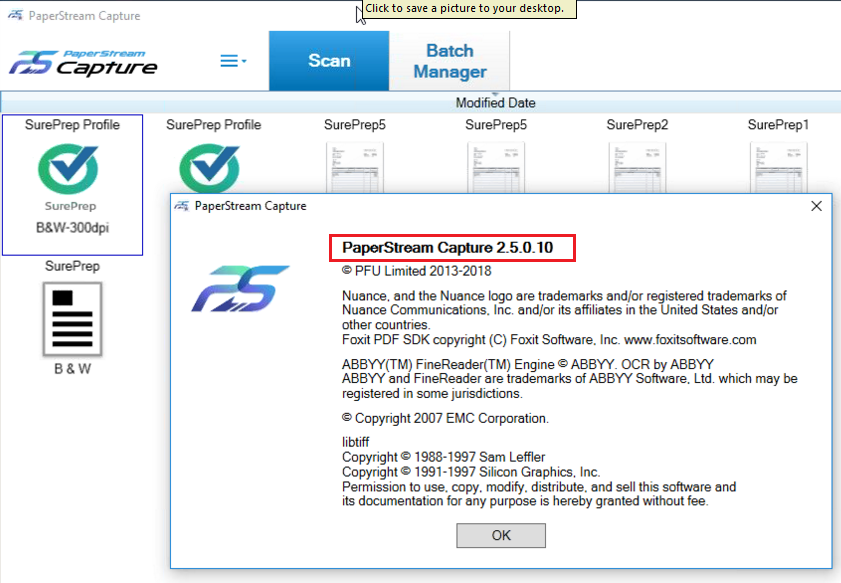
On the
About
window, the PaperStream Capture is version 2.5.0
.
If you don’t have PaperStream Capture version 2.5.0 or higher, you can download it from Fujitsu's website.
Import SurePrep profile settings
The
SurePrep profile.CAB
file is a pre-built profile with the required settings for most scanners (excluding the Fujitsu FI-7160 and FI-8170).note
SurePrep profile.cab file is compatible with PaperStream Capture 2.5. If you have an older version, upgrade it first and then perform Import.
If you are using either the Fujitsu FI-7160 or FI-8170, the
SurePrep profile.CAB
file is not compatible. In this case, download the corresponding .DPAV
file from below:On the
Taskbar
, select the Windows Start button. Select PaperStream Capture
, then Importer
.
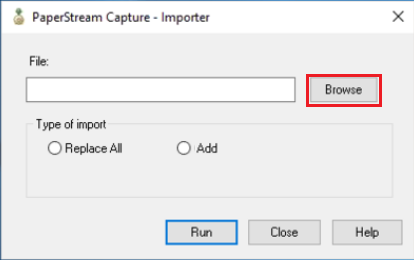
In the
PaperStream Capture – Importer
window, select Browse
.
Go to the path where you downloaded the profile. Select
SurePrep Profile.CAB
, then Open
.
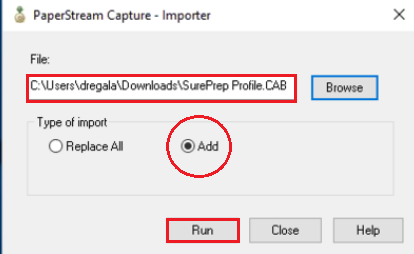
The file name and path will appear in
File
. Select the Add
option, then Run
.
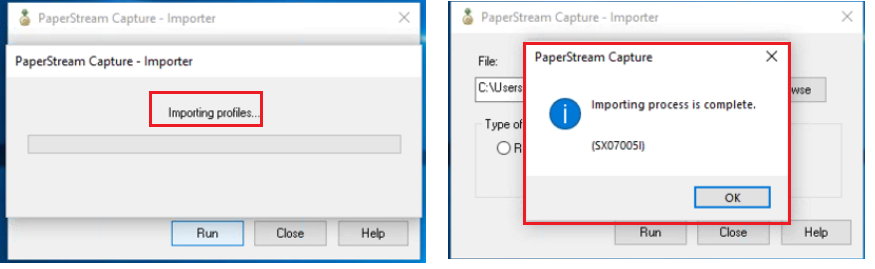
A progress bar appears during the import process. When the import is complete, select
OK
.
You should now have the
SurePrep Profile
icon on PaperStream Capture. You can use this to scan documents for SurePrep binders.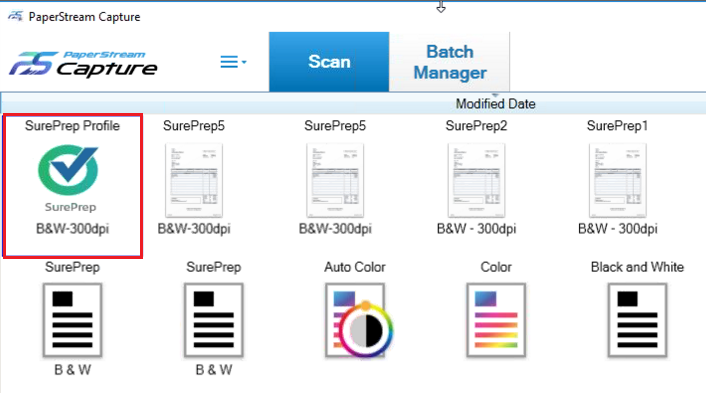
Related Content
-
Fujitsu scanner setup
Format: Article
-
Fujitsu FI-7160 and 7260 scanner set up with PaperStream Capture 2.5.0
Format:
Article
-
Fujitsu Ricoh FI-800R, 7160/7260, 6130Z/6230Z, 6140Z/6240Z scanner set up instructions
Format:
Article

