Editing IP addresses

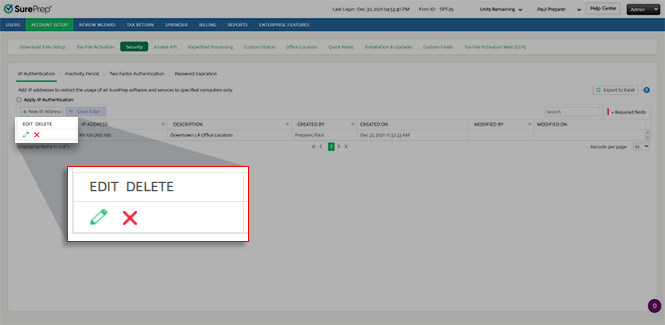
Follow these steps to edit an IP address that's already added to IP Authentication. 
  1. Go to
    FileRoom
    Admin
    Account Setup
    Security
    IP Authentication
    .
    Select Admin, ACCOUNT SETUP, Security, then IP Authentication
  2. To edit the
    IP address
    and/or
    Description
    , select the
    Edit
    icon Edit icon.
    Select the Edit icon
  3. Enter the
    IP ADDRESS
    and/or
    DESCRIPTION
    that you want to update.
    Enter your IP Address and Description
  4. Select the
    Save
    icon Save icon.
    Select the Edit icon
Related articles
:
  • IP Authentication Overview
  • Adding IP addresses
  • Editing IP addresses
  • Deleting IP addresses
  • Exporting IP addresses to Excel

Related Content

error-icon

Triva isn't available right now.

Check out the support page for our phone number and hours

error-close