
Create a shortcut to a binder
Create a PBFX file for a binder to open a binder without signing into FileRoom
You can use the
Save as PBFX
feature to save the binder and/or save the binder's PBFX file to access it locally, without opening FileRoom.Save as PBFX
PBFX file helps you directly access your binder locally without opening FileRoom.
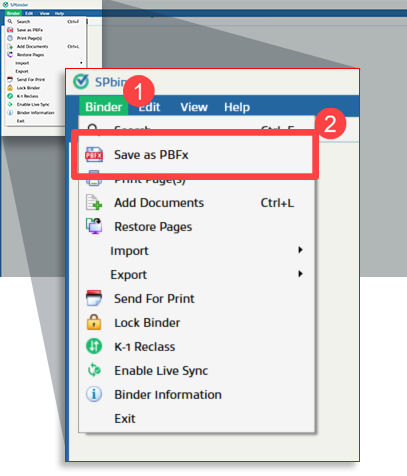
To save your current binder as a PBFX file, select
Binder
, then Save as PBFX
.
You can also select the  on the SPbinder toolbar.
Save as PBFX
icon on the SPbinder toolbar.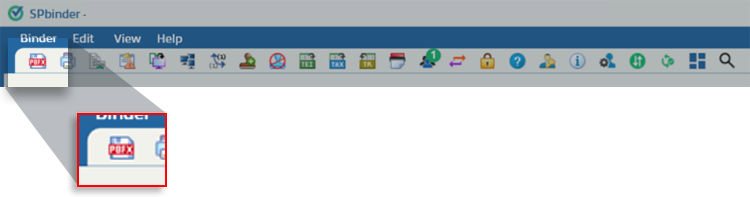
When the
Save As
window appears, select the location, then Save
to save the PBFX file, or select Cancel
to close without saving.
Related Content
-
Save your work
Format: Article
-
Opening Binders
Format:
Article

